77
ADOBE FRAMEMAKER 7.0
Classroom in a Book
6
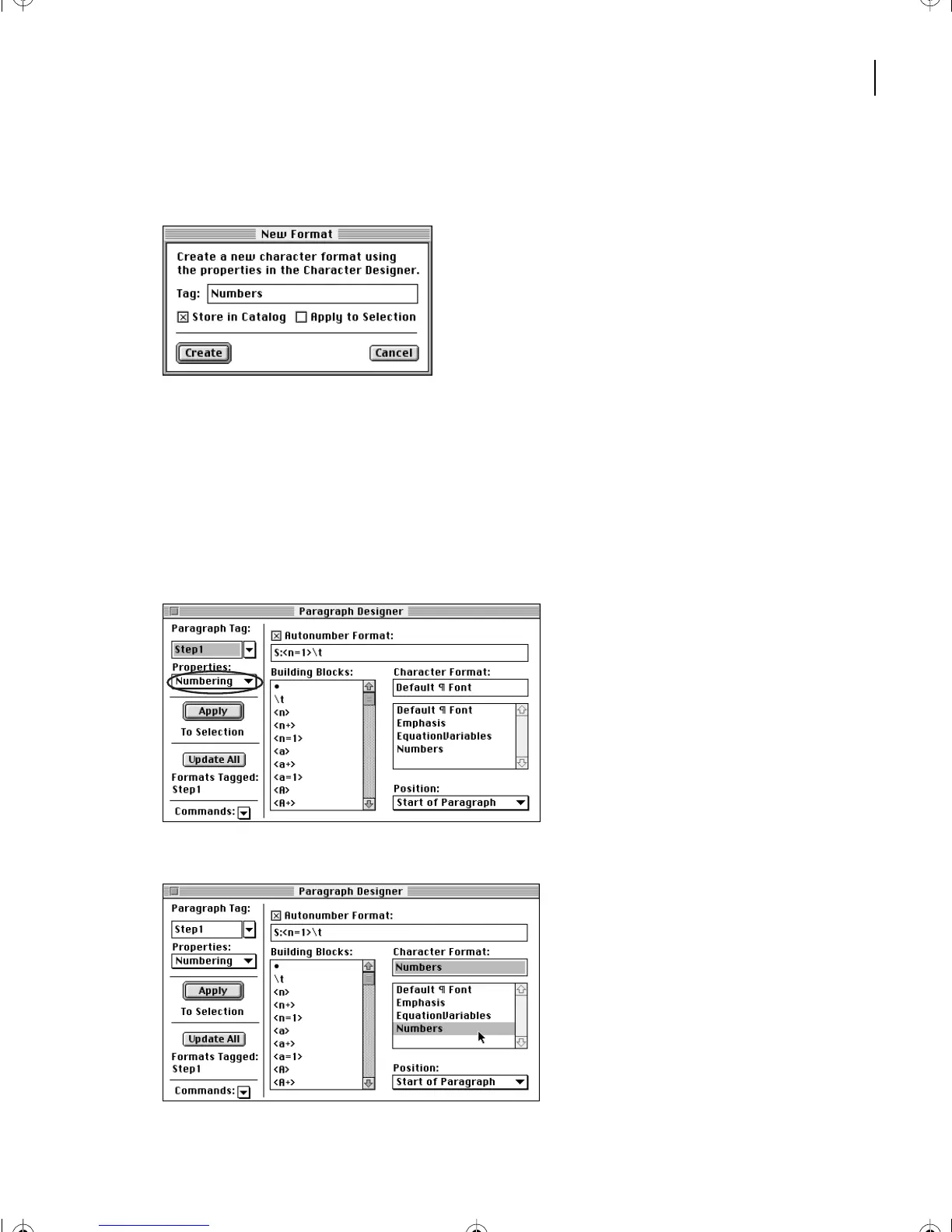
Turn off Apply to Selection and click Create to store the character format in the
Character Catalog.
Using the character format for autonumbers
Now that you’ve defined the character format, you can use it to add color to automatically
inserted numbers. Your document uses two paragraph formats for numbered paragraphs
(one for the first, and the other for the rest of them), so you’ll change both paragraph formats.
1
Make sure the insertion point is still in the first numbered paragraph.
2
In the Paragraph Designer, choose Numbering from the Properties pop-up menu.
3
Select Number in the Character Format scroll list and click Update All.
L03.fm Page 77 Saturday, July 6, 2002 11:39 AM



 To Next Page