ADP ezLaborManager Visual Reference Card
ADP 700 Timeclock Setup
K.E./M.D./S.M. © 2014 by ADP, LLC
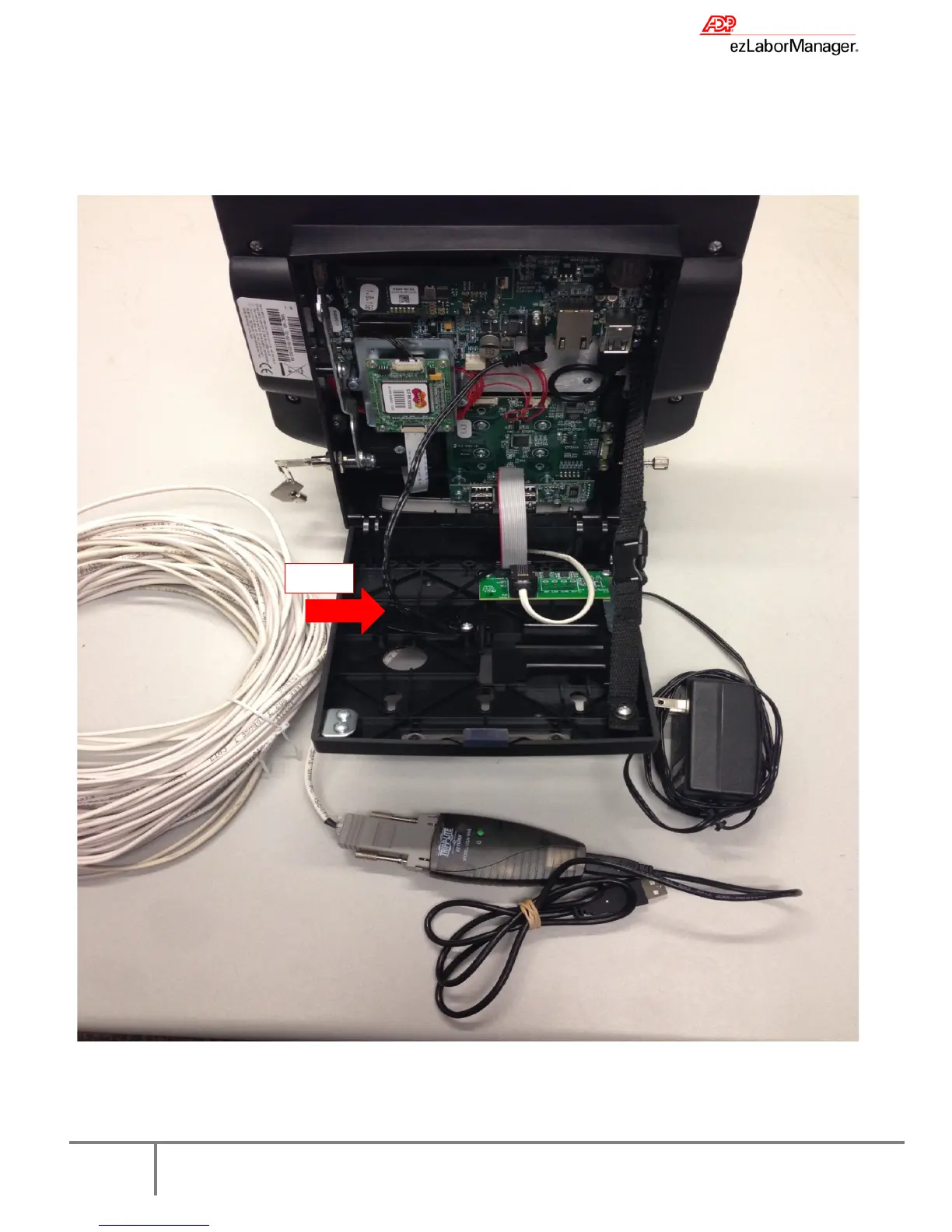
7. If using the Direct timeclock, connect the white CAT 3 cable (this is not a phone cable) into the serial jack in the
timeclock. Then connect the gray RJ11 adapter to the white cable and finally the black Keyspan USB cable to the
gray RJ11 adapter. Plug the black Keyspan USB cable into a USB port in your computer.


 To Previous Page