USB 2.0 Hard Drive Kit
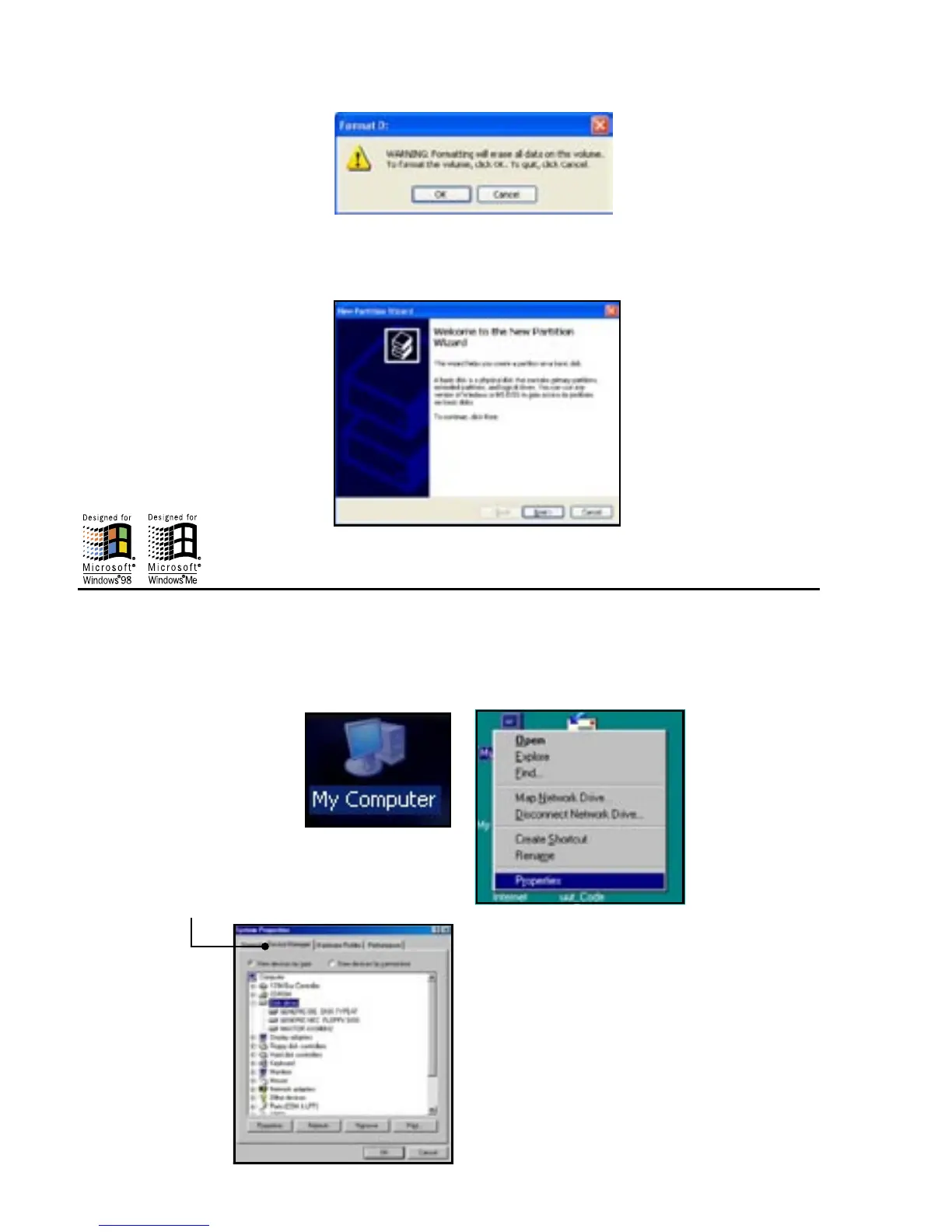
• If prompted to initialize your drive, go ahead and do so if it is a brand new Hard Drive. For older hard disk
drives that already have data in them, initializing erases the data on that drive.
The USB 2.0 drive that you just initialized will now be listed in the drives section of the lower right side of
the window. Go ahead and right click on the drive and make a new partition. This will run a wizard that will
partition and format the drive and assign it a drive letter.
Windows 98SE and Win Me Hard Disk Drive Installation
If the HARD DRIVE in your drive kit does not mount as a DRIVE LETTER after you have plugged in and
turned on your drive kit, you would need to do the following:
• RIGHT CLICK on “MY COMPUTER”, then click on “PROPERTIES”
• Click on “DEVICE MANAGER”


 To Next Page