WEB-PROGRAMMING
STEPS
A\
THIS
PRODUCT
REQUIRES
THE
INSTALLATION
OF
~
A
MAESTRO
RR
[ADS-MRR)
MODULE
SOLD
SEPARATELY
CD
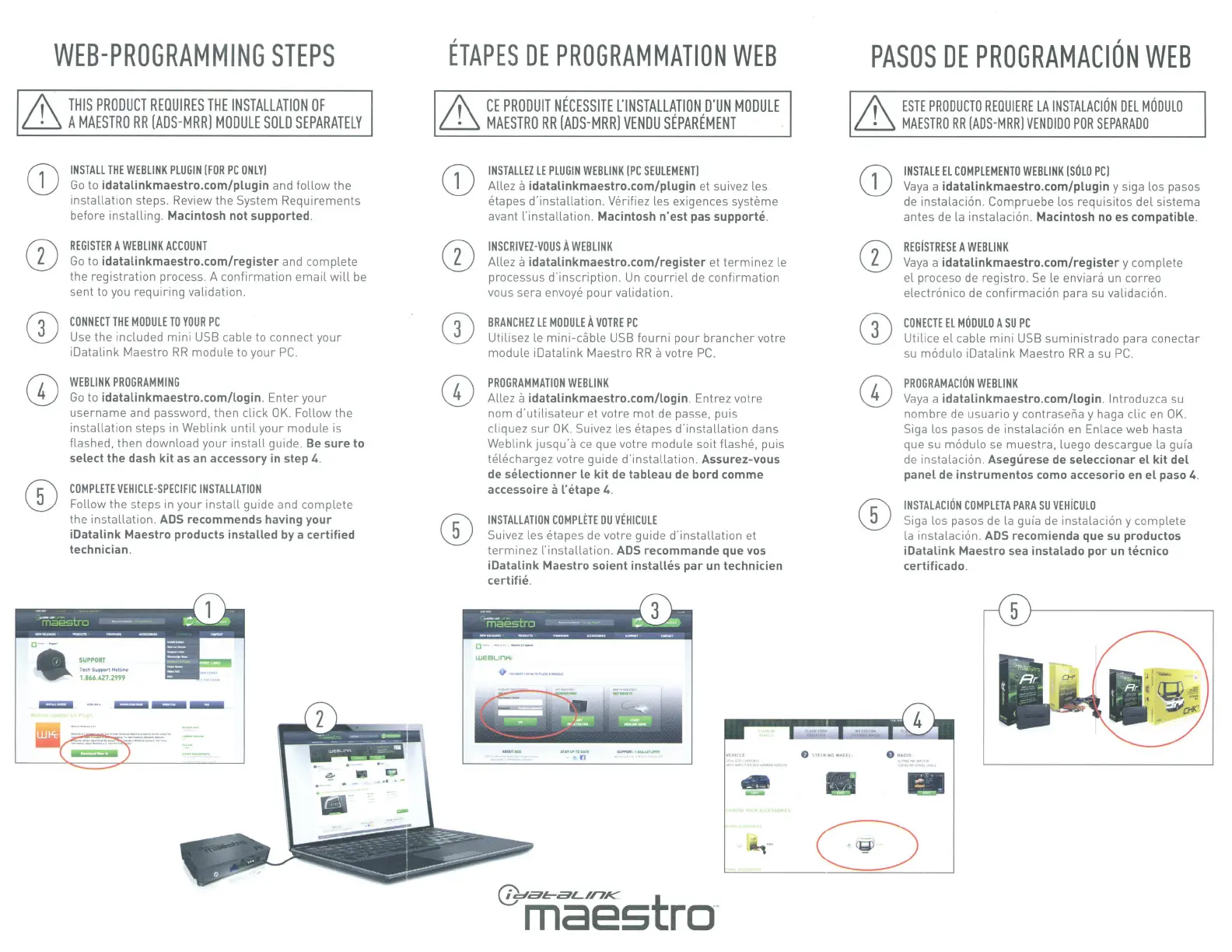
INSTALL
THE
WEB
LINK
PLUGIN
(FOR
PC
ONLY)
Go
to
idatalinkmaestro.com/plugin
and follow the
installation step
s.
Review the System Requirements
before installing. Macintosh
not
supported.
REGISTER
A
WEB
LINK
ACCOUNT
Go
to
idatalinkmaestro.com/register
and complete
the registration process. A confirmation email
will
be
sent to you requiring validation.
CONNECT
THE
MODULE
TO
YOUR
PC
Use
the included mini
USB
cable to connect your
iOatalink Maestro
RR
module to your
PC.
WEBLINK
PROGRAMMING
Go
to
idatalinkmaestro.com/login
. Enter your
username and password. then click
OK.
Follow the
installation steps in Weblink
until
your module is
flashed, then download your
install
guide.
Be
sure
to
select
the
dash
kit
as an accessory in step 4.
COMPLETE
VEHICLE-SPECIFIC
INSTALLATION
Follow the steps
in
your
install
guide and complete
the installation.
ADS
recommends having
your
iDatalink
Maestro
products
installed
by a
certified
technician.
ETAPES
DE
PROGRAMMATION
WEB
A\
CE
PRODUIT
NECESSITE
L'INSTALLATION
,
D'UN
MODULE
~
MAESTRO
RR
[ADS-MRR)
VENDU
SEPAREMENT
CD
INSTALLEZ
LE
PLUG
IN
WEBLINK
(PC
SEULEMENT)
Allez
a
idatalinkmaestro.com/plugin
et suivez les
etapes d'installation.
Ye
rif
iez
les exigences systeme
avant ['installation. Macintosh
n'est
pas
supporte
.
INSCRIVEZ·VOUS
A
WEBLINK
Allez
a
idatalinkmaestro.com/register
et
term
inez
le
processus d'inscription. Un
courriel
de
confirmation
vous sera envoye pour validation.
BRANCHEZ
LE
MODULE
A
VOTRE
PC
Utilisez le
mini-
d)ble
USB
fourni pour brancher votre
module iDatalink Maestro
RR
a
votre
PC.
PROGRAMMATION
WEBLINK
Allez
a
idatalinkmaestro.com/login
. E
nt
rez votre
nom
d'utilisateur
et votre mot de passe,
pu
is
cliquez
sur
OK.
Suivez les eta
pes d'installation dans
We
blink
jusqu·a
ce
que votre module
so
it
flashe,
puis
telechargez
votre guide d'installation. Assurez-vous
de
selectionner
le
kit
de tableau
de
bord com
me
accessoire
a
l'etape
4.
INSTALLATION
COMPLETE
DU
VEHICULE
Suivez les
eta
pes
de
votre guide d'insta
ll
ation et
term
inez l'installation. ADS recommande que vos
iDatalink
Maestro
soient
installes
par
un
technicien
certifie
.
PASOS
DE
PROGRAMACION
WEB
A\
ESTE
PRODUCTO
REOUIERE
LA
INSTALAC
I
ON
DEL
MODULO
~
MAESTRO
RR
(ADS-MRR]
VENDIOO
POR
SEPARADO
CD
IN
STALE
El
COMPLEMENTO
WEBLINK
[SOLO
PC)
Va
ya
a
idatalinkmaestro.com/plugin
y si
ga
los pasos
de
instalacion. Compruebe los requisites del sistema
antes de la instalacion. Macintosh
noes
compatible.
REGiSTRESE
A
WEBLINK
Vaya
a
idatalinkmaestro.com/register
y complete
el
proceso
de
registro.
Se
le envian\
un correo
electronico
de
confirmaci
on
para su validacion.
CONECTE
EL
MODULO
A
SU
PC
Uti lice el cable mini
USB
suministrado para conectar
su modulo iOatalink Maestro
RR
a su
PC
.
PROGRAMACION
WEBLINK
Vaya
a
idatalinkmaestro.com/login
.
lntroduz
ca
su
nombre
de
usuario y contraseiia y haga clic
en
OK.
Siga los pasos
de
instalacion
en
En
lace web hasta
que su modulo se muestra, luego descargue la
gu
ia
de
in
stalacion. Asegurese de seleccionar
el
kit
del
panel
de i
nstrumentos
como accesorio en el paso 4.
INSTALACION
COMPLETA
PARA
SU
VEH
iC
ULO
Siga los pasos de la guia de instalacion y complete
la instalacion.
ADS
recomienda que su productos
iDatalink
Maestro sea instalado
por
un tecnico
certificado.



 To Next Page
 Loading...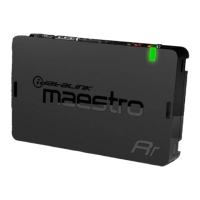
![Preview: FLASHLOGIC OEM-AL(RS)-GM8-[FLCAN]-EN](https://data.easymanua.ls/products/878326/200x200/ads-flashlogic-oem-al-rs-gm8-flcan-en.webp)