EasyManua.ls Logo

ADS idatastart CMVWXA0 - User Manual

ADS idatastart CMVWXA0
12 pages
Print Icon
To Next Page IconTo Next Page
Loading...
REVISION DATE
20200713
DOCUMENT NUMBER
NOTICE
The manufacturer will accept no responsability for any electrical damage resulting from
improper installation of this product, be that either damage to the vehicle itself or to the
installed device. This device must be installed by a certified technician. Please review the
Installation Guide carefully before beginning any work.
Patent No. US 8,856,780 CA 2759622
PRODUCT GUIDE
CMVWXA0
www.idatalink.comAutomotive Data Solutions Inc. © 2020
Question and Answer IconNeed help?

Do you have a question about the ADS idatastart CMVWXA0 and is the answer not in the manual?

Summary

Product Guide

Notice

Manufacturer disclaimer regarding installation, potential damage, and the need for a certified technician.

Getting Started

Welcome

Congratulates user on purchase and guides them toward enjoying new starter unit features.

Need Help?

Provides contact phone number, email, and website for technical support and community forums.

Box Contents

Module and Accessories Overview

Lists the main module, included accessories like stickers, and required optional accessories for installation.

Tach Programming Procedure

Step-by-Step Guide

Details the sequence of actions for programming the tachometer signal into the module.

Remote Programming Procedure

Pairing Remotes

Outlines the process for programming up to four remotes to the system, including specific button presses.

Valet Mode Programming Procedure

Entering and Exiting Valet Mode

Explains how to activate and deactivate Valet Mode, where the remote starter is non-functional.

Compatible Accessories

Weblink, Mobile, and Telematic Kits

Describes Weblink Cable, Weblink Mobile, and Telematic Kit accessories, showing connectivity and diagrams.

RF Kit Accessory

RF Port and Antenna Connection

Details the RF Kit accessory, showing its connection to the module's RF Port and the antenna.

Online Module Settings

Web Programmable Menus

Lists and describes the available configuration menus for the module via web interface for customization.

Module Diagnostics

LED Status and Diagnostic Codes

Explains LED indicators and diagnostic codes during various operational states for troubleshooting.

Remote Starter Error Codes

Startup Error Codes

Lists error codes indicated by parking light flashes during remote start attempts.

Shutdown Error Codes

Lists error codes indicated by parking light flashes after remote start shutdown.

Module Reset Procedure

Factory Reset Steps

Provides a step-by-step guide to reset the module's programming to the vehicle.

Overview

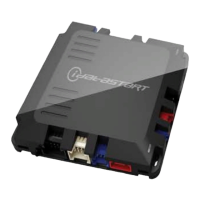
The iDataStart CMVWXAO is a sophisticated control module designed to enhance the functionality of Volkswagen vehicles by integrating advanced remote starter capabilities and other convenience features. This device serves as a comprehensive solution for users looking to upgrade their vehicle's remote access and control systems, offering a blend of convenience, security, and diagnostic tools.

Function Description

The primary function of the CMVWXAO module is to enable remote starting of a Volkswagen vehicle. This allows the user to start their car from a distance, which is particularly useful for pre-heating or pre-cooling the interior before entry. Beyond remote starting, the module integrates with various vehicle systems to provide additional features such as keyless entry, lock, and unlock functionalities, even when the remote starter is not active. It supports a range of programmable outputs and inputs, allowing for customization of how the module interacts with the vehicle's existing electronics. The device also includes security options and alarm activation settings, contributing to the overall safety of the vehicle.

The module operates by communicating with the vehicle's onboard systems, including the CAN bus, to execute commands and monitor vehicle status. It requires specific programming procedures to correctly interface with the vehicle, ensuring seamless integration and optimal performance. The programming process involves tach programming to accurately detect engine RPM, and remote programming to link the module with compatible remote controls.

Usage Features

The CMVWXAO module offers several user-friendly features designed to simplify vehicle operation and enhance convenience:

  • Remote Start: Users can initiate the vehicle's engine from a distance using a compatible remote control or a connected mobile device (with the Weblink Mobile accessory). This feature is ideal for preparing the vehicle's cabin temperature before driving.
  • Keyless Entry/Lock/Unlock: Even when the remote starter is not in use, the module maintains keyless entry, lock, and unlock functionalities, providing consistent access control.
  • Programmable Outputs (POC) and Pulse Timer Output Configuration (PTO): These features allow for customization of the module's outputs, enabling users to configure specific actions or durations for various functions, such as controlling auxiliary lighting or other accessories.
  • Input Configurations: The module supports various input configurations, allowing it to respond to different signals from the vehicle or external devices, further enhancing its versatility.
  • Output Configurations: Similar to input configurations, output settings can be tailored to specific needs, ensuring the module's actions align with user preferences and vehicle requirements.
  • Valet Mode: A crucial security feature, Valet Mode disables the remote starter functionality while keeping keyless entry, lock, and unlock active. This is useful when the vehicle is being serviced or parked by a valet, preventing unauthorized remote starting. The procedure to enter and exit Valet Mode is straightforward, involving a sequence of ignition cycles and brake pedal presses.
  • Remote Programming: The module supports programming up to four remote controls per system, allowing multiple users to have access to the remote starter and other features. The programming process is guided by visual cues from the antenna's LEDs and the vehicle's parking lights.
  • Online Module Settings: Through the Weblink and Weblink Mobile platforms, users can access and modify a wide array of settings. These include RS related configuration options, convenience feature settings, alarm activation and settings, transmitter AUX button controls, and detailed configurations for programmable outputs and inputs. This online interface provides a powerful tool for fine-tuning the module's behavior to individual preferences.

Maintenance Features

The CMVWXAO module incorporates several features and procedures to aid in maintenance, troubleshooting, and ensuring long-term reliability:

  • Module Diagnostics (LED 1 Status): The module provides diagnostic feedback through LED 1, which indicates various operational states and potential issues. Different flash patterns and colors (RED, GREEN, BLUE) signify specific conditions such as missing firmware information, module waiting for vehicle information, successful programming, tach signal detection, system in valet mode, or incorrect programming. This visual feedback is invaluable for installers and users to quickly identify the module's status and diagnose problems.
  • Remote Starter Error Codes: In the event of a remote starter failure, the vehicle's parking lights will flash a specific number of times to indicate an error code. These codes correspond to various issues such as the engine running, key in ignition, open door/trunk/hood, foot brake ON, reservation OFF (for manual transmission), tach failure, vehicle moving, system in Valet Mode, CAN communication failure, or bypass problems. This detailed error reporting helps pinpoint the exact cause of a malfunction.
  • Remote Starter Shutdown Error Codes: If the engine shuts down unexpectedly after a remote start sequence, a different set of error codes is provided via parking light flashes. These codes cover scenarios like lost engine tach signal, lost emergency brake, foot brake ON, open hood, engine RPM limiter ON, glow plug timeout error, vehicle moving, CAN communication failure during RS sequence, RS not synchronized, takeover not allowed, or shutdown error due to board overheat protection. This comprehensive diagnostic system assists in quickly identifying and resolving shutdown issues.
  • Module Reset Procedure: A module reset procedure is available to clear the module's programming to the vehicle. This is useful for troubleshooting or when transferring the module to a different vehicle. The procedure involves disconnecting and reconnecting specific connectors while pressing the programming button, with LED 1 providing visual confirmation of the reset process. It's important to note that this reset only clears vehicle programming and does not affect online configured settings.
  • Compatibility with Weblink Cable and Weblink Mobile: The Weblink cable is a required accessory for initial programming and configuration, allowing connection to a computer for firmware updates and settings adjustments. The Weblink Mobile accessory further enhances maintenance and control by enabling mobile device connectivity, offering remote diagnostics and configuration capabilities.
  • Certified Installation Requirement: The manufacturer explicitly states that the device must be installed by a certified technician. This ensures proper installation, reducing the risk of electrical damage to the vehicle or the device itself, and contributes to the overall reliability and safety of the system.
  • Installation Guide Review: Users are advised to carefully review the Installation Guide before beginning any work. This emphasizes the importance of following proper procedures to avoid issues and ensure correct functionality.

The iDataStart CMVWXAO is designed to be a robust and adaptable remote starter and convenience module, offering extensive control and diagnostic capabilities for Volkswagen owners. Its combination of remote access, customizable settings, and detailed troubleshooting features makes it a comprehensive solution for modern vehicle integration.

ADS idatastart CMVWXA0 Specifications

General IconGeneral
BrandADS
Modelidatastart CMVWXA0
CategoryRemote Starter
Remote StartYes
Keyless EntryYes
Trunk ReleaseYes
Smartphone ControlYes
InstallationProfessional installation recommended
RangeUp to 3000 feet
Security FeaturesAlarm

Related product manuals