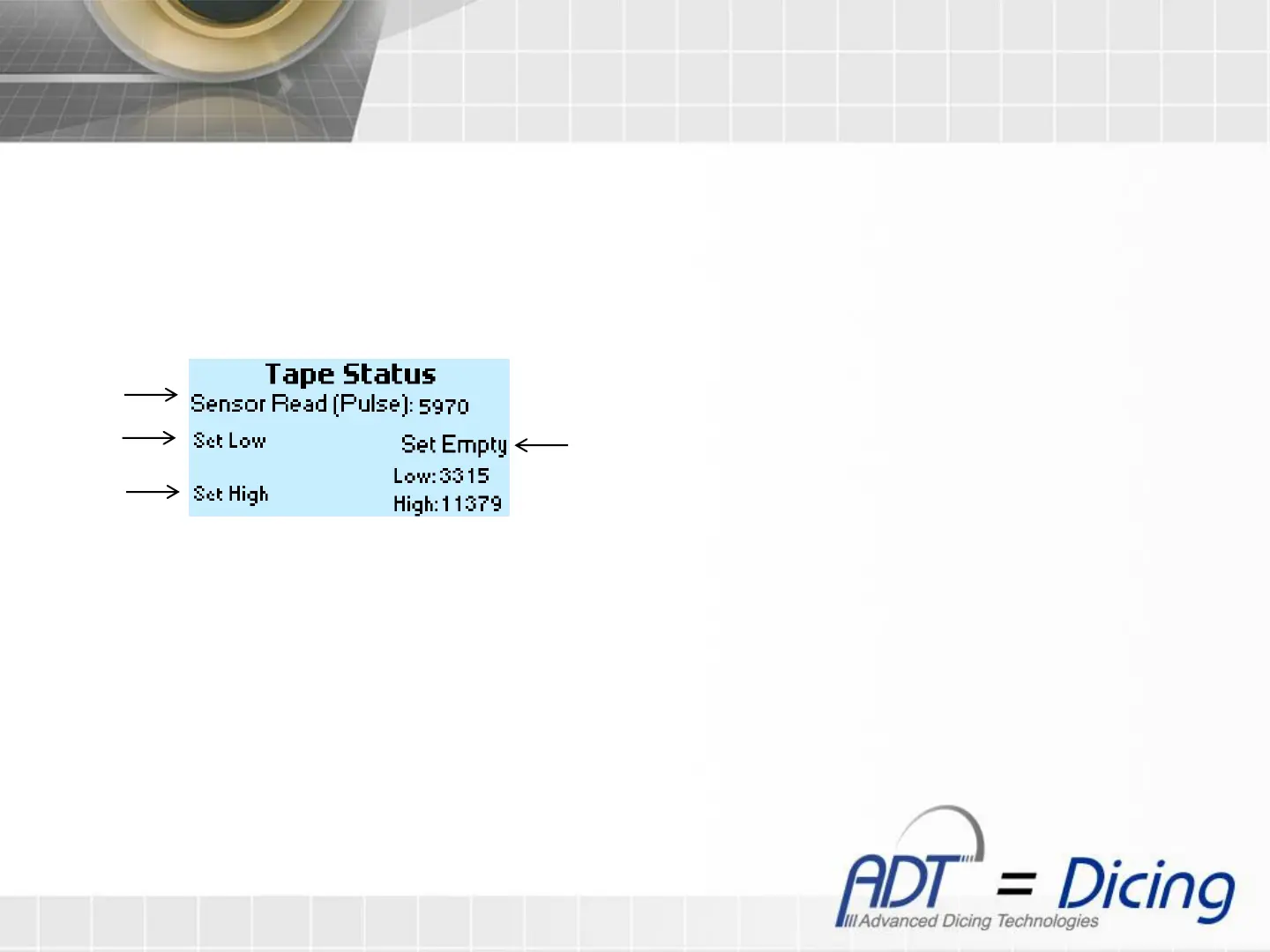
Tape Status factory calibration
Note: The tape status factory configuration, is made by ADT before the machine is sent to the customer.
Please do not change any of the following parameters.
1. To enter to the tape status factory screen, you need to press the ‘I’ + ‘0’ buttons at the Tape Status screen.
1. Put a lower reference tool at the machine and press ‘F1’ for 3 seconds until ‘Done!’ notice will show.
2. Put a higher reference tool at the machine and press ‘F2’, immediately ‘Done!’ notice will show.
3. Put an empty tape roll at tape stool , and press ‘+/-’
4. Press ‘Up’ button to return to the Tape Status screen, or ‘Esc’ button to return to the Analog screen.
I. Showing the reading of the sensor in pulses
II. Set the low value
III. Set the high value
IV. Set empty roller
Tape Status factory screen
I
II
III
IV


 To Next Page