Software Configuration
Note: For full setup and activations please see the full 967 manual section 7.
Please do the followings before each new tape type installation.
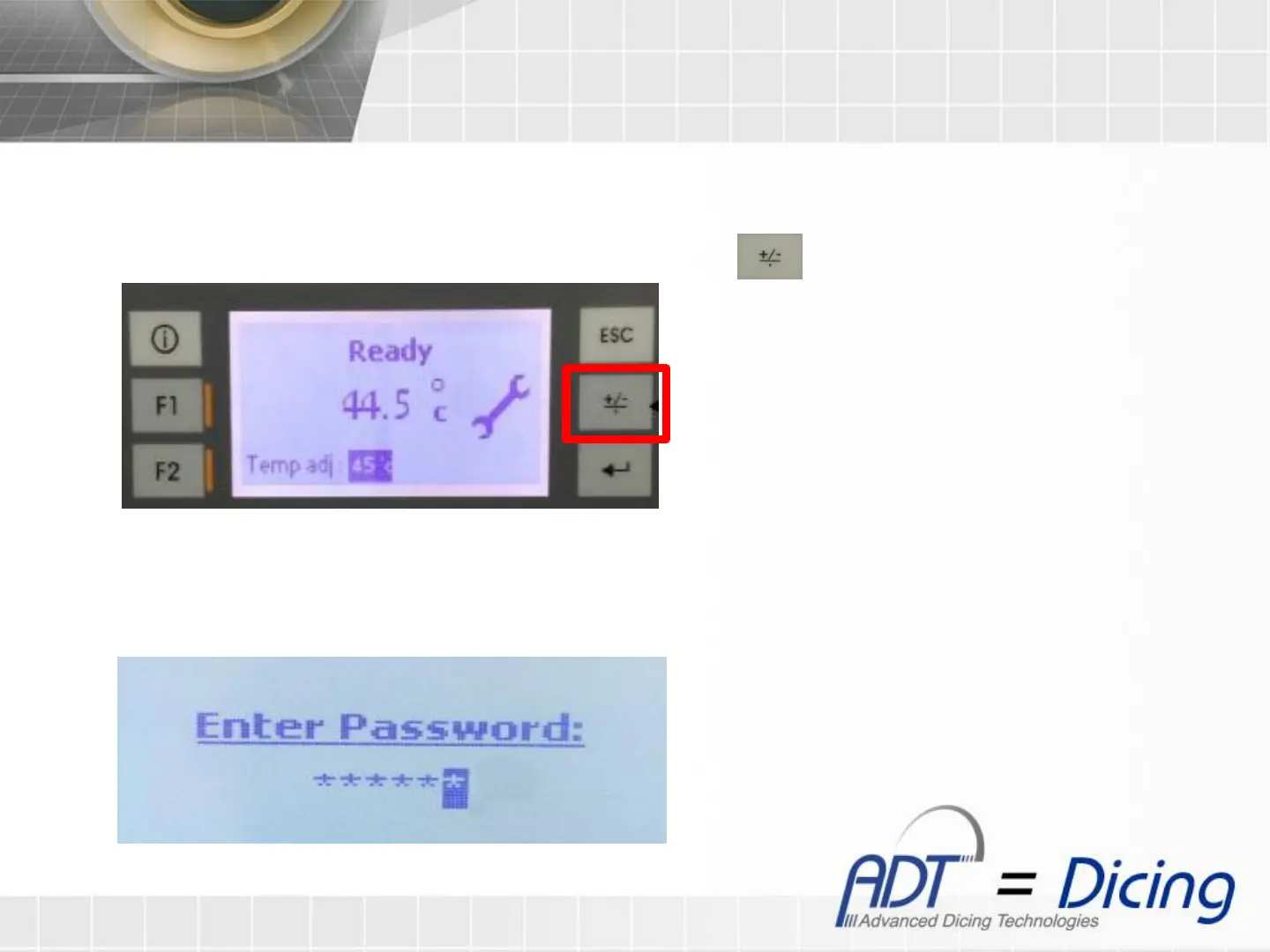
1. To enter to the Tape Status Screen, at the main screen press
2. At the password screen, press ‘Enter’
3. Insert the password (256629) and press ‘Enter’ to confirm
Password Screen
Main Screen


 To Next Page