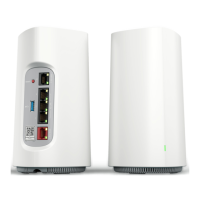
The SDG-8622 provides these interfaces:
l
1x 2.5 Gigabit Ethernet WANInterface (RJ-45)
l
1x 2.5 Gigabit Ethernet LAN interface (RJ-45)
l
USB 3.0 host port (Type A)
Installation
After unpacking the unit, inspect it for damage. If damage is noted, file a claim with the carrier and then contact Adtran. For more
information, see Warranty.
Installation Guidelines 2
Shipment Contents 2
Step 1:Placing the SDG-8622 2
Step 2:Connecting the Power 3
Step 3:Subscriber Connections 3
Step 4: Quick Setup 4
Step 5:Logging In 4
Installation Guidelines
WARNING
Read all warnings and cautions before installing or servicing the SDG-8622.
NOTE
Refer to the national, state and local electrical codes for the requirements for power, grounding, wiring, and installation methods.
l
Ensure that the SDG-8622 is not located in direct sunlight or next to any thermal obstructions.
l
Ensure that the SDG-8622 does not come in contact with water or other liquids.
CAUTION
This product is intended for indoor use only. Ethernet cables, and attached equipment are intended for use within the same
building with equipotential bonding, and not intended to be placed in separate buildings or structures. Failure to deploy as
described could result in permanent damage from lightning or other electrical events and voids the warranty.
Shipment Contents
l
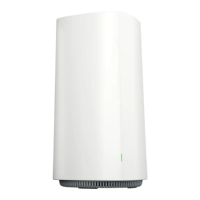
SDG-8622 Wi-Fi 6 Mesh AP
l
15V DC power adapter (USB-C)
l
Ethernet cable
l
Quick Install Guide
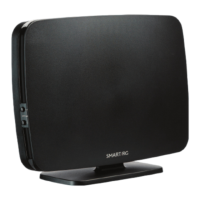
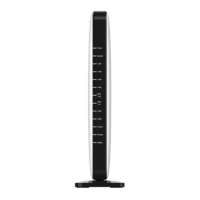
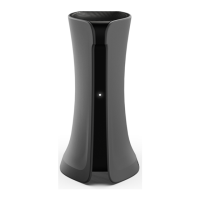
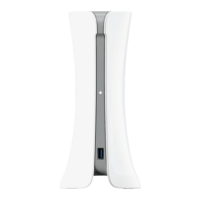
Step 1:Placing the SDG-8622
The SDG-8622 can be placed on a hard surface or wall-mounted using the WM-SDG-M Wall-mount Kit (P/N: 17600201F1)(sold separately).
Table 2 shows the recommended minimum distance (in feet and meters) between the device and household appliances to reduce
interference.
NOTE
Route and secure the cables in a manner that will prevent damage.
SDG-8622 Quick Start Guide 2




 To Next Page