A-44 V2/A-54 V2
·
Quick Start Guide
16
Figure 2-5
3-axis Adjustment
5. Adjust the focus and zoom. This camera is equipped with an
electronic lens. You can adjust the zoom and focus by logging into
the web interface of the device, and adjusting it from the PTZ
control interface found on the top header of the Live View Image.
Figure 2-6
Zoom and Focus Adjustment of Electronic Lens
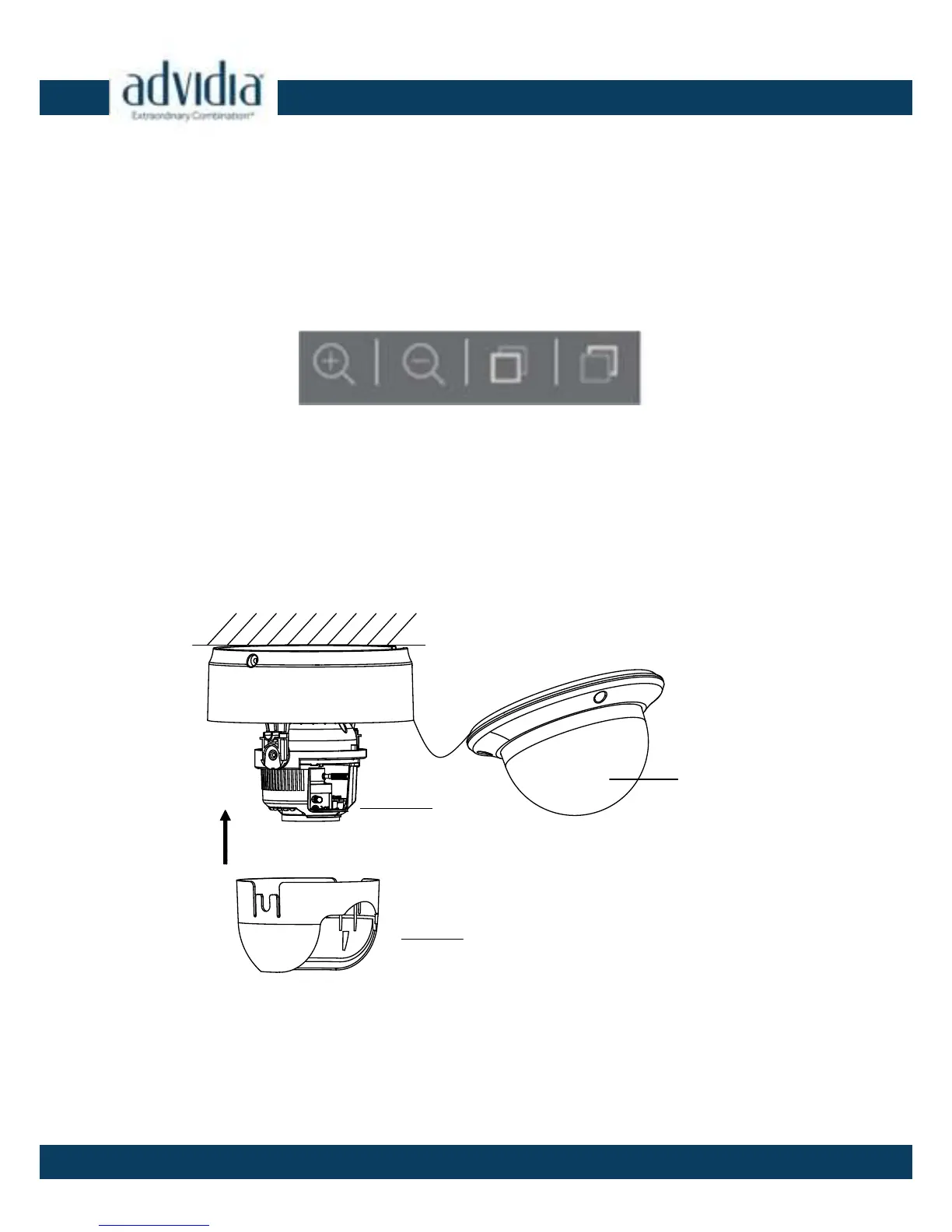
6. Insert the black liner to the dome drive.
7. Attach the bubble to the dome drive and rotate it to get
tightened.
Figure 2-7
Install the Black Liner and Bubble
8. Tighten the lock screw to complete the installation.
Black Liner
Dome Drive
Bubble
Zoom Controls



 To Next Page