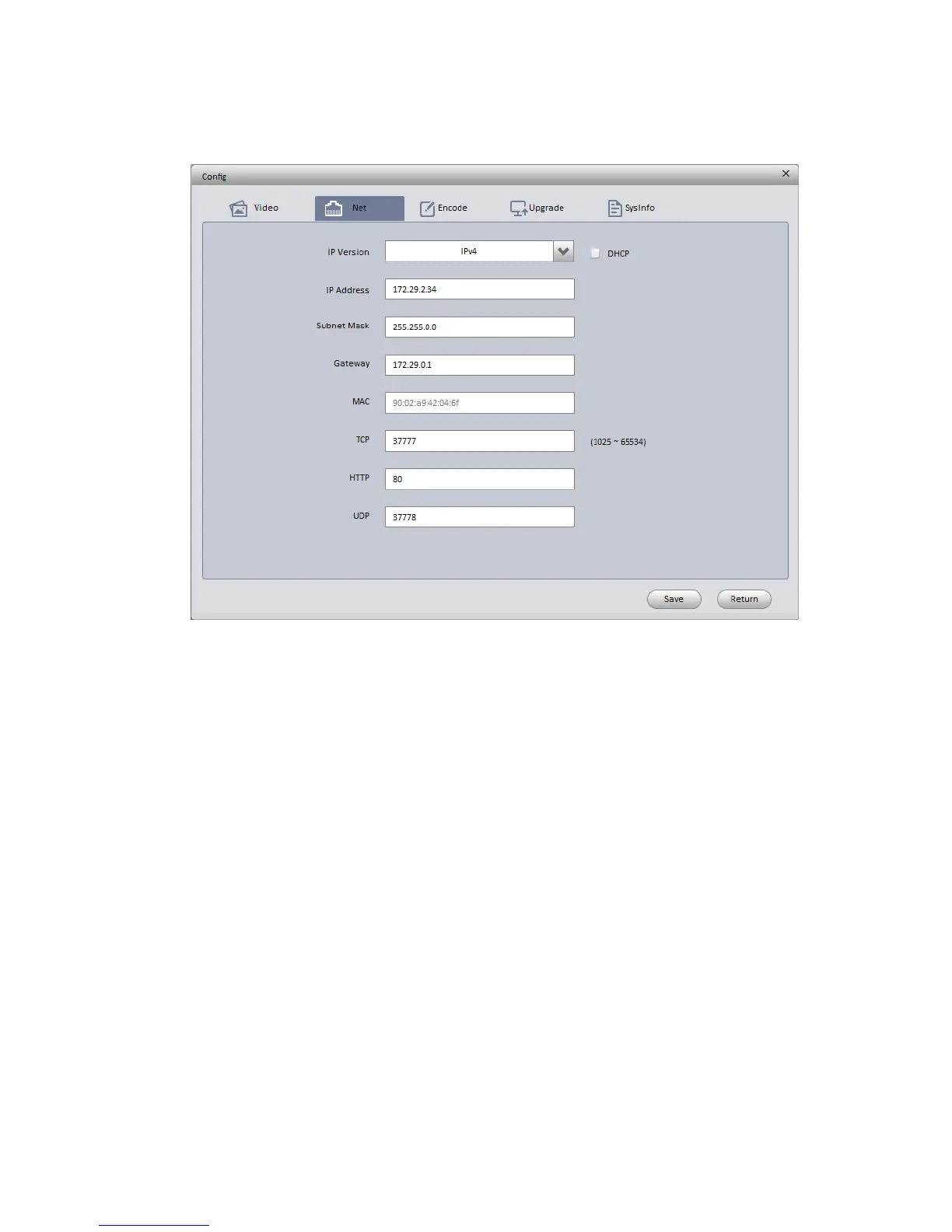
Figure 3-1
Step 3 Modify the camera IP address on the “Net” interface, click “Save” to finish modification.
See Figure 3-2 for more details.
Figure 3-2
3.2 Login WEB Interface
Note:
Different devices may have different WEB interfaces, the figures below are just for reference, please
refer to the document <<WEB Operation Manual>> in the disk and the actual interface for more details
Step 1 Open IE and input the modified camera IP address in the address bar.
Step 2 The login interface is shown below, please input your user name and password (Default user
name is admin and password is 12345 respectively), click “login”.
See Figure 3-3 for more details.



 To Next Page