7
!
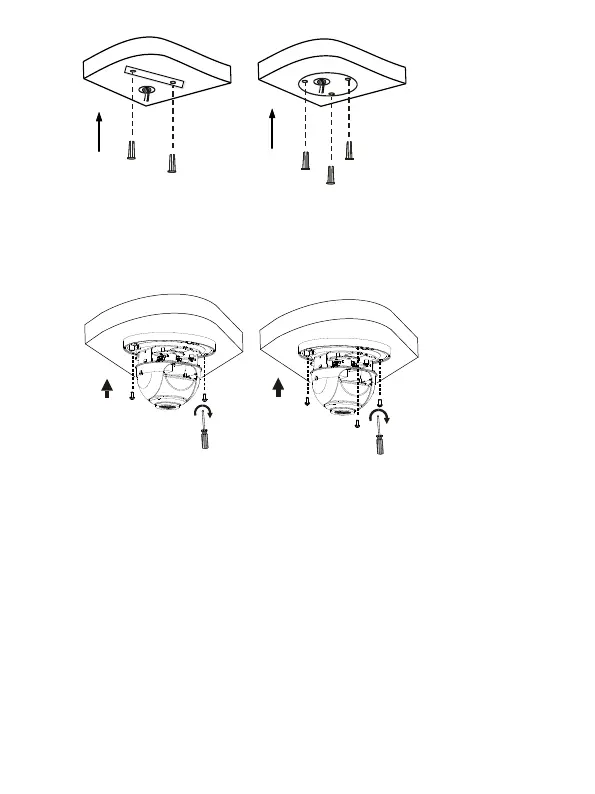
4. Mount the camera. Connect all cables of the ceiling and the camera, lead self-
tapping screws through the guide holes in the camera base, and fix the camera
on the ceiling by using a screwdriver.
!
5. Adjust the monitoring direction of the lens (tighten screws after vertically
adjusting the lens). The lens can horizontally turn by rotating the lens base, as
shown by ! in the following figure. After loosening the fastening screws, you
can vertically turn the lens, as shown by " in the following figure.



 To Next Page