8
!
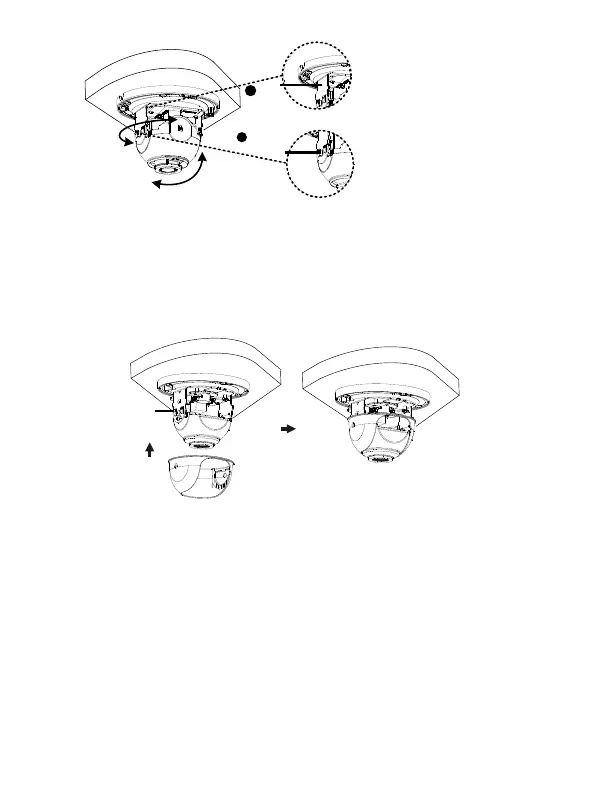
6. Attach the lining and lock it into the buckle on the base. The following shows the
installation instructions of cameras 2-Axis and 3-Axis. The linings are different.
Please see the actual products for the differences.
2-Axis:
3-Axis:
For 3-Axis, after adjusting the lens horizontally and vertically (see step 5), you can
also rotate the lens clockwise or counterclockwise to get the desired monitoring
direction. Please stop rotating the camera when the lens is blocked, otherwise the
camera lens might be damaged.
1
Lens
base
Fastening
screw
2



 To Next Page