EN
41
737.096 | 11.37
4.4 Connecting (AC) the inverter
Danger
Risk of death by electrocution!
X When working on the solar power system, disconnect the inverter from the AC
power supply.
X Turn the DC switch to off.
X Make sure that the power supply cannot be unintentionally switched back on.
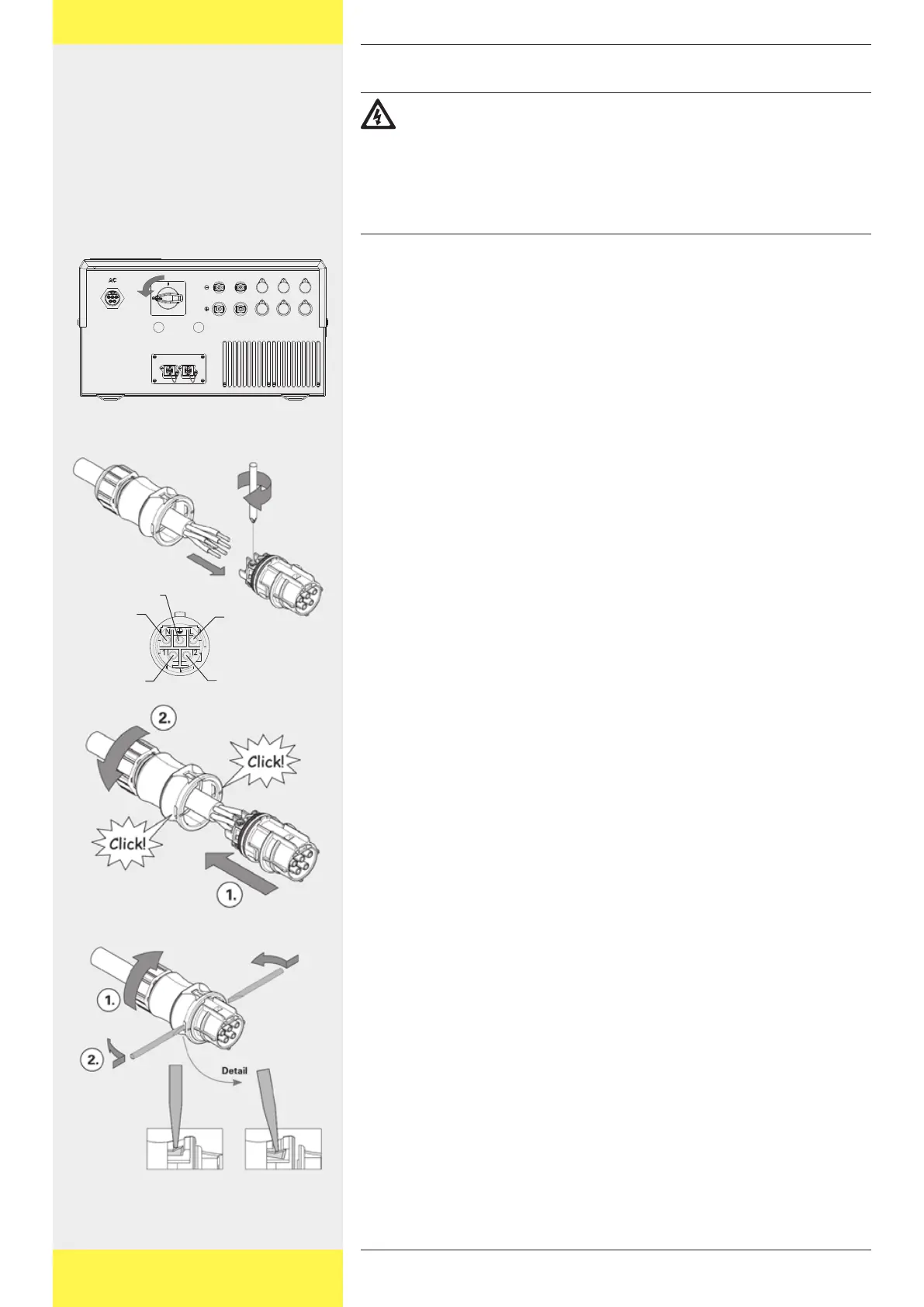
4.4.1 Connecting the inverter to the AC cable
1 Turn the DC switch to off.
2 Wire the AC connector:
The connector layout is imprinted next to the contacts or can be found in
the adjacent drawing.
3 Close the connector:
Push the connector into the housing until it clicks into place.
Tighten the screw connection by hand.
4 To open the connector again, if necessary:
Loosen the screw connection.
Use a screwdriver to press the locking mechanism together at the point
shown and
push the connector out of the housing.
Phase 1
Phase 2
Phase 3
Neutral
conductor
conductor


 To Next Page