37
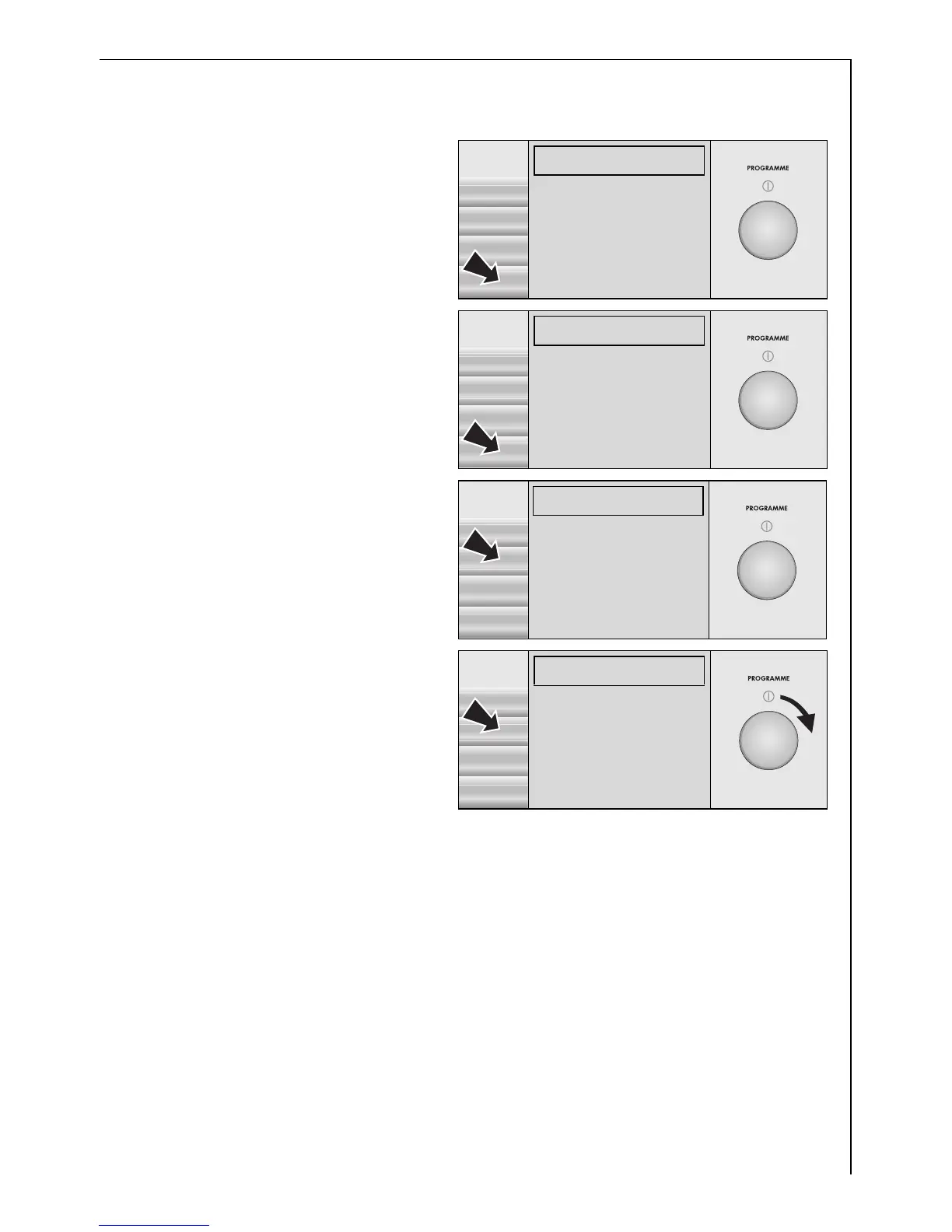
Cancelling a saved programme setting
1. Press the OPTIONS button.
2. Press the EXTRAS button.
If MEMORY is highlighted:
3. Press the SELECT button.
4. Use the control knob to
highlight MEMORY 1.
5. Press the CLEAR button.
The saved programme has
now been cancelled.
Then press the BACK button
three times.
You are now on the first level again.
LINEN/EASY-C. 40°C
1200 RPM 10:17-12:16
S þ
START
M1:LINEN/EASY-C.)
40°
LINEN/EASY-C.
ENERGY SAVING
1200
COTTONS
OPTIONS DELICATES
LINEN/EASY-C. 40°C
1200 RPM 10:17-12:16
ç
START
TIME SAVING)
SELECT
DELAY START
SENSITIVE
BACK
STAIN
EXTRAS PRE WASH
EXTRAS
ì
SELECT
MEMORY(
RINSE+
BACK
WATER COOLING
GENTLE SPIN
EXTRAS
é
CLEAR
MEMORY 1!(
MEMORY 2§§
BACK
MEMORY 3§§
MEMORY 4§§




 To Next Page