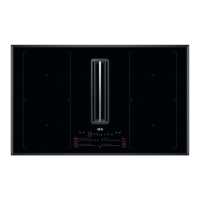
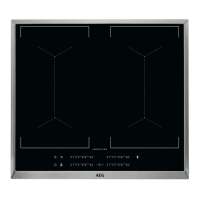
This document is a user manual for the AEG IKB64301XB induction hob, providing comprehensive instructions for its installation, operation, maintenance, and troubleshooting. It emphasizes safety, efficiency, and optimal cooking results.
Function Description
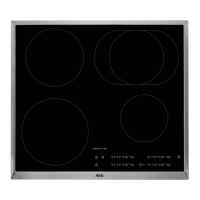
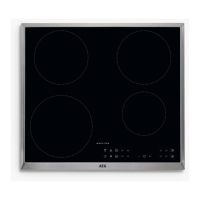
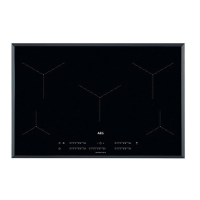
The AEG IKB64301XB is a built-in induction hob designed for domestic cooking purposes. It features multiple induction cooking zones that generate heat directly in the cookware through an electro-magnetic field, ensuring efficient and fast cooking. The hob is operated via sensor fields on a control panel, with displays and indicators providing feedback on its operational status.
Key functions include:
- ON/OFF Control: Simple activation and deactivation of the hob.
- Heat Setting Adjustment: Users can increase or decrease heat settings for individual cooking zones, with a visual display indicating the current level. A dot next to the number signifies a half-level change.
- PowerBoost: This function provides temporary extra power to induction cooking zones for faster heating, automatically reverting to the highest heat setting after a limited period.
- Timer Functions:
- Count Down Timer: Allows setting a specific cooking duration for individual zones, with an acoustic signal and flashing display when the time ends.
- Minute Minder: A standalone timer that can be used when cooking zones are not active, also providing an acoustic signal and flashing display upon completion.
- Pause Function: This feature sets all active cooking zones to the lowest heat setting (level 1) and locks other control panel symbols, allowing for temporary interruptions without losing cooking progress.
- Lock / Child Safety Device: This function prevents accidental operation of the hob. It can be activated to lock the control panel while cooking zones are operating or as a child safety measure when the hob is not in use. An override option is available for single cooking sessions.
- Automatic Heat Up: This function quickly reaches a desired heat setting by initially setting the zone to the highest heat for a period, then automatically reducing it to the correct setting. It can only be activated when the cooking zone is cold.
- OptiHeat Control (3-step Residual Heat Indicator): This safety feature indicates the level of residual heat in cooking zones (high, medium, or low) even after deactivation, warning users of potential burn risks. It can also appear for neighboring zones or when hot cookware is placed on a cold zone.
- Hob²Hood Function: An advanced automatic function that connects the hob to a special hood via infrared signals. The hob automatically adjusts the fan speed of the hood based on the cooking mode (boiling or frying) and the temperature of the hottest cookware. Users can also operate the fan speed manually.
Usage Features
The hob is designed for intuitive use with touch-sensitive sensor fields. The manual provides guidance on:
- Cookware Selection: Emphasizes the use of suitable induction-compatible cookware (cast iron, steel, enamelled steel, stainless steel, multi-layer bottom) with flat, thick bases. It advises against using aluminium, copper, brass, glass, ceramic, or porcelain cookware. Proper cookware dimensions are also highlighted for optimal efficiency.
- Cooking Applications: Offers examples of heat settings and cooking times for various dishes, from keeping food warm to deep-frying, serving as a helpful guide for users.
- Power Management: Explains how the hob manages power distribution across multiple active zones to prevent exceeding the electrical supply's limitations, ensuring the house installation's fuses are protected. The system prioritizes the last selected cooking zone and distributes remaining power to others, potentially reducing heat settings automatically.
- OffSound Control: Allows users to deactivate or activate the hob's acoustic signals, providing flexibility for those who prefer a quieter operation.
- Hob²Hood Operation: Details how to set automatic modes (H1-H6) for the Hob²Hood function, where the hob automatically adjusts the hood's fan speed and light based on cooking activity. It also explains manual fan speed control and light activation.
Maintenance Features
Regular care and cleaning are crucial for maintaining the hob's performance and appearance:
- General Cleaning: Advices cleaning the hob after each use and using cookware with clean bases to prevent scratches and stains. A special cleaner and scraper suitable for glass surfaces are recommended.
- Immediate Cleaning: Instructions are provided for immediately removing melted plastic, sugar, or sugary foods to prevent damage to the hob surface, emphasizing caution to avoid burns.
- Cool-Down Cleaning: For limescale rings, water rings, fat stains, and metallic discoloration, the manual recommends cleaning when the hob is sufficiently cool, using a moist cloth, non-abrasive detergent, and a water-vinegar solution for metallic stains.
- Safety Precautions: Reinforces the importance of switching off the appliance and allowing it to cool before cleaning. It warns against using water spray, steam cleaners, abrasive products, abrasive cleaning pads, solvents, or metal objects.
The manual also includes a troubleshooting section to help users identify and resolve common issues, such as the hob not activating, timer malfunctions, or unusual noises during operation. For more complex problems, it advises contacting an Authorized Service Centre with specific product data.

 Need help?
 General

 To Next Page