EasyManua.ls Logo

AEG CCE84751FB - User Manual

AEG CCE84751FB
28 pages
Print Icon
To Next Page IconTo Next Page
Loading...
USER
MANUAL
EN User Manual
Hob
CCE84751FB
Question and Answer IconNeed help?

Do you have a question about the AEG CCE84751FB and is the answer not in the manual?

Summary

Safety Information

Child and Vulnerable Person Safety

Safety guidelines concerning children and individuals with reduced capabilities.

General Safety Precautions

General safety precautions for the appliance's intended use and environment.

Safety Instructions

Installation Guidelines

Instructions for safe installation procedures by qualified personnel.

Electrical Connection Safety

Critical guidelines for ensuring a safe electrical connection.

Safe Usage Instructions

Rules and warnings to ensure safe operation during daily use.

Appliance Care and Cleaning

Procedures for safe maintenance and cleaning of the appliance.

Service and Repair Information

Information on how to contact authorized service for repairs.

Appliance Disposal

Guidance on environmentally friendly disposal methods.

Installation

Pre-Installation Checks

Preparatory steps and information required before installation.

Built-In Hob Installation

Specifications and standards for installing the hob into furniture.

Connection Cable Specifications

Details on the correct type of cable for electrical connection.

Seal Attachment for Top Installation

Method for fitting the sealing strip for top-mounted installation.

Hob Assembly Instructions

General assembly instructions and reference to installation booklets.

Product Description

Product Components Overview

Identification of the main components and parts of the appliance.

Cooking Zone Layout

Diagram illustrating the arrangement of cooking zones and controls.

Control Panel and Functions

Detailed explanation of the control panel's sensor fields and functions.

Display Indicator Meanings

Explanation of the meanings of various display indicators and symbols.

Daily Use

Hob Activation and Deactivation

Step-by-step guide to turning the hob on and off.

Cookware Pot Detection

How the hob automatically recognizes the presence of cookware.

Adjusting Heat Settings

Instructions on adjusting the power level for each cooking zone.

Using the PowerBoost Function

How to use the PowerBoost function for maximum cooking power.

OptiHeat Control and Residual Heat

Understanding residual heat indicators for safety and energy saving.

Using the Timer Functions

How to set and use the countdown timer for cooking.

Power Management System

How the appliance distributes power to cooking zones efficiently.

Extractor Hood Operation

Operating modes and features of the integrated extractor hood.

User Settings Menu Structure

Overview of user settings and how to navigate the appliance menu.

Additional Functions

Automatic Hob Switch-Off

How the hob automatically turns off under specific conditions.

Pause Function

Function to temporarily halt all cooking zones.

Control Panel Lock

Securing the control panel to prevent unintended changes.

Child Safety Lock

Activating the child lock to prevent accidental operation.

Bridge Function for Cooking Zones

Connecting two cooking zones for larger cookware.

Hints and Tips

Cookware Selection Guide

Guidance on selecting appropriate cookware for induction hobs.

Normal Operating Noises

Explanation of normal operational sounds and their causes.

Eco Timer for Energy Saving

Information on the energy-saving Eco Timer feature.

Cooking Application Examples

Recommended heat settings for various cooking methods.

Hood Usage Tips

Specific advice for optimizing the use of the extractor hood.

Care and Cleaning

General Care Information

General recommendations for maintaining the appliance's condition.

Cleaning the Hob Surface

Detailed instructions for cleaning the hob surface safely.

Cleaning the Extractor Hood

Procedures for cleaning the hood's grid and water tank.

Hood Filter Cleaning and Maintenance

Steps for cleaning and maintaining the grease filter.

Troubleshooting

Troubleshooting Common Issues

Guide to identifying and resolving common operational issues.

Seeking Further Assistance

Steps to take when troubleshooting assistance is needed.

Technical Data

Rating Plate Information

Details and specifications found on the appliance's rating plate.

Cooking Zone Technical Specifications

Technical data for each individual cooking zone.

Energy Efficiency

UK Ecodesign Energy Information Sheet

Official energy efficiency data as per UK regulations.

Energy Saving Tips

Practical tips for reducing energy consumption during cooking.

Environmental Impact and Recycling

Overview

This document is a user manual for the AEG CCE84751FB hob, a built-in induction cooking appliance with an integrated hood. It provides comprehensive instructions for installation, daily use, additional functions, maintenance, and troubleshooting. The appliance is designed for domestic use in an indoor environment, suitable for cooking purposes.

Function Description

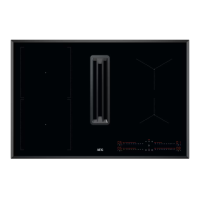
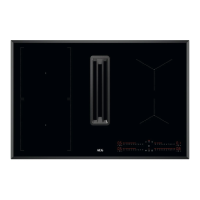
The AEG CCE84751FB hob features four induction cooking zones and an integrated hood. The induction cooking zones generate heat directly in the bottom of suitable cookware, ensuring efficient and fast cooking. The hob is operated via a control panel with sensor fields, displays, indicators, and sounds to guide the user.

The integrated hood is designed to extract cooking fumes and steam, operating alongside the hob or independently. It includes a filter system to capture grease particles and a water tank to collect condensation.

Usage Features

Hob Operation:

  • Activation/Deactivation: The hob is activated or deactivated by pressing and holding the ON/OFF sensor field.
  • Heat Setting: Users can select the desired heat setting for each cooking zone using the hob control bar, ranging from 0 (off) to 9 (highest).
  • Pot Detection: The hob automatically detects the presence of cookware on the cooking zones. If no cookware is detected, the zone will deactivate after 60 seconds. Indicators on the control bar will blink if cookware is temporarily removed.
  • PowerBoost: This function provides extra power to induction cooking zones for a limited period, ideal for rapid heating. After the limited time, the zone automatically reverts to the highest heat setting.
  • OptiHeat Control (Residual Heat Indicator): A 3-step indicator (//) shows the level of residual heat on hot cooking zones, warning against burns. This indicator also appears for neighboring zones or when hot cookware is placed on a cold zone.
  • Count Down Timer: A timer can be set for individual cooking zones to specify the duration of a cooking session. Once the timer finishes, a signal sounds, and the zone deactivates.
  • Minute Minder: This function allows setting a timer when the hob is active but cooking zones are not in use.
  • Power Management: When multiple zones are active and the consumed power exceeds the supply limit, the hob automatically divides available power, prioritizing the first selected cooking zone and reducing power to others if necessary.
  • Pause Function: This feature sets all operating cooking zones to the lowest heat setting and reduces the hood fan speed to 1. Only the timer and pause symbols remain active, locking other control panel functions.
  • Lock Function: The control panel can be locked during operation to prevent accidental changes to heat or fan speed settings.
  • Child Safety Device: This function prevents accidental operation of both the hob and the hood. It remains active even after the hob is deactivated.
  • Bridge Function: This feature connects two cooking zones, allowing them to operate as a single, larger zone, suitable for larger cookware.

Hood Operation:

  • Activation/Deactivation: The hood is activated by pressing one of the fan speed levels (1-3) on the hood control bar. Pressing '0' deactivates it.
  • Fan Speed Adjustment: Fan speed can be adjusted manually using the hood control bar.
  • AUTO Mode: This automatic function adjusts the fan speed based on the hob's selected heat setting. It is usually activated by default and can be engaged while the hob is on or off.
  • Boost Function: Activates the hood fan at its maximum speed for a maximum of 10 minutes, then reverts to speed 3.
  • Breeze Function: Sets the hood fan to an extra-low speed for quiet operation, ideal for removing lingering smells or steam after cooking. It can be activated when the hob is off and runs for 60 minutes.
  • Hood Timer: A timer can be set for the hood to specify its operating duration.

User Settings (Menu Structure): The hob includes a menu for user settings, accessible by pressing and holding the ON/OFF and Timer symbols. Settings include:

  • Sound: Activate or deactivate control panel sounds.
  • Hood Mode: Adjust hood operating modes (1-4).
  • Alarm/Error History: View a list of recent alarms or errors.

Cookware Compatibility:

  • Suitable cookware materials include cast iron, steel, enamelled steel, stainless steel, and multi-layer bottom.
  • Cookware with a flat, thick base is recommended.
  • Induction zones automatically adapt to cookware dimensions, but efficiency is related to diameter.
  • Special Steam Vented Lids are available to optimize steam direction towards the hood.

Maintenance Features

General Cleaning:

  • Hob: Clean the hob after each use. Immediately remove melted plastic, sugar, or sugary foods using a special hob scraper to prevent damage. For limescale, water rings, or fat stains, use a moist cloth with a non-abrasive detergent. For metallic discoloration, use a water-vinegar solution.
  • Hood Grid: The aluminium and stainless steel grid can be washed manually or in a dishwasher.
  • Water Tank: The water tank, located under the hood, collects condensation and should be emptied regularly. A container or tray should be placed underneath before opening.
  • Spills in Hood System: If liquids spill into the hood, switch off the hood, lift the grid, clean the cavity with a moist cloth and mild detergent, wipe away excess liquid, and then run the hood at speed 2 or higher to dry.

Filter Maintenance:

  • Normal Cleaning: The grease filter should be cleaned regularly (every 10-20 hours or more frequently) as soon as grease build-up is visible. Remove the filter and filter housing, wash manually in warm water without detergents or abrasive sponges, or in a dishwasher (65-70 °C, long program, no detergents, no other dishes). Only plastic parts can be cleaned with detergents.
  • Regenerating the Filter: The hob has a built-in counter that reminds the user to regenerate the filter after 100 hours of use. The filter indicator will blink.
    1. Clean the filter as per normal cleaning instructions.
    2. Place the filter in an oven set to 80-110 °C for 60 minutes (non-fan oven function).
    3. Fix the filter and housing back in place.
    4. Reset the counter by briefly pressing the filter indicator symbol while it's blinking.
  • Filter Replacement: The filter has a maximum of 6-7 regeneration cycles, after which it needs to be replaced with a new one. An oversaturated filter poses a fire risk.

AEG CCE84751FB Specifications

General IconGeneral
Hob typeZone induction hob
Combi zoneYes
Product colorBlack
Hob width size78 cm
Top surface type-
Appliance placementBuilt-in
Cooking zone 1 typeRegular
Cooking zone 1 boost3200 W
Cooking zone 1 power2300 W
Cooking zone 1 diameter210 mm
Cooking zone 1 positionLeft front
Cooking zone 2 positionLeft rear
Cooking zone 3 positionRight front
Cooking zone 4 positionRight rear
Number of cooking zones4 zone(s)
Cooking zone 1 power sourceElectric
Number of gas cooking zones- zone(s)
Control typeTouch
Control positionTop front
Noise level70 dB
Exhaust locationMiddle
Grease filter typeAluminum/Carbon
Type of extractionRecirculating
Maximum extraction power585 m³/h
Energy efficiency class (hood)A
AC input voltage220-240V/400V2N V
Connected load (gas)- W
Energy efficiency scaleA+++ to D
Connected load (electric)7350 W
Weight and Dimensions IconWeight and Dimensions
Installation compartment depth490 mm
Installation compartment width780 mm
Installation compartment height212 mm

Related product manuals