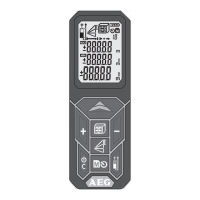
18
BASIC DESCRIPTION ON EXAMPLE OF AREA MEASURING (2)
6
View stored values
Push button 2 sec.
Push + or push -
7
Exit memory
Push button
.
8
Switch off
Push button
2 sec
(Memory must be exited before)
- Stored values appears in the
main line.
- Associated icon appears and
- Device switches off.
- If no button is pressed, the device
switches off automatically after 3
minutes.
2 sec


 To Next Page