EasyManua.ls Logo

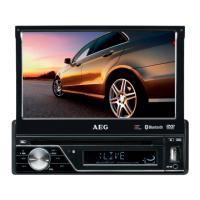
AEG AR 4026 DVD - User Manual

AEG AR 4026 DVD
46 pages
Go to English
Print Icon
To Next Page IconTo Next Page
Loading...
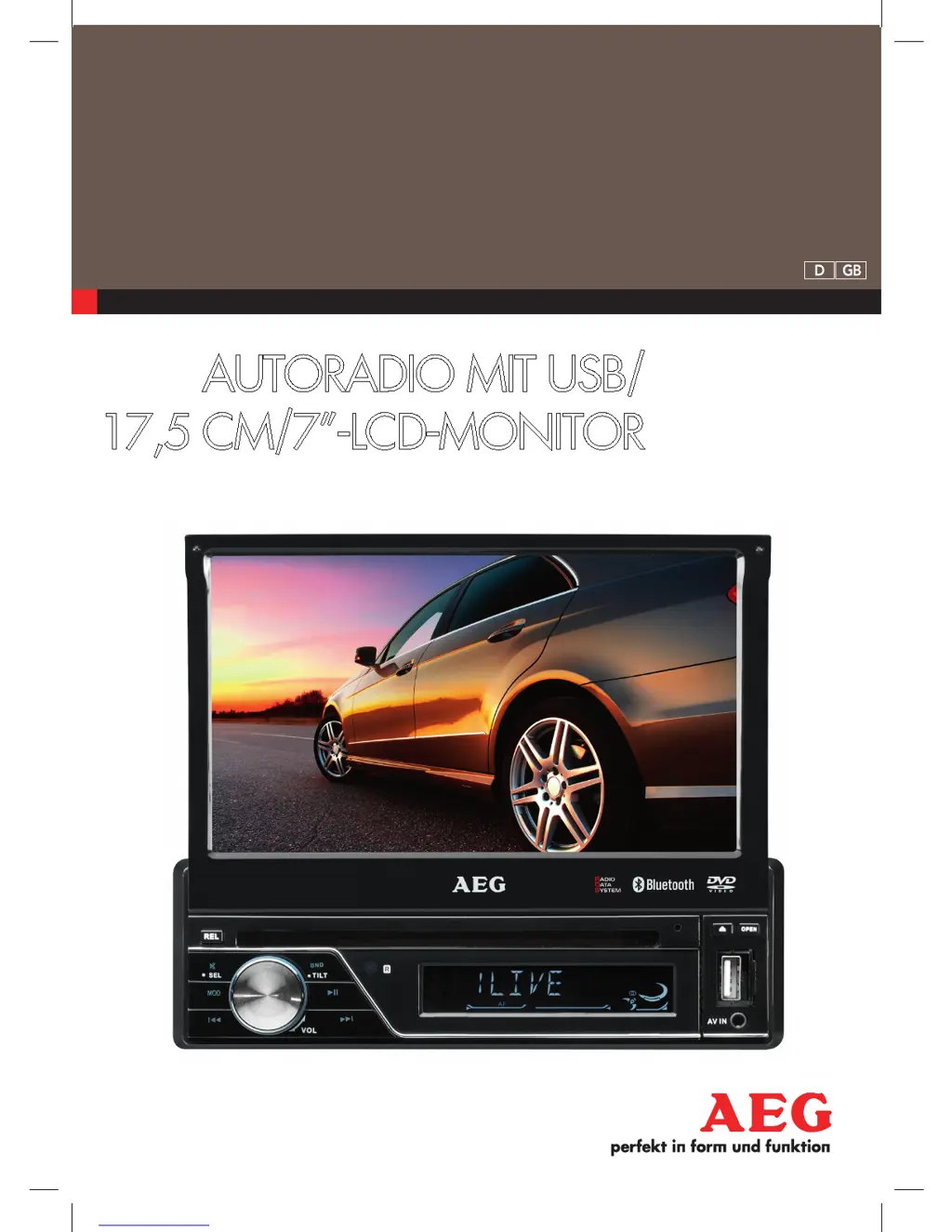
AutorAdio mit uSB/
17,5 cm/7-Lcd-monitor
AR 4026 DVD
Bedienungsanleitung/Garantie
05
Instruction Manual
24
D Autoradio mit USB/17,5 cm/7˝-LCD-Monitor
GB Car radio with USB/17,5 cm/7˝-LCD-Monitor
05_AR4026DVD_AEG_SK.indd 1 03.08.11 12:32

Questions and Answers

  • R
    Ronald PopeAug 6, 2025
    Why does my AEG Car Receiver have no radio reception?
    • A
      Angel JohnsonAug 6, 2025
      If your AEG Car Receiver has no radio reception, the antenna cable might not be connected properly. Ensure that you insert the antenna cable firmly into the antenna socket of the device.
  • C
    chancourtneyAug 10, 2025
    What to do if my AEG AR 4026 DVD has poor radio reception?
    • E
      Emily WhiteAug 10, 2025
      Poor radio reception on your AEG Car Receiver might be due to your vehicle having a special antenna, such as a phantom-powered antenna. Please contact your car workshop or a vehicle specialist for assistance. There are specific phantom power supply adapters and voltage adapters available for other manufacturers.
  • H
    Heidi DavisAug 15, 2025
    Why can't I select CD on my AEG AR 4026 DVD Car Receiver?
    • U
      ubrownAug 15, 2025
      If you cannot select the CD using the MODE button on your AEG Car Receiver, it might be because there is no CD inserted. Insert a CD into the device.
  • H
    hvangAug 18, 2025
    How to fix AEG Car Receiver automatically switches to radio mode after inserting a CD?
    • L
      Larry KingAug 19, 2025
      If your AEG Car Receiver automatically switches to Radio mode after inserting a CD, the CD may be inserted incorrectly. Make sure to insert the CD the right way round.
  • K
    Karen CastanedaAug 23, 2025
    What to do if AEG AR 4026 DVD doesn't stop at transmitting station in automatic search mode?
    • K
      Keith LeonardAug 23, 2025
      If your AEG Car Receiver does not stop at a transmitting station in automatic search mode, the transmission signals might be too weak. Try tuning in to a radio station manually.
  • J
    Jennifer MurphyAug 27, 2025
    How to resolve audio/video interference on AEG AR 4026 DVD Car Receiver when playing files from USB/memory card?
    • M
      Melvin GoodmanAug 27, 2025
      If you experience audio or video interference when playing video files via USB or memory card on your AEG Car Receiver, it may be due to a sluggish data flow. Pause playback using the ?II button, wait a few seconds, and then restart playback.
  • T
    Troy AlvarezSep 1, 2025
    Why my AEG AR 4026 DVD Car Receiver can't play DVD?
    • G
      Gregory WallaceSep 1, 2025
      If your AEG Car Receiver cannot play a DVD, ensure that the DVD is finalized. Use a finalized DVD.

Summary

Remote Control Functions

Button Operations

Detailed explanation of the functions for each button on the remote control.

Safety Information

General Safety Instructions

General warnings and symbols related to product usage and safety.

Road Safety Guidelines

Guidelines for safe operation of the car radio while driving.

Installation Safety Precautions

Precautions to be taken during the installation and connection of the car radio.

Car Radio Installation Guidance

Installation Best Practices

Tips and important considerations for the proper installation of your car radio.

Installation Procedure

Wiring Connections

Detailed diagram showing how to connect the car radio's wiring harness.

Traffic Announcement System

TA Functionality and Priority

How the TA function prioritizes traffic announcements and interrupts playback.

Radio Reception Enhancement

Media Playback Controls

Connectivity Features

Device Settings Menu

Bluetooth Telephony

Device Pairing Process

Steps for registering mobile phones with the car radio via Bluetooth for calls.

Hands-Free Operation

Enabling hands-free mobile phone use and optimizing call quality.

Bluetooth Phone Management

Call Handling and History

Ending calls, accessing call history (dialled, received, missed), and managing phone book.

DVD Playback Features

DVD Playback Navigation

Dual Operation Modes

C-Dual Operation

How C-Dual mode functions with different input sources (Radio, AV-IN, BT, DVD, USB, SD).

D-Dual Operation

How D-Dual mode functions with different input sources (Radio, AV-IN, BT, DVD, USB, SD).

Troubleshooting Common Issues

CD Playback Problems

Solutions for common issues encountered during CD playback.

Device Operation Errors

Troubleshooting no response, ignition switching, and device hanging issues.

AEG AR 4026 DVD Specifications

General IconGeneral
CategoryCar Receiver
BrandAEG
ModelAR 4026 DVD
Resolution800 x 480 pixels
USB PortYes
BluetoothYes
TouchscreenYes
SD Card SlotYes
GPS NavigationNo
Remote ControlYes
Media FormatDVD
Screen Size7 inch

Related product manuals