EasyManua.ls Logo

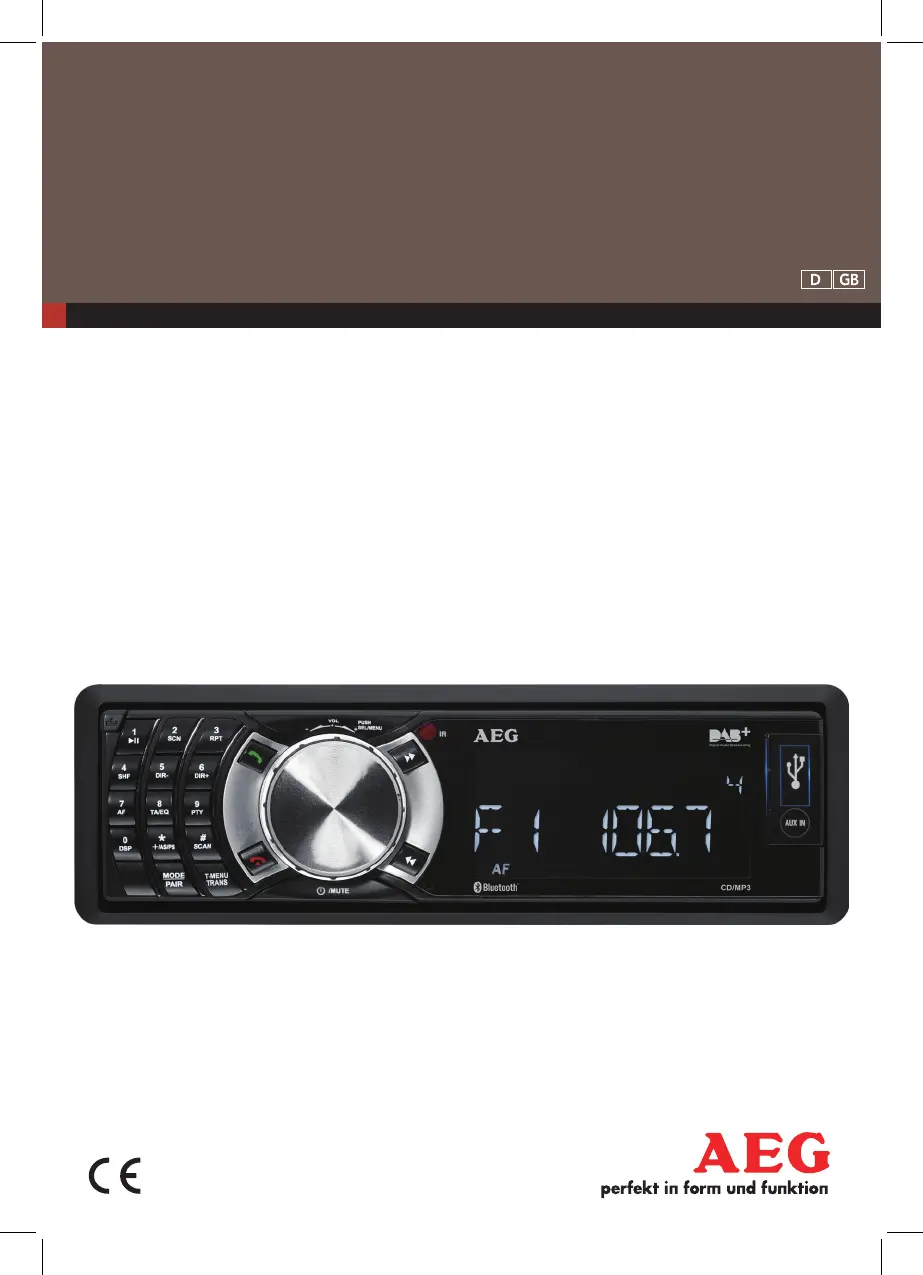
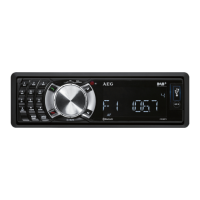
AEG AR 4029 DAB - User Manual

AEG AR 4029 DAB
46 pages
Go to English
Print Icon
To Next Page IconTo Next Page
Loading...
Bedienungsanleitung/Garantie 04
Instruction Manual 25
DAB AUTORADIO
MIT BLUETOOTH
AR 4029 DAB
D DAB Autoradio mit Bluetooth
GB DAB Car radio with Bluetooth

Table of Contents

Questions and Answers

  • C
    Charles WilliamsAug 16, 2025
    Why is there no sound from my AEG AR 4029 DAB?
    • L
      Lindsey FrostAug 16, 2025
      If you are experiencing a lack of sound from your AEG Car Receiver, there might be a couple of reasons. First, ensure that the volume isn't set to the minimum; try increasing it. Second, verify the wiring to ensure it is connected correctly.
  • E
    Erika RobertsAug 19, 2025
    What to do if my USB device does not work with AEG AR 4029 DAB?
    • S
      Scott WilliamsAug 19, 2025
      If your USB device isn't working with your AEG Car Receiver, it might be due to the device not complying with USB standards. Connect a USB-conform device. Also, make sure the media is formatted in FAT32 format.
  • E
    edwardsjamesAug 22, 2025
    What to do if my AEG AR 4029 DAB Car Receiver doesn't turn on?
    • S
      Scott GrahamAug 22, 2025
      If your AEG Car Receiver isn't turning on, check that the car ignition switch is on. If the power supply is properly connected to the car accessory terminal, switch the ignition key to “ACC”.
  • L
    lwellsAug 25, 2025
    Why is my AEG Car Receiver radio not working or auto scan failing?
    • Z
      zmasseyAug 26, 2025
      If the radio on your AEG Car Receiver isn't working or the auto scan is failing, check the following: * Ensure the antenna cable is firmly inserted. * If signals are weak, try selecting a station manually.
  • L
    Lauren WilsonAug 27, 2025
    What to do if my SD/MMC memory card does not work in AEG AR 4029 DAB Car Receiver?
    • O
      Oscar AndersonAug 27, 2025
      If your SD/MMC memory card isn't working in your AEG Car Receiver, the unit might not be able to read the card. Check the card, insert it with the text side face up, and make sure the media is formatted in FAT32 format.
  • N
    Norma StoneAug 30, 2025
    How to fix CD skipping in my AEG AR 4029 DAB Car Receiver?
    • S
      suttonkaraAug 30, 2025
      If your CD is skipping in your AEG Car Receiver, it may be caused by: 1. Installation angle over 30°: Decrease installation angle to less than 30°. 2. CD dirty or damaged: Clean the CD or play different CD.
  • A
    Alexander GonzalezSep 2, 2025
    Why can't I make a Bluetooth connection with my AEG AR 4029 DAB Car Receiver?
    • N
      Nathan WallaceSep 2, 2025
      If you can't establish a Bluetooth connection with your AEG Car Receiver, the most common reason is that Bluetooth is switched off on your mobile phone. Activate Bluetooth on your mobile phone.
  • H
    Holly MillerSep 4, 2025
    What to do if the operation keys on my AEG Car Receiver do not work?
    • C
      Crystal FrostSep 4, 2025
      If the operation keys on your AEG Car Receiver aren't working, it could be due to a couple of reasons: * The built-in microcomputer might not be operating correctly due to noise. Press RESET (29). * The front panel might not be correctly installed. Check that the control panel is attached securely.
  • M
    Michael MorrowSep 7, 2025
    What to do if there's no audio signal with a Bluetooth connection to my AEG Car Receiver?
    • L
      Luis JarvisSep 7, 2025
      If you're not getting any audio signal with a Bluetooth connection to your AEG Car Receiver, consider the following: * Check whether there is a connection between the car radio and the audio source. If necessary, re-register the car radio with the audio source. * Increase the volume on the car radio. * Increase the volume on the audio source.
  • D
    Daniel EnglishSep 12, 2025
    Why does station memory not work on my AEG Car Receiver?
    • D
      Diamond CoffeySep 13, 2025
      If the station memory is not working on your AEG Car Receiver, it may be because terminal 4 of ISO connector A (continuous positive) is not properly connected. Check the cabling.

AEG AR 4029 DAB Specifications

General IconGeneral
TypeCar Receiver
ModelAR 4029 DAB
DisplayLCD
BluetoothYes
USB PortYes
AUX InputYes
Remote ControlYes
Power Output4 x 40W
RadioDAB/FM
Media typeMP3

Related product manuals