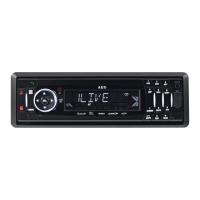
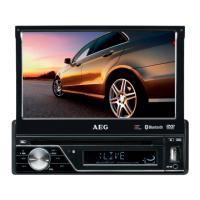
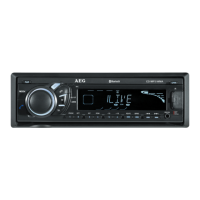
Need help?
Do you have a question about the AEG CS MP 850 BT and is the answer not in the manual?
Discusses moisture buildup on the unit's lens and its impact on operation.
Provides guidelines for handling discs to ensure optimal sound and prevent damage.
Details on discs to avoid, such as those with sticky residue or peeling labels.
Explains the two primary methods for installing the unit in the vehicle's dashboard.
Illustrates the steps for installing the unit using the front-mount method.
Details the process for installing the unit using the rear-mount method.
Instructions for safely removing the detachable control panel from the main unit.
Procedure for correctly reattaching the detachable control panel to the main unit.
How to reset the unit to its factory default settings using the reset button.
Important safety warning regarding proper ISO connector pin arrangement for vehicle types.
Details the pin assignments and wire colors for the ISO connector.
How to operate the motorized slide down panel using the OPEN button.
Procedure for inserting a CD into the unit when the panel is open.
Steps to eject a CD from the unit using the OPEN button.
Important warnings about manually operating the panel or detaching the front panel.
How to access and navigate the unit's menu for various settings and configurations.
Setting for regional broadcasting reception, affecting station tuning.
Setting the default volume level when the unit is powered on.
Option to enable or disable audible beep tones for button presses.
Accessing and adjusting audio settings like Volume, Subwoofer, and Bass.
Configuring Bass Quality, Midrange Level, and Center Frequency.
Setting Treble Level and Center Frequency for audio output.
Adjusting audio balance between speakers and front/rear fader.
Controls for changing radio bands and tuning to stations.
Storing, recalling, and scanning radio presets.
Adjusting radio tuning sensitivity for local or distant signals.
Automatic switching to alternative frequencies for improved reception.
Traffic Announcement standby mode for prioritizing traffic information.
Selecting and seeking stations based on Program Type (PTY).
Inserting, ejecting, and playing standard audio CDs.
Playing compressed audio files from CDs, USB, SD, or MMC.
Configuration for MP3/WMA compression, ID3 tags, and file naming.
Important notes on writing files to media and potential issues.
Understanding how files and folders are organized and played back.
Details on various playback modes like Intro Play for files and folders.
Controls for repeating or randomly playing files within folders.
Searching for files and folders, and displaying ID3 tag information.
Procedure for safely inserting and removing USB memory sticks.
How the unit automatically switches to USB Host mode when a USB drive is connected.
Details on playing music files from a USB drive.
Steps for inserting and removing SD or MMC memory cards.
How to select Memory Card mode and read files from the card.
Details on playing music files from SD or MMC memory cards.
Supported media and storage devices for recording audio.
Procedure for recording audio tracks from a CD to a USB stick or memory card.
Instructions for canceling the recording process and handling incomplete files.
Details on transferable media and supported MP3/WMA file formats.
Process for transferring MP3/WMA files from a CD to other media.
Instructions for canceling file transfers and handling incomplete files.
Procedure for transferring music files between media devices like USB, SD, and MMC.
Details on erasable media and the three methods for erasing music files.
Automatic creation of default folders for organizing music files.
Automatic file naming conventions used by the unit.
Steps for pairing your mobile phone with the head unit and managing connections.
Guidelines for making calls, managing conversations, and adjusting volume.
Procedures for resolving Bluetooth issues and resetting the module.
Compatibility chart for various Sony Ericsson mobile phone models.
Compatibility chart for various Nokia mobile phone models.
Compatibility chart for various Motorola mobile phone models.
Compatibility chart for Panasonic and Sharp mobile phone models.
Compatibility chart for Siemens and BenQ mobile phone models.
Compatibility chart for Dopod, MIO, and Blackberry mobile phone models.
Compatibility chart for Samsung and LG mobile phone models.
Mapping of panel buttons to specific Bluetooth Hand Free functions.
Instructions for establishing a Bluetooth connection between the phone and the unit.
Methods for manually re-establishing a lost Bluetooth connection.
Managing incoming calls, including answering and rejecting.
Detailed steps to answer an incoming call and manage the conversation.
Procedure for rejecting an incoming call.
Function to disconnect the Bluetooth system from the unit.
Making outgoing calls and managing conversations.
Procedure for initiating a phone call from the unit.
Transferring the audio conversation between the unit and the mobile phone.
Finding and managing the last 10 dialed phone numbers.
Configuration of incoming call volume and auto-answer settings.
Instructions for replacing the battery in the steering wheel remote control.
Steps for securely attaching the remote control to the steering wheel.
Description of the functions of each button on the remote control.
Technical details of the CD playback system.
Technical details for media support and FM radio tuner.
Overall technical parameters like power supply, impedance, and output.
A comprehensive list of symptoms, causes, and solutions for unit issues.
 General
| Bluetooth | Yes |
|---|---|
| USB Port | Yes |
| Supported audio formats | MP3, WMA |
| Equalizer | Yes |
| Radio Data System (RDS) | Yes |
| Radio Tuner | FM |
| Type | Car Radio |
| DIN size | 1 DIN |
| Memory card slot | SD |
| Compatibility | Universal |

 To Next Page