EasyManua.ls Logo

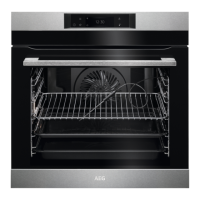
AEG BPK748380M - User Manual

AEG BPK748380M
56 pages
Print Icon
To Next Page IconTo Next Page
Loading...
USER
MANUAL
EN User Manual
Oven
BPK748380B
BPK748380M

Table of Contents

Questions and Answers

  • T
    theresa56Aug 19, 2025
    Why AEG BPK748380M does not turn on?
    • H
      Hayden HarperAug 20, 2025
      If your AEG oven isn't turning on or heating up, there are several potential causes. First, ensure the oven is correctly connected to the electrical supply. A blown fuse could also be the culprit, so check that. Also, make sure the oven door is fully closed. If the clock hasn't been set, the oven may not operate. Finally, check if the Child Lock is activated.
  • H
    hurleyjasonAug 22, 2025
    Why AEG Oven does not heat up?
    • S
      Stephanie DuncanAug 22, 2025
      Why AEG Oven does not heat up? The oven may not be correctly connected to the electrical supply. The clock may not be set. The door may not be closed correctly. The fuse may be blown. The oven Child Lock may be on.
  • S
    Scott SpencerAug 25, 2025
    Why AEG BPK748380M does not turn on or heat up?
    • S
      Samuel BlevinsAug 25, 2025
      Your AEG oven might not be turning on or heating up due to several reasons. First, ensure the oven is properly connected to the electrical supply. Another potential cause is that the clock hasn't been set; if this is the case, set the clock. Also, check if the door is fully closed. A blown fuse could also be the culprit, so verify the fuse. Finally, confirm that the Child Lock feature is not enabled.
  • S
    Sarah PaulAug 26, 2025
    What to do if my AEG BPK748380M does not turn on or heat up?
    • J
      Jocelyn TaylorAug 26, 2025
      If your AEG Oven isn't turning on or heating up, there are several potential causes to investigate: * First, ensure that the oven is properly connected to the electrical supply. * Check if the clock is set; if not, set the clock. * Make sure the oven door is fully closed. * Verify that the fuse hasn't blown; if it continues to blow, contact a qualified electrician. * Confirm whether the Child Lock is activated and, if so, disable it.
  • L
    Lori JamesAug 28, 2025
    What to do if my AEG BPK748380M Oven does not turn on?
    • L
      Lauren WernerAug 28, 2025
      What to do if my AEG Oven isn't turning on? First, check that the oven is correctly connected to the electrical supply. Make sure the door is fully closed. Another potential cause is that the clock is not set. Also, a blown fuse could be the reason. Finally, check if the Child Lock is on.
  • B
    Benjamin WheelerAug 30, 2025
    What to do if the touch fields on my AEG BPK748380M display (F240, F439) don't work properly?
    • R
      ricekatherineAug 30, 2025
      If the touch fields on your AEG oven display aren't working correctly, clean the surface of the display. Ensure there's no dirt or residue on the touch fields.
  • J
    Jason BassSep 1, 2025
    What to do if my AEG Oven displays error C3 - the door is not fully closed during Pyrolytic Cleaning?
    • R
      richarddavisSep 1, 2025
      If your AEG oven displays error code C3 during pyrolytic cleaning, it means the door isn't fully closed. Make sure to close the door completely to resolve this issue.
  • A
    amber78Sep 3, 2025
    What to do if my AEG BPK748380M Oven displays error F111 - Food sensor is not correctly inserted into the socket?
    • A
      Alfred DennisSep 4, 2025
      If your AEG oven shows error F111, it indicates that the food sensor isn't correctly inserted into the socket. Fully plug the food sensor into the socket to clear the error.
  • M
    Melvin ColemanSep 6, 2025
    How to fix a weak wireless network signal on my AEG BPK748380M Oven?
    • J
      joshua95Sep 6, 2025
      If your AEG oven has a weak wireless network signal, move the router as close to the oven as possible to improve the connection.
  • G
    gerald80Sep 7, 2025
    What to do if my AEG Oven displays error C2 - the Food sensor is in the oven cavity during Pyrolytic Cleaning?
    • L
      Leslie BrownSep 8, 2025
      If your AEG oven displays error code C2 during pyrolytic cleaning, it means the food sensor is inside the oven cavity. Remove the food sensor before starting the cleaning process.

Summary

Safety Information

Children and Vulnerable People Safety

Safety guidelines for children and vulnerable individuals using the appliance.

General Safety

General safety precautions for operating and maintaining the oven.

Safety Instructions

Installation

Instructions for the safe and correct installation of the oven.

Electrical Connection

Guidelines for safely connecting the oven to the electrical power supply.

Use

Safe operating procedures and warnings for using the oven.

Care and Cleaning

Procedures for cleaning and maintaining the oven safely.

Pyrolytic Cleaning

Safety warnings and instructions for using the pyrolytic self-cleaning function.

How to Turn Oven On and Off

Control Panel

Explanation of the oven's control panel buttons and their functions.

Display

Details on the oven's display screen, indicators, and standby modes.

Before First Use

Initial Cleaning

Steps for cleaning the oven before its first use.

First Connection

Initial setup process, including language and display settings.

Daily Use

How to Set: Heating Functions

Step-by-step guide to selecting and setting heating functions for cooking.

How to Set: Assisted Cooking

How to use the assisted cooking programs for various dishes.

Heating Functions

Detailed list and descriptions of standard and special heating functions.

How to Use: Accessories

Food Sensor

Guide on using the food sensor to measure internal food temperature.

Care and Cleaning

Notes on Cleaning

General guidelines and recommended agents for cleaning the oven.

How to Use: Pyrolytic Cleaning

Instructions and safety precautions for performing pyrolytic cleaning.

Troubleshooting

What to Do If...

Common issues and their potential causes and remedies.

How to Manage: Error Codes

Explanation of error codes displayed by the oven and how to resolve them.

AEG BPK748380M Specifications

General IconGeneral
BrandAEG
ModelBPK748380M
CategoryOven
LanguageEnglish

Related product manuals