11.10 How to replace: Lamp
WARNING!
Risk of electric shock.
The lamp can be hot.
1. Turn off the oven. Wait until the oven
is cold.
2. Disconnect the oven from the mains.
3. Put a cloth on the bottom of the
cavity.
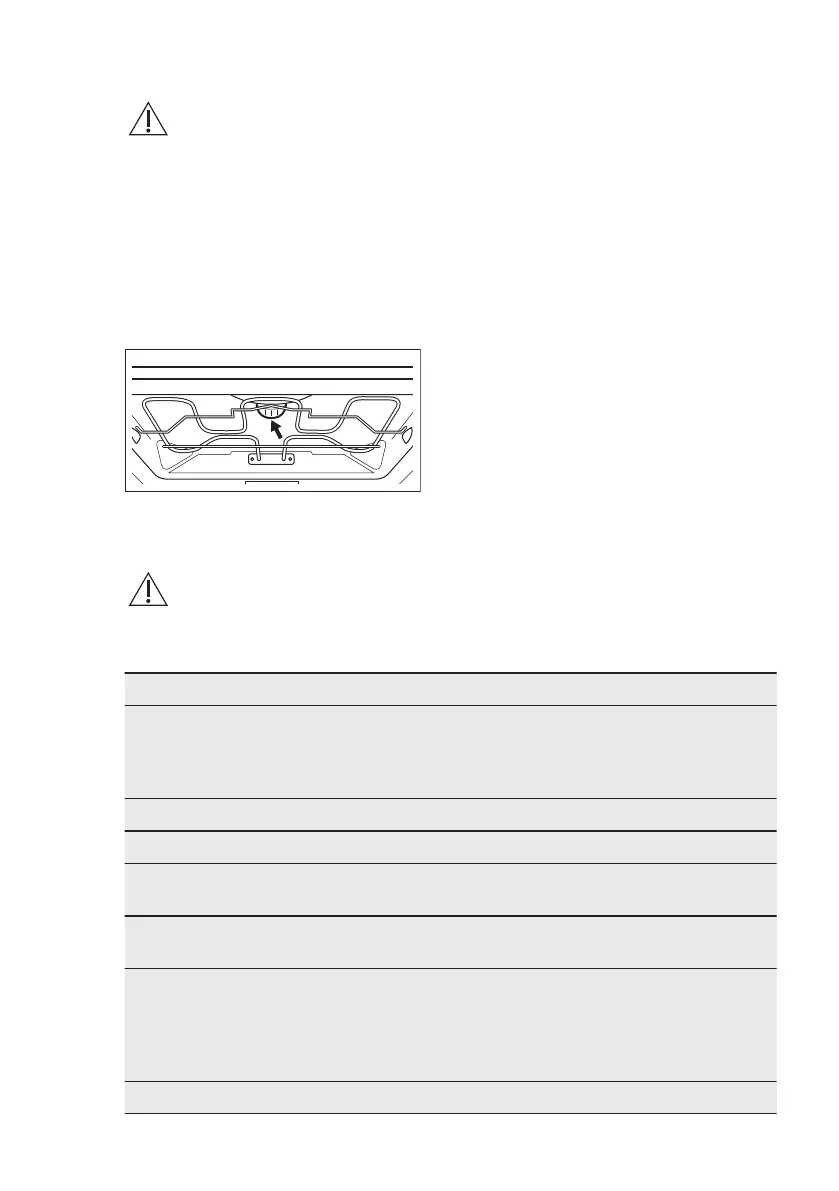
The top lamp
1. Turn the lamp glass cover to remove
it.
2. Remove the metal ring and clean the
glass cover.
3. Replace the lamp with a suitable 300
°C heat-resistant lamp.
4. Attach the metal ring to the glass
cover.
5. Install the glass cover.
The side lamp
1. Remove the left shelf support to get
access to the lamp.
2. Use a Torx 20 screwdriver to remove
the cover.
3. Remove and clean the metal frame
and the seal.
4. Replace the lamp with a suitable 300
°C heat-resistant lamp.
5. Install the metal frame and the seal.
Tighten the screws.
6. Install the left shelf support.
12. TROUBLESHOOTING
WARNING!
Refer to Safety chapters.
12.1 What to do if...
Problem Possible cause Remedy
You cannot activate or oper-
ate the oven.
The oven is not connected
to an electrical supply or it is
connected incorrectly.
Check if the oven is correctly
connected to the electrical
supply (refer to the connec-
tion diagram if available).
The oven does not heat up. The oven is deactivated. Activate the oven.
The oven does not heat up. The clock is not set. Set the clock.
The oven does not heat up. The necessary settings are
not set.
Make sure that the settings
are correct.
The oven does not heat up. The automatic switch-off is
activated.
Refer to "Automatic switch-
off".
The oven does not heat up. The fuse is blown. Make sure that the fuse is
the cause of the malfunction.
If the fuse is blown again
and again, contact a quali-
fied electrician.
The lamp does not operate. The lamp is defective. Replace the lamp.
www.aeg.com54


 To Next Page