6. BEFORE FIRST USE
WARNING!
Refer to Safety chapters.
6.1 Initial Cleaning
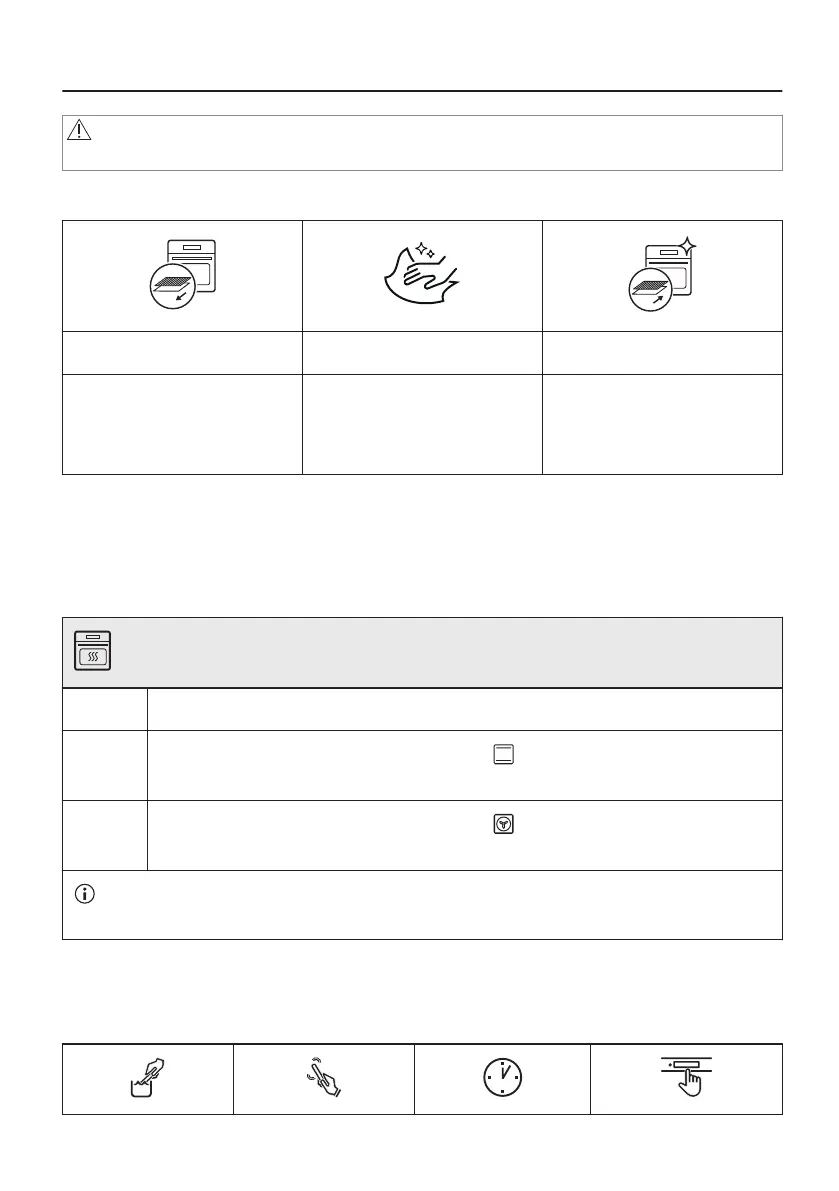
Step 1 Step 2 Step 3
Remove all accessories and
removable shelf supports from
the oven.
Clean the oven and the ac‐
cessories with a soft cloth,
warm water and a mild deter‐
gent.
Place the accessories and the
removable shelf supports in
the oven.
6.2 First connection
The display shows welcome message after the first connection.
You have to set: Language, Display brightness, Buzzer volume, Water hardness, Time of day.
6.3 Initial preheating
Preheat the empty oven before the first use.
Step 1 Remove all accessories and removable shelf supports from the oven.
Step 2
Set the maximum temperature for the function: .
Let the oven operate for 1 h.
Step 3
Set the maximum temperature for the function: .
Let the oven operate for 15 min.
The oven can emit an odour and smoke during preheating. Make sure that the room is ventila‐
ted.
6.4 How to set: Water hardness
When you connect the oven to the mains you have to set the water hardness level.
Use the test paper supplied with the steam set.
16/64


 To Next Page