English
39
Memory card slot (6)
1. Use the INPUT button (10) to select SD CARD mode.
2. Insert the memory card with the contacts facing up into
the appropriate slot. Playback will start after a few sec-
onds. The AUX indicator lamp flashes during playback.
For operation of the device, please refer to chapter “Descrip-
tion of the Controls”.
CAUTION:
Select another operating mode before removing the
memory card.
Description of the controls
NOTE:
Depending on your playback unit, not all functions might
be supported.
(7)
You can pause and continue music playback. Press again to
continue playback.
(9)
Press1x= Restartofthesongfromthebeginning.(Not
during USB/CARD mode)
Press2x= Skiptotheprevioussong.
Press3x= Skiptothesongbeforetheprevioussong.
(8)
Presstoskiptothenextsongandthefollowingsongs.
Cleaning
CAUTION:
Do not submerge the device in water.
• Beforecleaningdisconnectfrommainspowersupply.
• Cleanthedevicewithasoftdampclothwithoutdeter-
gents.
Troubleshooting
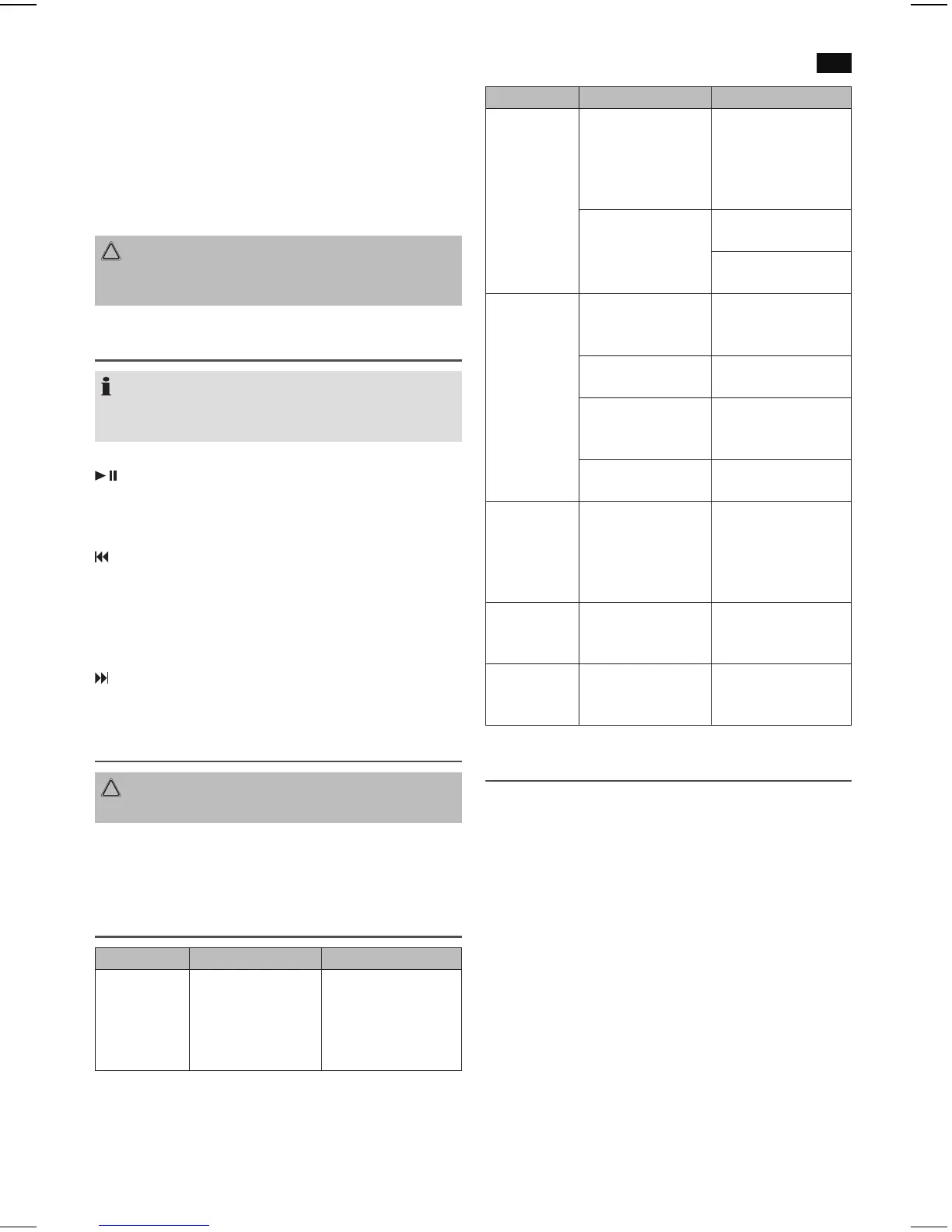
Fault Cause Solution
Unit cannot
be operated.
Unit crashes and
“hangs”.
Disconnect from the
mains for around
5 seconds. Then
switch the unit on
again.
Fault Cause Solution
No audio
signal via the
Bluetooth
connection
Speaker is not paired
to the audio source.
Check whether a
connectionexists.If
necessary, pair the
speaker again to the
audio source.
Volume too low Increase the volume
on the speaker.
Increase the volume
on the audio source.
Speaker
cannot be
connected
Pairing does not
work
Check whether the
audio source supports
the A2DP protocol.
Audio source is
switched off
Switch on the audio
source.
Bluetooth is switched
off at the audio
source.
Switch on the Blue-
tooth function in the
audio source.
Bluetooth version is
not supported.
Use a different play-
back unit.
Sharp
whistling
sound during
microphone
operation.
Audio feedback Use the microphones
outside of the
speaker’s reverbera-
tion distance.
Battery cannot
be recharged.
The battery has
been discharged
completely.
Charge the battery
using the DC-12 V IN
input (18).
No sound in
all operating
modes.
Input level too low. Press and hold
but-
ton (8) to increase the
input level.
Technical Specifications
Model: .................................................................................BSS 4823
Power supply: ......................................................... AC 230 V, 50 Hz
................................................................ DC 12 V/5 A
Power Consumption:..............................................................100 W
Battery: ................................................................... 12 V 12000 mAh
Charging time: ............................................. approx.11hours.
Operating time: ................................................up to 36 hours.
Protection class: ................................................................................ II
Net weight: ................................................................. approx.17kg
Microphones
Voltage supply: ...............................................2x1.5VtypeAA/R6
Transmission frequency: ..................................636-865 MHz, UHF
Channels: ...........................................................................................2
Power: ...................................................................................... 50 mW
Bluetooth
Bluetooth support: ........................................................V2.1 + EDR
Range: ..................................................................approx.15metres
Transmission frequency: ......................................2.402-2.480 GHz
Protocols: ....................................................................A2DP/AVRCP


 To Next Page
 Loading...