EasyManua.ls Logo

AEG BSX23101XM - User Manual

AEG BSX23101XM
20 pages
Print Icon
To Next Page IconTo Next Page
Loading...
aeg.com/register
BSX23101XM
EN User Manual | Oven
aeg.com\register
Question and Answer IconNeed help?

Do you have a question about the AEG BSX23101XM and is the answer not in the manual?

Summary

Safety Information

Children and Vulnerable People Safety

Safety guidelines for children and vulnerable individuals.

Safety Information

General Safety Guidelines

General safety rules and precautions for using the appliance.

Safety Instructions

Installation and Electrical Safety

Safety guidelines for installation and electrical connections.

Safety Instructions

Safe Appliance Usage

Guidelines for safe operation and usage of the oven.

Safety Instructions

Care, Cleaning, and Service Safety

Safety advice for cleaning, maintenance, and service.

Disposal Safety

Safety precautions for disposing of the appliance.

Installation

Building In and Securing the Oven

Procedures and dimensions for fitting and securing the oven.

Product Description

Overview and Accessories

Description of appliance parts and included accessories.

Control Panel

Operation and Display Functions

How to operate the appliance via the control panel and display.

Before First Use

Initial Setup and Cleaning

Steps for initial setup, time setting, and preheating.

Daily Use

Heating Functions and Usage

Explanation of different heating functions and daily usage tips.

Additional Functions

Cooling Fan and Safety Thermostat

Features like cooling fan and safety thermostat.

Clock Functions

Setting and Managing Clock Functions

How to set time, duration, and minute minder.

Using the Accessories

Inserting Accessories and Pans

Instructions for inserting shelves, trays, and pans.

Hints and Tips

Cooking Recommendations

Recommended settings for various cooking tasks.

Recommended Accessories for Baking

Specific accessories recommended for Moist Fan Baking.

Hints and Tips

Information for Test Institutes

Data for test institutes according to IEC standards.

Care and Cleaning

Cleaning Agents and Everyday Use

Guidelines for cleaning agents and daily interior care.

Shelf Supports, Aqua Clean, and Door

Procedures for removing shelf supports, Aqua Clean, and door.

Care and Cleaning

Replacing the Lamp

Instructions for safely replacing the oven lamp.

Troubleshooting

Common Problems and Solutions

Troubleshooting common issues with the appliance.

Energy Efficiency

Product Information Sheet

Official product data for energy labelling and ecodesign.

Energy Efficiency

Energy Saving Tips

Tips for saving energy during appliance operation.

Environmental Concerns

Summary

Safety Information

Children and Vulnerable People Safety

Safety guidelines for children and vulnerable individuals.

Safety Information

General Safety Guidelines

General safety rules and precautions for using the appliance.

Safety Instructions

Installation and Electrical Safety

Safety guidelines for installation and electrical connections.

Safety Instructions

Safe Appliance Usage

Guidelines for safe operation and usage of the oven.

Safety Instructions

Care, Cleaning, and Service Safety

Safety advice for cleaning, maintenance, and service.

Disposal Safety

Safety precautions for disposing of the appliance.

Installation

Building In and Securing the Oven

Procedures and dimensions for fitting and securing the oven.

Product Description

Overview and Accessories

Description of appliance parts and included accessories.

Control Panel

Operation and Display Functions

How to operate the appliance via the control panel and display.

Before First Use

Initial Setup and Cleaning

Steps for initial setup, time setting, and preheating.

Daily Use

Heating Functions and Usage

Explanation of different heating functions and daily usage tips.

Additional Functions

Cooling Fan and Safety Thermostat

Features like cooling fan and safety thermostat.

Clock Functions

Setting and Managing Clock Functions

How to set time, duration, and minute minder.

Using the Accessories

Inserting Accessories and Pans

Instructions for inserting shelves, trays, and pans.

Hints and Tips

Cooking Recommendations

Recommended settings for various cooking tasks.

Recommended Accessories for Baking

Specific accessories recommended for Moist Fan Baking.

Hints and Tips

Information for Test Institutes

Data for test institutes according to IEC standards.

Care and Cleaning

Cleaning Agents and Everyday Use

Guidelines for cleaning agents and daily interior care.

Shelf Supports, Aqua Clean, and Door

Procedures for removing shelf supports, Aqua Clean, and door.

Care and Cleaning

Replacing the Lamp

Instructions for safely replacing the oven lamp.

Troubleshooting

Common Problems and Solutions

Troubleshooting common issues with the appliance.

Energy Efficiency

Product Information Sheet

Official product data for energy labelling and ecodesign.

Energy Efficiency

Energy Saving Tips

Tips for saving energy during appliance operation.

Environmental Concerns

Overview

This document is a user manual for an AEG BSX23101XM oven, providing comprehensive information on its functions, usage, and maintenance.

Function Description

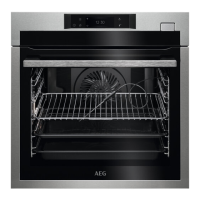
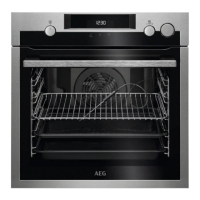
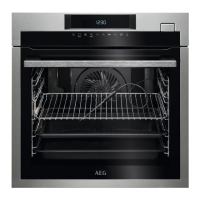
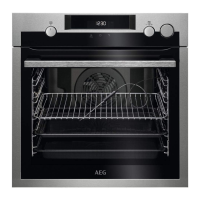
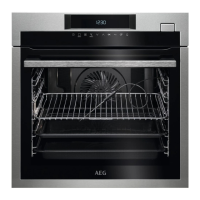
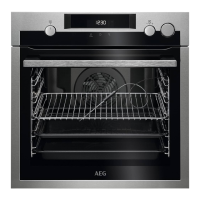
The AEG BSX23101XM is a built-in oven designed for cooking purposes in a single household domestic indoor environment. It features a control panel with a power lamp/symbol, a knob for heating functions, a display, a control knob for temperature, and a temperature indicator/symbol. The oven includes various heating functions such as:

  • Light: To turn on the oven lamp.
  • Fan Cooking: Ideal for roasting and baking food on multiple shelf positions at the same cooking temperature without flavor transference.
  • Moist Fan Baking: An energy-saving function where the temperature inside the appliance may differ from the set temperature, and heating power may be reduced. This function is designed to comply with energy efficiency and ecodesign requirements.
  • Conventional Cooking / Aqua Clean: For baking and roasting food on a single shelf position. The Aqua Clean feature uses humidity to remove fat and food particles.
  • Bottom Heat: Specifically for baking cakes with a crispy bottom and preserving food.
  • True Fan Cooking: Allows baking on up to two shelf positions simultaneously and for drying food, with recommended temperatures 20-40 °C lower than Conventional Cooking.
  • Grill: For grilling thin pieces of food and toasting bread.
  • Turbo Grilling: Designed for roasting large meat joints or poultry with bones on a single shelf position, and for baking gratins and browning.
  • Defrost: To defrost food like vegetables and fruit, with defrosting time depending on the amount and size of the frozen food.

The oven also incorporates a cooling fan that automatically activates during operation to keep surfaces cool and continues to run until the appliance cools down after use. A safety thermostat is included to prevent dangerous overheating by interrupting the power supply and reactivating when the temperature drops.

Usage Features

The oven offers several clock functions:

  • Time of Day: To set, change, or check the current time.
  • Duration: To set how long the appliance should operate, after which it automatically turns off and signals the end of the set time.
  • Minute Minder: A countdown timer that does not affect oven operation and can be set at any time, even when the appliance is off.

Accessories include a wire shelf for cake tins, ovenproof dishes, roast dishes, and cookware, and a Grill-/Roasting pan with a trivet for baking, roasting, and collecting fat. The wire shelf features anti-tip devices and a high rim for safety. The trivet can be used with the deep pan for roasting larger items or grilling flat dishes.

For optimal results with Moist Fan Baking, the manual recommends using dark and non-reflective tins and containers such as pizza pans, baking dishes, ceramic ramekins, and flan base tins, as they offer better heat absorption.

Energy-saving tips are provided, including keeping the oven door closed during operation, avoiding frequent opening, ensuring the door gasket is clean and well-fixed, using metal and dark cookware, avoiding preheating unless necessary, minimizing breaks between baking multiple dishes, and utilizing fan cooking functions when possible. The residual heat can be used to continue cooking or keep food warm by reducing the temperature before the end of cooking.

Maintenance Features

Maintenance instructions emphasize safety, such as disconnecting the appliance from the power supply and ensuring it is cold before cleaning.

  • General Cleaning: The front of the appliance should be cleaned with a microfibre cloth, warm water, and a mild detergent. Metal surfaces require a cleaning solution, and stains can be removed with a mild detergent. Abrasive products, pads, solvents, or metal objects should not be used.
  • Interior Cleaning: The interior should be cleaned after each use to prevent fat accumulation and fire risk. Moisture condensation can be reduced by operating the oven for 10 minutes before cooking. The interior should be dried with a microfibre cloth after use.
  • Aqua Clean: This specific cleaning procedure involves pouring 150 ml of water into the cavity embossment, setting the oven to the Conventional Cooking / Aqua Clean function at 90 °C for 30 minutes, then turning it off, letting it cool, and drying the cavity with a soft cloth.
  • Accessories Cleaning: All accessories should be cleaned after each use with a microfibre cloth, warm water, and a mild detergent, then dried. Non-stick accessories should not be cleaned with abrasive cleaners or sharp objects, and accessories should not be cleaned in a dishwasher.
  • Removing Shelf Supports: Shelf supports can be removed for cleaning by pulling the front and then the rear end away from the side walls. They are reinstalled in the opposite sequence.
  • Removing and Installing the Door: The oven door has two glass panels that can be removed for cleaning. This involves opening the door fully, lifting latches, closing the door halfway, lifting and pulling to remove it from its seat, placing it on a soft cloth, releasing the locking system, turning fasteners, and removing the internal glass panel. After cleaning with water and soap, the panels and door are reinstalled, ensuring correct placement for the door trim to click.
  • Replacing the Lamp: The lamp can be replaced by turning off the appliance, disconnecting it from the mains, placing a cloth on the oven floor, turning the glass cover to remove it, cleaning the cover, replacing the lamp with a suitable 300 °C heat-resistant lamp, and then installing the glass cover.

The manual also provides troubleshooting steps for common issues like the appliance not heating up, a damaged door gasket, or the display showing "12:00" after a power cut. For more complex problems, users are advised to contact an Authorised Service Centre, providing data from the rating plate located on the front frame of the appliance.

AEG BSX23101XM Specifications

General IconGeneral
Intrastat code85166080
Country of originPoland
Oven sizeMedium
Oven typeElectric
Grill typeFixed rate grill
Top heatingYes
Self-cleaning-
Number of ovens1
Shelves materialChrome
Total oven power2090 W
Microwave cookingNo
Number of shelves2 shelves
Top heating power800 W
Cleaning technologyAquaClean
Bottom heating power1050 W
Oven thermostat range50 - 250 °C
Number of shelf positions4
Number of cooking programs9
Total oven(s) interior capacity65 L
Bulb power25 W
Door hingedown
Cord length1.6 m
Noise level49 dB
Control typeButtons, Rotary
Product colorStainless steel
Oven door openingDrop down opening
Appliance placementBuilt-in
Number of glass door panels2
AC input voltage220 - 240 V
AC input frequency50 - 60 Hz
Energy efficiency index (EEI)95.1
Energy consumption (conventional)0.89 kWh
Energy consumption (forced convection)0.78 kWh
Package depth670 mm
Package width635 mm
Package height654 mm
Package weight29000 g
Weight and Dimensions IconWeight and Dimensions
Depth560 mm
Width594 mm
Height590 mm
Weight27800 g
Installation compartment depth550 mm
Installation compartment height593 mm
Interior dimensions (W x D x H)457 x 406 x 351 mm

Related product manuals