English
57
Analogue Output Setup
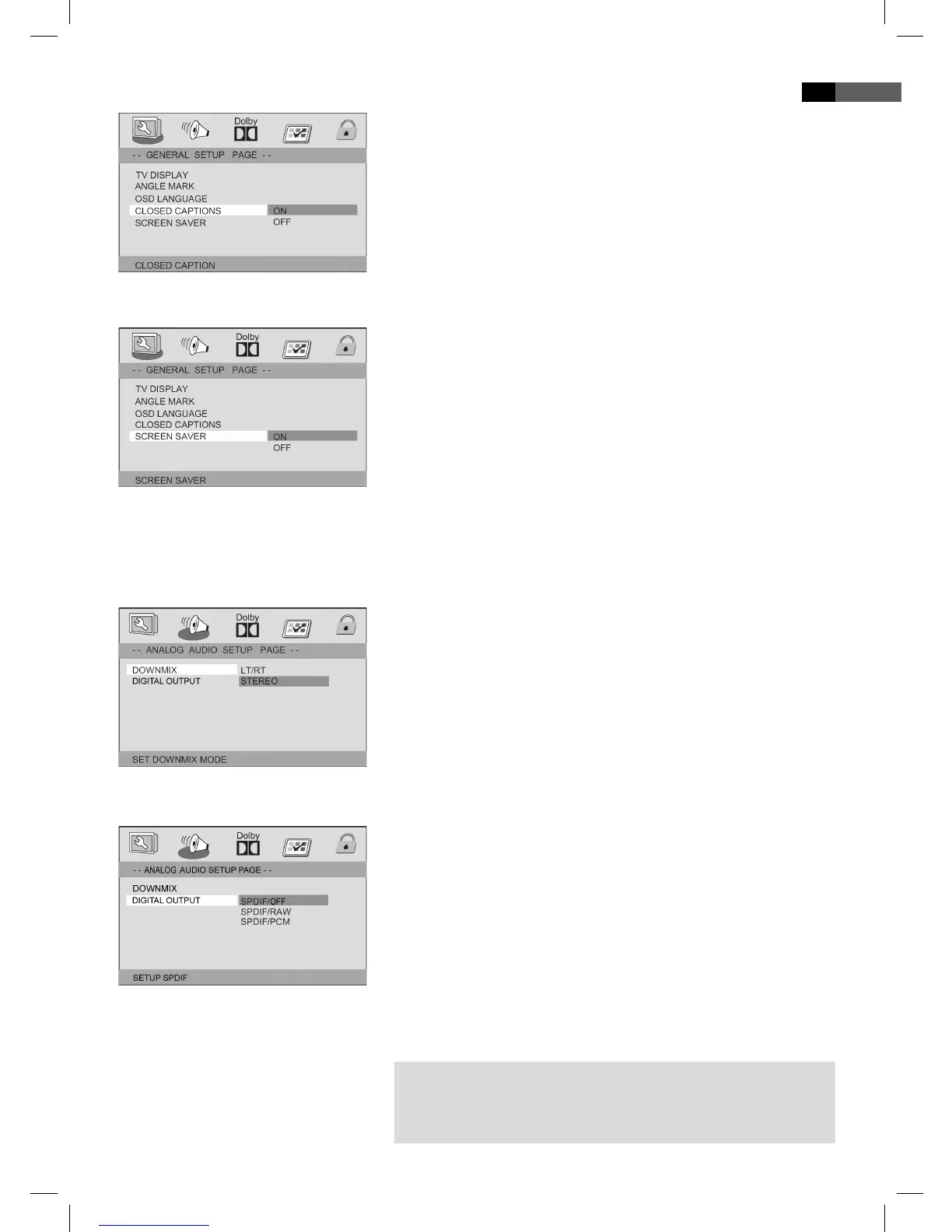
Closed Captions
Some DVDs contain commentaries that accompany the lm, e.g. sub-
titles for the hard of hearing.
On:
The commentary is displayed.
O :
No commentaries are displayed.
Screen saver
The player is able to display a still image for any time on the screen. This
can cause damage to the screen. It is therefore recommended to activate
the screen saver.
The following options are available:
On:
The screen saver is activated (default setting).
O :
The screen saver is deactivated.
Downmix
Change the characteristics of the speaker output:
LT/RT:
Choose this setting if you want to play the DVD with the Pro Logic
Dolby stereo e ect. This produces a almost real 2-channel replay
e ect.
Stereo:
Choose this setting if you want to play a DVD, that has been produ-
ced in the 5.1-Audio format, as 2-channel stereo sound.
Digital Output
Here you specify the settings for the digital Audio output.
SPDIF O :
Output of an analogue Audio signal, but no digital signal.
SPDIF/RAW:
Output of a digital Audio signal. Use this setting if your ampli er is
no two-channel stereo ampli er.
SPDIF/PCM:
Output of a digital Audio signal that is converted to a 2-channel
signal. Use this setting if your ampli er is a two-channel stereo
ampli er.
쫵 NOTE:
If there is no Audio output, even though you connected the DVD-
Player to an ampli er, you will most likely have chosen an incorrect
setting for the Audio output.
05_DVD4533-GB.indd 5705_DVD4533-GB.indd 57 08.07.2008 16:38:56 Uhr08.07.2008 16:38:56 Uhr


 To Next Page
 Loading...