Need help?
Do you have a question about the AEG DVD 4555 LCD and is the answer not in the manual?
Official guide for operating the DVD player.
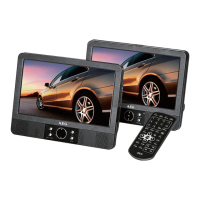
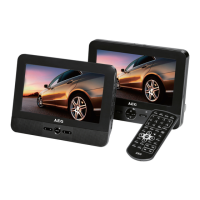
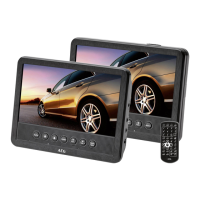
Identifies physical parts of the DVD monitor.
Identifies physical parts of the LCD monitor.
Identifies the numbered buttons on the remote.
Detailed list of DVD monitor components with functions.
Detailed list of LCD monitor components with functions.
Detailed list of remote control components with functions.
Specifications including model, power, dimensions, and media compatibility.
Manufacturer's declaration of compliance with regulations.
Explains symbols used for warnings and notes in the manual.
Safety guidelines for usage, children, and electrical connections.
Information and precautions regarding the laser device.
Instructions for safe placement and environmental protection.
Guidelines for operation, screen care, and proper usage.
Steps for unpacking and setting up the device.
Guide for attaching the device to a vehicle head-rest.
Procedure for replacing batteries in the remote control.
Guidelines for using the remote control effectively.
Information on operating the device with different power adapters.
Warnings against using the device while driving.
Procedure for replacing the fuse in the 12V car adapter.
Guidelines for safe headphone use and volume adjustment.
How to connect USB devices and other playback equipment.
Instructions for viewing content on a TV.
Steps to adjust LCD monitor settings like brightness and contrast.
Explains regional codes and supported media formats.
Instructions for inserting discs into the player.
Shows status information for CD and DVD playback.
How to initiate and temporarily stop media playback.
Changing audio tracks and subtitle display options.
How to stop playback and resume from the last position.
Moving between chapters, tracks, and songs.
How to set repeat options for titles, chapters, or tracks.
Controls for playback speed adjustment and picture enlargement.
Changing camera angle and audio volume levels.
Steps to create personalized playback sequences.
Procedure for removing created playlists.
Playing files from CDs/DVDs in data mode.
Connecting and using USB storage devices for playback.
How to stop the current media playback.
Instructions for viewing digital photos on the device.
Features for navigating and rotating photos in slideshow.
How to modify the device's default configuration.
Explanation of main and sub-menu organization.
How to navigate and select options within the menus.
Adjusts the video output to match the TV's aspect ratio.
Selects menu language and controls closed caption display.
Activates or deactivates the screen saver feature.
Sets the device to automatically power off after a specified time.
Settings for downmix, dual mono, and dynamic range.
Modifies video output parameters like brightness and contrast.
Sets TV system, preferred audio, and subtitle languages.
Configures parental control levels for DVD playback.
Restores the device to its factory default configuration.
Enables/disables password entry for parental controls.
Solutions for display and audio output issues.
Troubleshooting for remote function and media playback problems.
Guidelines for disposing of the device and batteries.
Precautions for handling batteries safely.
Overview of available settings in the General Setup menu.
Overview of available settings in the Video Setup menu.
Overview of available settings in the Preference menu.
Information on warranty duration and manufacturer.
 General
| Brand | AEG |
|---|---|
| Model | DVD 4555 LCD |
| Category | Car Video System |
| Language | English |

 To Next Page