English
35
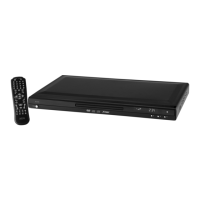
Remote (Fig. 3)
1 OPEN/CLOSE:
To open or close the CD/DVD
tray.
2 Numerical buttons:
For direct selection of chapter
or song number.
3 10+:
For selecting the chapters/
tracks above 9. Pressing again
increases by a further 10.
4 DISPLAY:
To display the play status on
screen.
5 RETURN:
Returning to the previous
menu.
6 ZOOM: To zoom in or out.
7 ENTER: Con rm the input.
8 MENU:
To display the main menu of
the DVD/VCD.
9 PBC:
Displays the playback control
of a VCD.
10 I:
To return to the previous
chapter or song.
1 1 : Stop play.
12 I:
To jump to the next chapter
or song.
13 L/R:
Switches between the right-
hand and left-hand channel.
14 VOL +: To increase the volume.
15 VOL-: To reduce the volume.
16 CLEAR:
Adds titles to the playlist.
17 SLOW:
Slow motion. Press the „II“
button to continue the lm.
18 STEP:
To freeze the picture. Press
again to show the next pic-
ture. Press the „II“ button to
continue the lm.
19 REPEAT:
To repeat title, chapters, etc.
20 A-B:
To select the section to be
repeated.
21 : Fast forward.
22 : Fast reverse.
23 II:
Start playback. To freeze the
picture. Press the „II“ button
to continue the lm.
24 N/P:
MULTI/NTSC/PAL colour norm
switching.
25 TITLE:
To show the Playback-Control
for VCD.
26 Cursor buttons:
Navigation in screen menu.
27 SETUP:
To start the setup menu.
28 AUDIO:
To change the Audio settings.
29 PROG: Call up DVD play list.
30 GOTO:
For direct accessing of a
section on the CD/DVD.
31 ANGLE:
To select the viewing angle.
32 SUBTITLE:
To show/hide subtitles.
33 MUTE: To switch of the sound.
34 STANDBY:
To activate standby mode.
05-DVD 4534 N AEG_GB.indd 3505-DVD 4534 N AEG_GB.indd 35 16.06.2009 9:47:29 Uhr16.06.2009 9:47:29 Uhr


 To Next Page