English
47
Selecting previous chapter/track
Selecting next chapter/track
Selecting track directly
Accessing a section via menu
Repeating DVD-title/chapter
Stopping repeat
Selecting a section to be repeated
Press the „I“ button (Fig 3/10) to jump to the start of the previous
chapter or track.
Press the „I“ button (Fig 3/12) to jump to the start of the next chapter
or track.
Enter the number of the desired chapter/track with the Numerical
Buttons on the remote control (Fig. 3/2).
Replay of the chapter/track starts after a short while.
The on-screen menu enables comfortable access to any sections of a
medium. To do this, proceed as follows
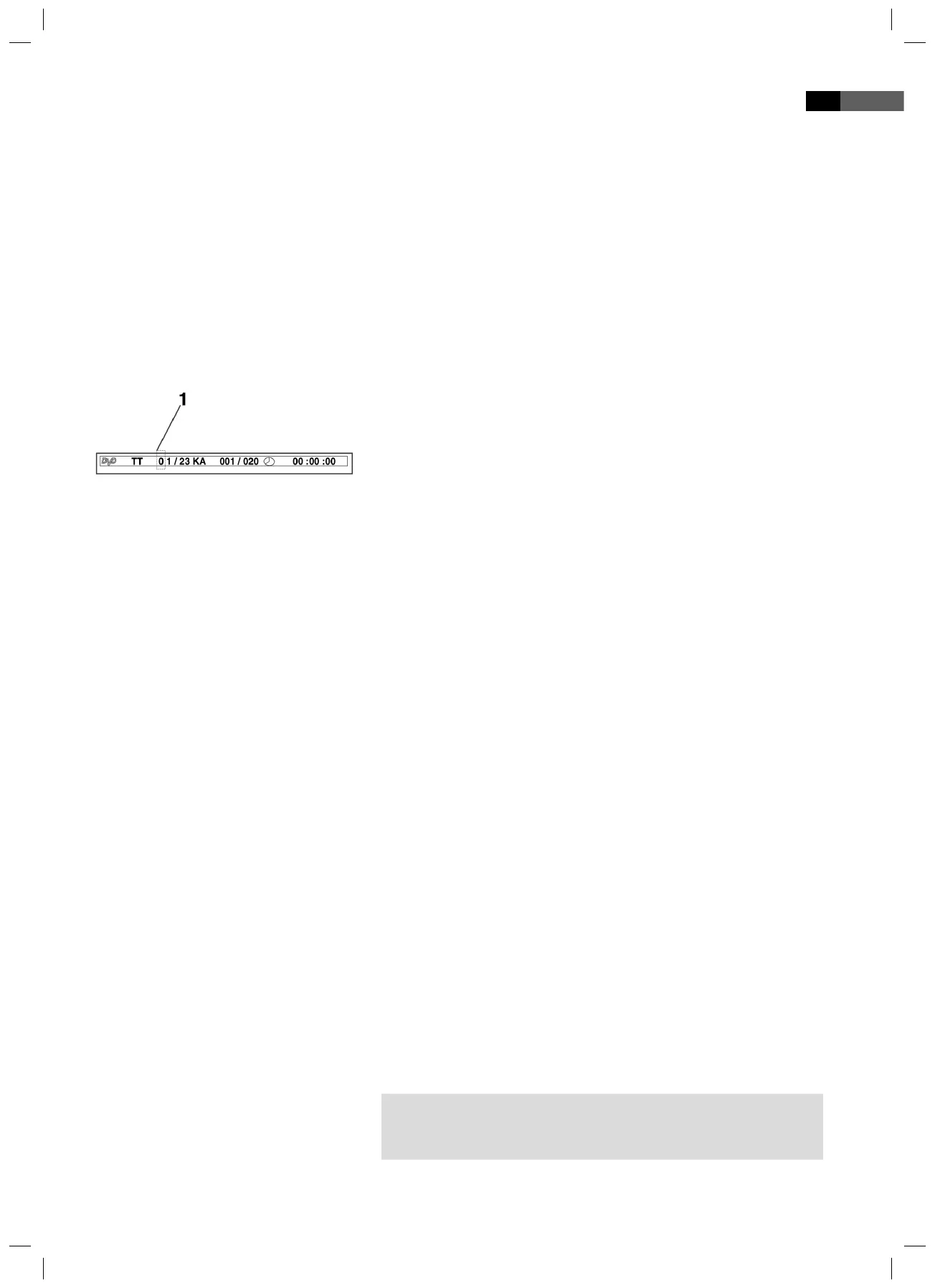
1. Press the GOTO-button (Fig. 3/30). The media speci c menu is displa-
yed
.
2. The menu shows an insertion mark (1). Use the Cursor Buttons (Fig.
3/26) to move it to the desired subject (e.g. „Chapter“).
3. Now move to the point from which the replay should start. Depen-
ding on the type of medium this may be a track number, a chapter
or even a point in time. The input must be made with the Numerical
Buttons (Fig. 3/2).
4. Press the ENTER-button (Fig. 3/7) to start the replay from this point.
1. Choose the chapter or title to be repeated.
2. Press the REPEAT button (Fig. 3/19). The message
„REPEAT: [CHAPTER]“ appears on the screen.
3. Press the REPEAT button again, until the message „REPEAT: [TITLE]”
is displayed.
Keep pressing the REPEAT-button (Fig. 3/19), until the message „REPEAT:
[OFF]“ is displayed on screen.
You can de ne a freely selected section to be automatically repeated.
To do this, proceed as follows:
1. Mark the beginning of the section to be repeated. During repetition
press the button A-B (Fig. 3/20) on the remote control once. The
message „REPEAT A“ appears on the screen.
2. Mark the end of the section to be repeated by pressing the
A-B-button on the remote control once again. The message
„REPEAT A-B“ appears on the screen. The previously marked section
is now repeated.
Press the A-B-button again to stop the repetition.
NOTE:
The passage to be repeated must be located within one track (in the
case of CDs/MP3 CDs).
05-DVD 4534 N AEG_GB.indd 4705-DVD 4534 N AEG_GB.indd 47 16.06.2009 9:47:31 Uhr16.06.2009 9:47:31 Uhr


 To Next Page