EasyManua.ls Logo

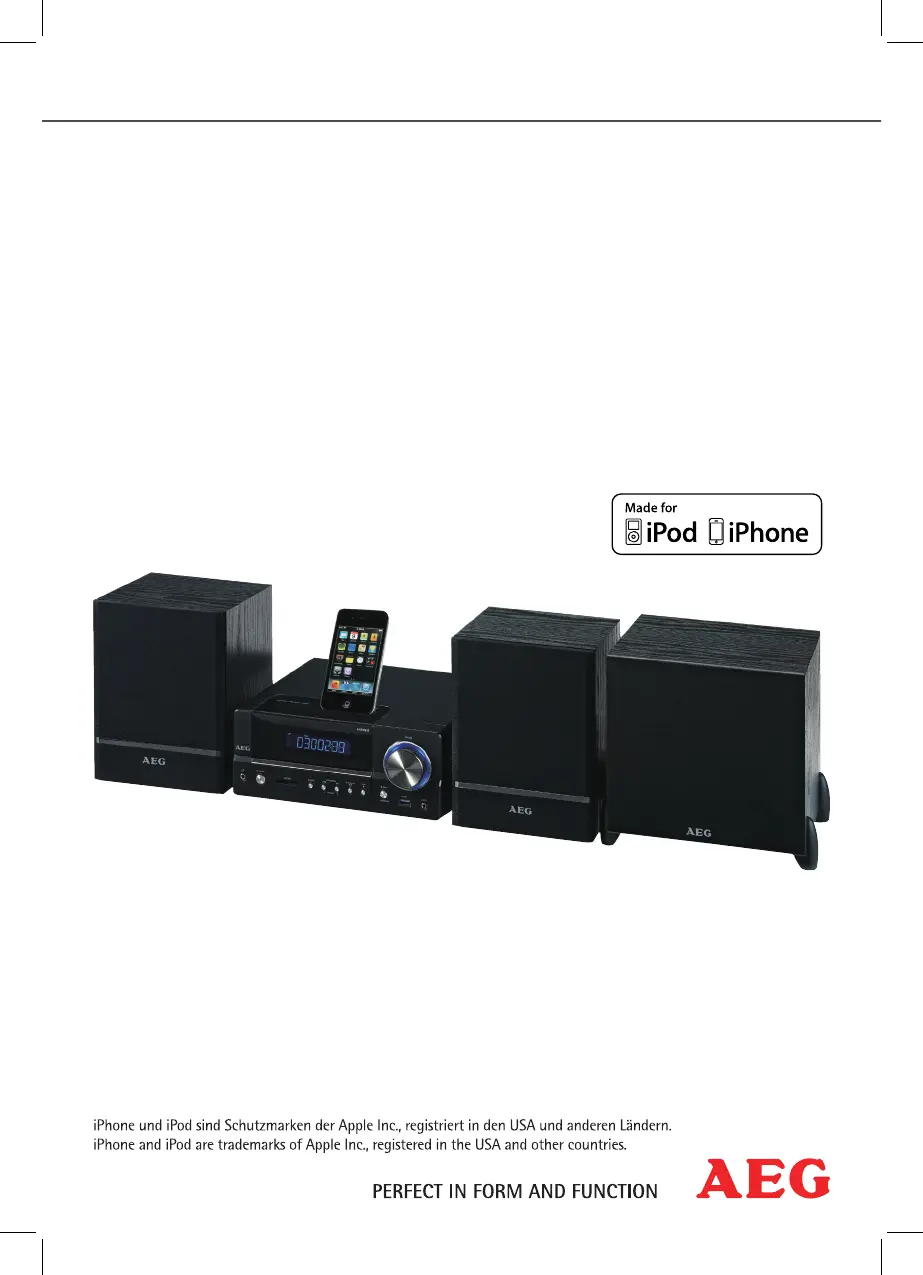
AEG DVD 4626 iP - User Manual

AEG DVD 4626 iP
70 pages
Go to English
Print Icon
To Next Page IconTo Next Page
Loading...
Bedienungsanleitung/Garantie
Instruction Manual
Musik-Center mit DVD für iPhone/iPod
Music Center with DVD for iPhone/iPod
DVD 4626 iP

Questions and Answers

  • S
    Sandra AndrewsAug 18, 2025
    Why doesn't the remote control work on my AEG DVD 4626 iP Stereo System?
    • E
      Elizabeth BradleyAug 18, 2025
      The remote control might not be pointed towards the AEG Stereo System, or it might be too far away (more than 7m). Also, the batteries might be empty and need replacement.
  • B
    Brendan BeckAug 21, 2025
    What to do if there is no sound from my AEG DVD 4626 iP Stereo System?
    • C
      Courtney SummersAug 21, 2025
      First, ensure the audio cable is correctly connected. If you're using an amplifier, verify that it's switched on. Also, check the settings of your DVD-Player.
  • M
    Marissa FrancisAug 23, 2025
    How to fix no image on AEG Stereo System?
    • J
      Julia AlvarezAug 23, 2025
      Check the video cable connection, ensuring it's correctly connected and the jacks are tightly in the sockets. Make sure that a compatible CD/DVD is inserted correctly into the CD/DVD-tray and is not dirty or damaged. Also, check your DVD-Player settings, deactivate the child lock, or press the VIDEO button to change the TV mode.
  • N
    Nathaniel WallaceAug 26, 2025
    How to troubleshoot AEG Stereo System when nothing appears on the display?
    • F
      Frances FloresAug 26, 2025
      Ensure the AEG Stereo System is properly connected to a power supply. Check the mains plug is correctly inserted and test the socket with another appliance to confirm it's working.
  • M
    mchavezAug 28, 2025
    What to do if my AEG Stereo System isn't responding to button presses?
    • J
      jaclyn93Aug 28, 2025
      Press the RESET button on the back of the unit. If that doesn't work, disconnect the mains plug for about 5 seconds, then reinsert it and switch the player on again.
  • C
    Carrie RodriguezAug 30, 2025
    How to fix no radio reception on AEG DVD 4626 iP Stereo System?
    • J
      Jeremy NelsonAug 30, 2025
      Make sure that the antenna cable is firmly inserted into the antenna socket of the device.
  • A
    Amy ReynoldsSep 1, 2025
    How to resolve distorted sound on AEG DVD 4626 iP?
    • S
      Samantha HaleSep 2, 2025
      Change the settings in the audio menu of your AEG Stereo System.
  • J
    Jamie McfarlandSep 3, 2025
    Why is the radio reception poor on my AEG Stereo System?
    • C
      Cody SchroederSep 4, 2025
      The received radio station may be too weak for stereo operation. Try adjusting the device to mono operation by pressing the MO/ST button.
  • D
    Derrick GarciaSep 6, 2025
    Why is there no picture during video playback via iPod/iPhone on my AEG DVD 4626 iP?
    • J
      Julia PatelSep 6, 2025
      The incorrect video output may be selected. Connect the unit to your playback unit via a SCART or S-Video cable.
  • W
    William NunezSep 8, 2025
    What to do if my AEG DVD 4626 iP doesn't recognise my iPod/iPhone?
    • K
      Karen LopezSep 8, 2025
      The iPod or iPhone battery might be low. Wait a few minutes until the unit recognises your iPod or iPhone.

AEG DVD 4626 iP Specifications

General IconGeneral
BrandAEG
ModelDVD 4626 iP
CategoryStereo System
Playable FormatsDVD, CD, MP3, WMA
USB PortYes
iPod DockYes
Output Power2 x 15W
RadioFM
Frequency Response20 Hz - 20 kHz

Related product manuals