Need help?
Do you have a question about the AEG FFB52910ZM and is the answer not in the manual?
Instructions for installing the appliance safely.
Guidelines for connecting the appliance to the electrical supply.
Procedures for connecting the water inlet hose.
Important safety precautions during appliance operation.
Recommendations for appliance repair and service.
Instructions for safe disposal of the appliance.
Explanation of the control panel indicators and their meanings.
How to select programmes and enter user mode.
Function and adjustment of the water softener.
How the rinse aid notification works and how to adjust it.
Explanation of the AirDry function for improved drying.
Details on the XtraDry option for enhanced drying performance.
Information about the TimeSaver option to reduce programme duration.
Instructions on how to fill the salt container.
Step-by-step guide to filling the rinse aid dispenser.
How to correctly use detergent in the appliance.
Steps to set and start a washing programme.
General advice for optimal cleaning and environmental protection.
Best practices for using cleaning agents.
Procedure for switching from multi-tabs to separate agents.
Guidance on how to load the dishwasher baskets correctly.
Checklist before starting a washing programme.
Advice on safely unloading the dishwasher baskets.
Detailed steps for cleaning the appliance's filter system.
How to clean the lower spray arm to prevent clogging.
How to clean the ceiling spray arm.
Instructions for cleaning the exterior of the appliance.
Recommendations for cleaning the interior of the dishwasher.
Troubleshooting tips for poor washing and drying performance.
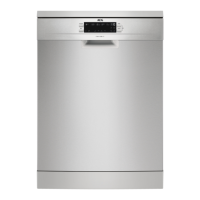
This document is a user manual for an AEG dishwasher, model FFB52910ZM, providing comprehensive instructions for its safe and efficient operation, maintenance, and troubleshooting.
The dishwasher is designed for household use and similar applications, such as staff kitchen areas in shops or offices, and in hotels or bed & breakfasts. It can accommodate up to 14 place settings.
The AEG FFB52910ZM dishwasher is designed to clean dishes, cutlery, and glassware efficiently. It features a water softener system to remove minerals from the water supply, which helps prevent limescale deposits and improves washing results. The appliance also includes a rinse aid dispenser to ensure streak-free drying.
The dishwasher offers several programs to suit different soil levels and load types, including:
The appliance incorporates an AirDry function, which automatically opens the door during the drying phase to improve drying results and reduce energy consumption. This feature is active for most programs, except for the "Delicate" program, and can be deactivated if desired.
An Auto Off function is also included to save energy by automatically deactivating the appliance after a period of inactivity (5 minutes after program completion or if a program has not started).
The dishwasher's control panel includes an on/off button, program selection button, delay button, option button, and a start button. A display shows program duration and other relevant information.
Indicators provide visual feedback on the appliance's status:
Before first use, users must:
Daily use involves:
The TimeSaver option increases water pressure and temperature, shortening washing and drying phases by approximately 50%, though drying results may be slightly reduced. The XtraDry option boosts drying performance and is a permanent setting for most programs, except ECO, where it must be manually selected.
Opening the door during a program will pause the cycle, affecting energy consumption and duration. The program resumes when the door is closed. However, opening the door for more than 30 seconds during the drying phase (unless by AirDry) will end the program.
Regular maintenance is crucial for optimal performance and longevity of the dishwasher.
Cleaning the filters: The filter system, consisting of three parts, should be cleaned regularly. This involves turning and removing the main filter, separating its components, and washing them under running water. Proper reassembly and positioning are essential to avoid poor washing results and appliance damage.
Cleaning the spray arms: Both the lower and ceiling spray arms should be cleaned regularly to prevent soil from clogging the holes, which can lead to unsatisfactory washing results.
External cleaning: The appliance exterior should be cleaned with a moist, soft cloth, using only neutral detergents. Abrasive products, pads, or solvents should be avoided.
Internal cleaning: The interior, including the rubber door gasket, should be cleaned with a soft, damp cloth. To maintain performance, a dishwasher cleaning product should be used at least once every two months, following the product's instructions. Regular use of short programs can lead to grease and limescale buildup, so running long-duration programs at least twice a month is recommended to prevent this.
Troubleshooting: The manual provides a comprehensive troubleshooting guide for common issues, such as the program not starting, water not filling or draining, anti-flood device activation, unsatisfactory washing or drying results, and unusual noises. It also explains alarm codes displayed by the appliance. For problems not listed or persistent issues, users are advised to contact an Authorized Service Centre. Repairs should only be performed by qualified personnel to ensure safety.
 General
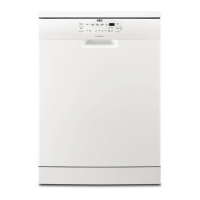
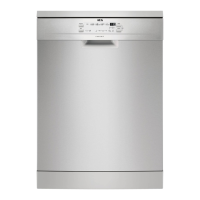
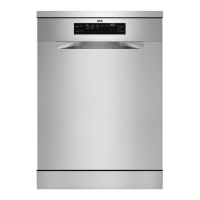
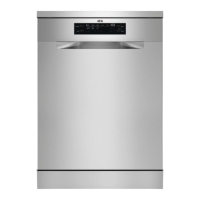
| Door color | Stainless steel |
|---|---|
| Cord length | 1.5 m |
| Product size | Full size (60 cm) |
| Built-in display | Yes |
| Appliance placement | Freestanding |
| Feet adjustment | 10 mm |
| Wi-Fi controlled | - |
| Cycle time | 235 min |
| Noise level | 44 dB |
| Drying system | AirDry |
| Delay start (max) | 24 h |
| Dishwashing programs | 30min 60°C, Auto 45-70°C, Eco 45°C, Eco 50°C, Intensive 70°C |
| Number of place settings | 14 place settings |
| Number of washing programs | 5 |
| Number of temperature settings | 4 |
| Drying class | A |
| Annual water consumption | 2940 L |
| Annual energy consumption | 266 kWh |
| Current | 10 A |
| Connected load | 1950 W |
| AC input voltage | 220 - 240 V |
| AC input frequency | 50 Hz |
| Water consumption per cycle | 10.5 L |
| Energy consumption per cycle | 0.935 kWh |
 Weight and Dimensions
| Depth | 625 mm |
|---|---|
| Width | 600 mm |
| Height | 850 mm |
| Weight | 44150 g |

 To Next Page