EasyManua.ls Logo

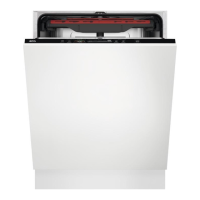
AEG FSB52637P - User Manual

AEG FSB52637P
32 pages
Print Icon
To Next Page IconTo Next Page
Loading...
USER
MANUAL
EN User Manual
Dishwasher
FSB52637P
Question and Answer IconNeed help?

Do you have a question about the AEG FSB52637P and is the answer not in the manual?

Summary

SAFETY INFORMATION

Children and vulnerable people safety

Safety guidelines for children and vulnerable individuals, including age restrictions and supervision requirements.

General Safety

General safety precautions for using the appliance in household and similar applications, covering specifications and pressure limits.

SAFETY INSTRUCTIONS

Installation

Instructions for installing the appliance safely, emphasizing qualified personnel, packaging removal, and environmental conditions.

Electrical connection

Guidelines for safely connecting the appliance to electricity, including grounding, power supply compatibility, and socket requirements.

Water connection

Instructions for connecting the appliance to the water supply, covering hose safety, water flow, and leak checks.

Use

Important points to consider during appliance use, such as avoiding flammable products, handling detergents, and appliance door management.

Service

Information on servicing the appliance, using original spare parts, and availability of replacement parts after discontinuation.

Disposal

Instructions on how to safely dispose of the appliance, including disconnecting power and removing safety features.

PRODUCT DESCRIPTION

Beam-on-Floor

Explanation of the Beam-on-Floor indicator light, its colours, and what they signify regarding programme status.

CONTROL PANEL

Display

Description of the appliance's display indicators, including ECOMETER, general indicators, and time indicator.

ECOMETER

Explanation of the ECOMETER, which indicates energy and water consumption impact based on programme selection.

Indicators

Details on various indicator lights like rinse aid, salt, machine care, and drying phase, and their meanings.

PROGRAMME SELECTION

MY TIME

How to select programmes based on duration using the MY TIME selection bar, covering Quick, 1h, 1h 30min, 2h 40min, and ECO.

AUTO Sense

Automatic programme adjustment based on load type, sensing soil degree and dish quantity to optimize water and temperature.

EXTRAS

Options to enhance programme selection, such as ExtraPower for improved results and GlassCare for delicate items.

BASIC SETTINGS

Setting mode

Instructions on how to navigate and change appliance settings using the MY TIME selection bar and OK button.

The water softener

Explanation of the water softener function, water hardness measurement, and how to adjust the level for optimal washing results.

The rinse aid level

Details on adjusting the rinse aid dosage for optimal drying results, including indicator and deactivation options.

End sound

How to activate or deactivate the acoustic signal that sounds when the programme is completed.

AirDry

Explanation of the AirDry function for improved drying results, involving automatic door opening during the drying phase.

Key tones

How to control the sound of control panel buttons when pressed, with options to activate or deactivate.

Latest programme selection

How to enable automatic selection of the most recently used programme and options for convenience.

BEFORE FIRST USE

The salt container

Instructions for filling the salt container, including type of salt, initial water filling, and handling precautions.

How to fill the rinse aid dispenser

Step-by-step guide to filling the rinse aid dispenser, ensuring correct level and avoiding spills for optimal drying.

DAILY USE

Using the detergent

Guide on how to properly use detergent in the appliance, including compartment usage and dosage recommendations.

How to select and start a programme using MY TIME selection bar

Steps to choose and start a programme via the MY TIME bar, including ECOMETER indication and programme duration display.

How to activate EXTRAS

How to add extra options like ExtraPower or GlassCare to a selected programme to enhance washing results.

How to start the AUTO Sense program

Instructions for initiating the automatic AUTO Sense programme, which adjusts the cycle based on load sensing.

How to delay the start of a programme

Guide to scheduling the programme start time for later, allowing selection of delay time from 1 to 24 hours.

How to cancel the delay start while the countdown operates

Procedure to stop a delayed programme during the countdown phase before it begins.

How to cancel a running programme

Procedure to stop a programme that is currently running, returning the appliance to programme selection.

Opening the door while the appliance operates

Information on managing door opening during operation, including pausing the cycle and resuming after closing.

The Auto Off function

Explanation of the automatic power-off feature that saves energy by switching the appliance off when idle.

End of the programme

Details on what occurs when a programme is complete, including the display showing 0:00 and automatic shutdown.

HINTS AND TIPS

General

General advice for optimal cleaning, drying, and environmental protection, including water/energy saving and load capacity.

Using salt, rinse aid and detergent

Guidance on correctly using cleaning agents, their dosage, and compatibility for best results and appliance care.

What to do if you want to stop using multi-tablets

Steps to transition from multi-tablets to separate detergents, salt, and rinse aid for optimal performance.

Before starting a programme

A checklist of essential checks before initiating any wash programme, ensuring filters, salt, rinse aid, and loading are correct.

Loading the baskets

Instructions on how to correctly load the dishwasher baskets for optimal cleaning, including item placement and material considerations.

Unloading the baskets

Proper procedure for removing clean dishes from the baskets after the programme, emphasizing cooling and item removal order.

CARE AND CLEANING

Machine Care

Information about the special Machine Care cleaning programme designed to remove limescale and grease buildup from the interior.

Internal cleaning

How to clean the interior surfaces of the appliance using soft cloths, neutral detergents, and avoiding abrasive materials.

Removal of foreign objects

How to check for and manually remove foreign objects from filters and sump to prevent drain pump damage.

External cleaning

Guidance on cleaning the exterior of the appliance using a moist cloth and mild detergents.

Cleaning the filters

Step-by-step instructions for cleaning the appliance's 3-part filter system to maintain washing performance.

Cleaning the lower spray arm

How to clean the lower spray arm by removing, washing, and reassembling it to prevent soil clogging.

Cleaning the upper spray arm

How to clean the upper spray arm by removing, washing, and reassembling it to ensure effective cleaning.

Cleaning the ceiling spray arm

Instructions for cleaning the ceiling spray arm, including detachment, washing, and reattachment.

TROUBLESHOOTING

The product number code (PNC)

How to find and display your appliance's product number code (PNC) from the rating plate or control panel.

The dishwashing and drying results are not satisfactory

Troubleshooting common issues with washing and drying performance, providing possible causes and solutions.

TECHNICAL INFORMATION

Link to the EU EPREL database

Link to the EU EPREL database for product performance information, accessible via QR code or web link.

ENVIRONMENTAL CONCERNS

Summary

SAFETY INFORMATION

Children and vulnerable people safety

Safety guidelines for children and vulnerable individuals, including age restrictions and supervision requirements.

General Safety

General safety precautions for using the appliance in household and similar applications, covering specifications and pressure limits.

SAFETY INSTRUCTIONS

Installation

Instructions for installing the appliance safely, emphasizing qualified personnel, packaging removal, and environmental conditions.

Electrical connection

Guidelines for safely connecting the appliance to electricity, including grounding, power supply compatibility, and socket requirements.

Water connection

Instructions for connecting the appliance to the water supply, covering hose safety, water flow, and leak checks.

Use

Important points to consider during appliance use, such as avoiding flammable products, handling detergents, and appliance door management.

Service

Information on servicing the appliance, using original spare parts, and availability of replacement parts after discontinuation.

Disposal

Instructions on how to safely dispose of the appliance, including disconnecting power and removing safety features.

PRODUCT DESCRIPTION

Beam-on-Floor

Explanation of the Beam-on-Floor indicator light, its colours, and what they signify regarding programme status.

CONTROL PANEL

Display

Description of the appliance's display indicators, including ECOMETER, general indicators, and time indicator.

ECOMETER

Explanation of the ECOMETER, which indicates energy and water consumption impact based on programme selection.

Indicators

Details on various indicator lights like rinse aid, salt, machine care, and drying phase, and their meanings.

PROGRAMME SELECTION

MY TIME

How to select programmes based on duration using the MY TIME selection bar, covering Quick, 1h, 1h 30min, 2h 40min, and ECO.

AUTO Sense

Automatic programme adjustment based on load type, sensing soil degree and dish quantity to optimize water and temperature.

EXTRAS

Options to enhance programme selection, such as ExtraPower for improved results and GlassCare for delicate items.

BASIC SETTINGS

Setting mode

Instructions on how to navigate and change appliance settings using the MY TIME selection bar and OK button.

The water softener

Explanation of the water softener function, water hardness measurement, and how to adjust the level for optimal washing results.

The rinse aid level

Details on adjusting the rinse aid dosage for optimal drying results, including indicator and deactivation options.

End sound

How to activate or deactivate the acoustic signal that sounds when the programme is completed.

AirDry

Explanation of the AirDry function for improved drying results, involving automatic door opening during the drying phase.

Key tones

How to control the sound of control panel buttons when pressed, with options to activate or deactivate.

Latest programme selection

How to enable automatic selection of the most recently used programme and options for convenience.

BEFORE FIRST USE

The salt container

Instructions for filling the salt container, including type of salt, initial water filling, and handling precautions.

How to fill the rinse aid dispenser

Step-by-step guide to filling the rinse aid dispenser, ensuring correct level and avoiding spills for optimal drying.

DAILY USE

Using the detergent

Guide on how to properly use detergent in the appliance, including compartment usage and dosage recommendations.

How to select and start a programme using MY TIME selection bar

Steps to choose and start a programme via the MY TIME bar, including ECOMETER indication and programme duration display.

How to activate EXTRAS

How to add extra options like ExtraPower or GlassCare to a selected programme to enhance washing results.

How to start the AUTO Sense program

Instructions for initiating the automatic AUTO Sense programme, which adjusts the cycle based on load sensing.

How to delay the start of a programme

Guide to scheduling the programme start time for later, allowing selection of delay time from 1 to 24 hours.

How to cancel the delay start while the countdown operates

Procedure to stop a delayed programme during the countdown phase before it begins.

How to cancel a running programme

Procedure to stop a programme that is currently running, returning the appliance to programme selection.

Opening the door while the appliance operates

Information on managing door opening during operation, including pausing the cycle and resuming after closing.

The Auto Off function

Explanation of the automatic power-off feature that saves energy by switching the appliance off when idle.

End of the programme

Details on what occurs when a programme is complete, including the display showing 0:00 and automatic shutdown.

HINTS AND TIPS

General

General advice for optimal cleaning, drying, and environmental protection, including water/energy saving and load capacity.

Using salt, rinse aid and detergent

Guidance on correctly using cleaning agents, their dosage, and compatibility for best results and appliance care.

What to do if you want to stop using multi-tablets

Steps to transition from multi-tablets to separate detergents, salt, and rinse aid for optimal performance.

Before starting a programme

A checklist of essential checks before initiating any wash programme, ensuring filters, salt, rinse aid, and loading are correct.

Loading the baskets

Instructions on how to correctly load the dishwasher baskets for optimal cleaning, including item placement and material considerations.

Unloading the baskets

Proper procedure for removing clean dishes from the baskets after the programme, emphasizing cooling and item removal order.

CARE AND CLEANING

Machine Care

Information about the special Machine Care cleaning programme designed to remove limescale and grease buildup from the interior.

Internal cleaning

How to clean the interior surfaces of the appliance using soft cloths, neutral detergents, and avoiding abrasive materials.

Removal of foreign objects

How to check for and manually remove foreign objects from filters and sump to prevent drain pump damage.

External cleaning

Guidance on cleaning the exterior of the appliance using a moist cloth and mild detergents.

Cleaning the filters

Step-by-step instructions for cleaning the appliance's 3-part filter system to maintain washing performance.

Cleaning the lower spray arm

How to clean the lower spray arm by removing, washing, and reassembling it to prevent soil clogging.

Cleaning the upper spray arm

How to clean the upper spray arm by removing, washing, and reassembling it to ensure effective cleaning.

Cleaning the ceiling spray arm

Instructions for cleaning the ceiling spray arm, including detachment, washing, and reattachment.

TROUBLESHOOTING

The product number code (PNC)

How to find and display your appliance's product number code (PNC) from the rating plate or control panel.

The dishwashing and drying results are not satisfactory

Troubleshooting common issues with washing and drying performance, providing possible causes and solutions.

TECHNICAL INFORMATION

Link to the EU EPREL database

Link to the EU EPREL database for product performance information, accessible via QR code or web link.

ENVIRONMENTAL CONCERNS

AEG FSB52637P Specifications

General IconGeneral
Door colorMetallic
Water fillCold, Hot
Display typeLED
Product sizeFull size (60 cm)
Built-in displayYes
Custom panel-ready-
Appliance placementFully built-in
Control panel colorBlack
Cutlery compartment typeBasket
Energy efficiency scaleA to G
Water consumption per cycle10.5 L
Energy consumption per cycle- kWh
Cycle time240 min
Noise level44 dB
Drying systemAirDry
Delay start (max)24 h
Dishwashing programs160min 60°C, Auto, Eco, Quick
Number of place settings13 place settings
Number of washing programs7
Number of temperature settings4
Wi-Fi controlledNo
Weight and Dimensions IconWeight and Dimensions
Depth550 mm
Width596 mm
Height818 mm
Weight38670 g
Installation compartment depth570 mm
Installation compartment width600 mm
Installation compartment height (max)900 mm
Installation compartment height (min)820 mm

Related product manuals