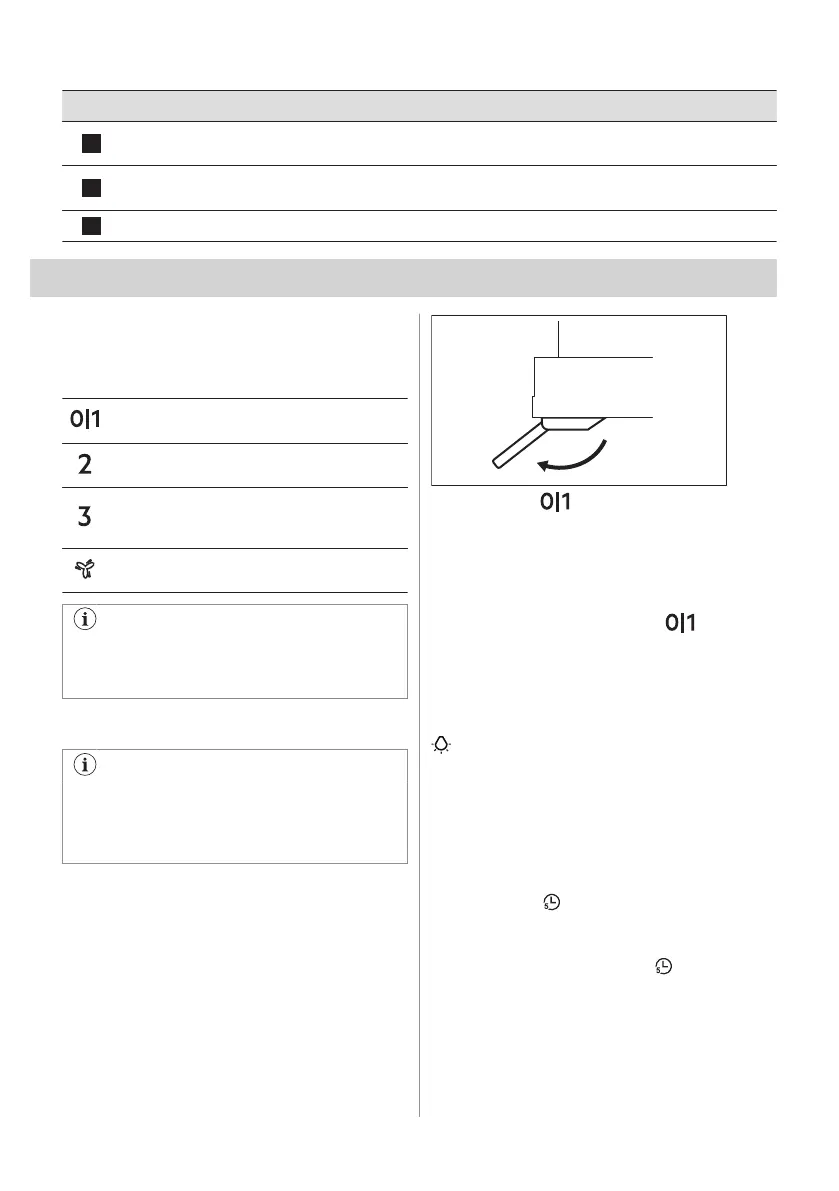
Function Description
4
Maximum speed The motor switches to maximum speed level. After 5 minutes appli‐
ance switches to third speed.
5
Timer Turns off the appliance after 5 minutes. Reminds to clean or replace
the filter. Refer to Filter notification in Daily use chapter.
6
Lamp Turns the lights on and off.
5. DAILY USE
5.1 Using the hood
Check the recommended speed according to
the table below.
While heating up food, cooking with covered
pots.
While cooking with covered pots on multiple
cooking zones or burners, gentle frying.
While boiling and frying big quantities of food
without a lid, cooking on multiple cooking
zones or burners.
While boiling and frying big quantities of food
without a lid, big humidity.
It is recommended to leave the hood
operating for approximately 15 minutes
before and after cooking.
Activating the appliance
The control Panel is a sensor field. To
operate the hood touch the symbol
exactly in the middle for at least 1
second.
To operate the hood:
1. Open the glass with control panel
symbols.
2. Touch the to switch on the appliance.
3. If needed, change the speed by touching
the desired symbol.
Deactivating the appliance
To turn off the appliance touch again.
Lighting
Activating and deactivating the lighting
To illuminate the cooking surface touch the
symbol.
5.2 Timer
This function allows to turn off the appliance
after 5 minutes of operating. The function can
be used only if the appliance operates on first
3 motor speeds.
1. Touch the symbol.
Timer starts to flash.
2. After 5 minutes the appliance turns off.
To turn off the function touch again.
5.3 Hob²Hood function
It is an automatic function which connects the
hob with a hood. Both the hob and the hood
have an infrared signal communicator. Speed
ENGLISH 7


 To Next Page