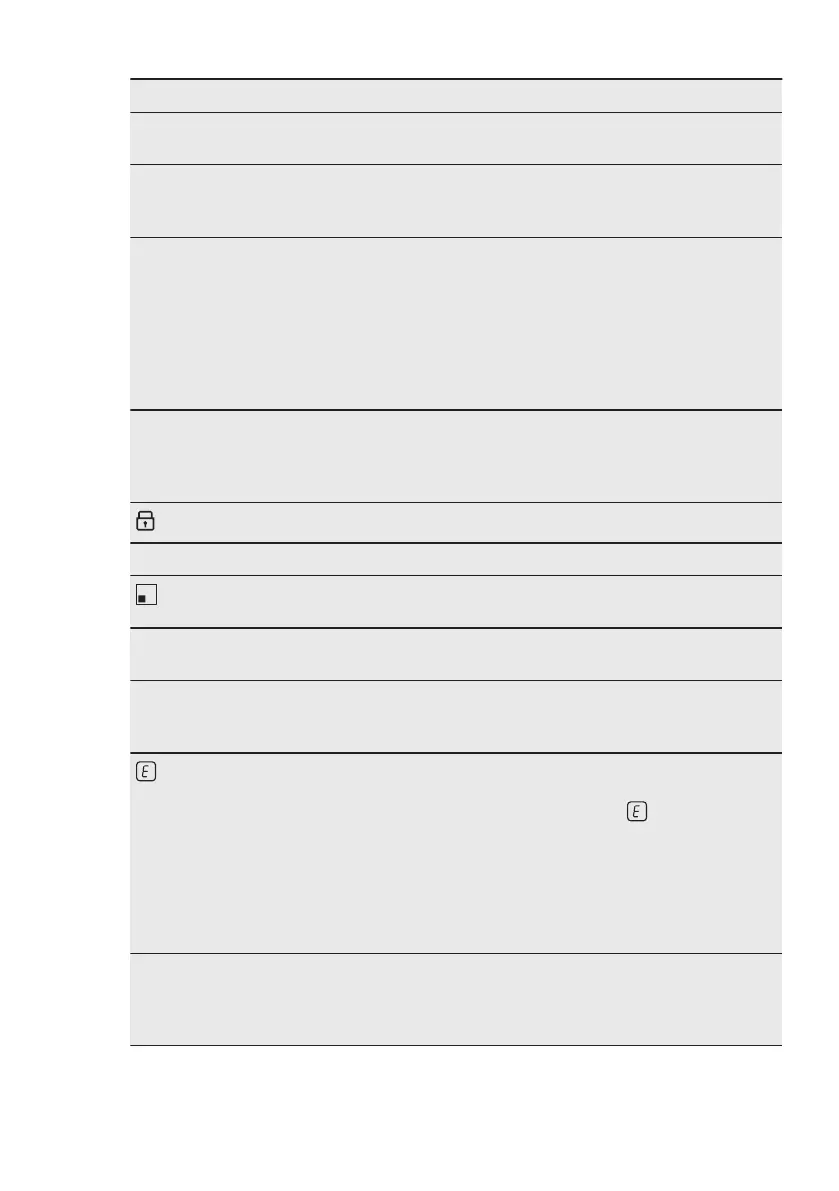
Problem Possible cause Remedy
Hob²Hood modes H1 - H6
operate, but the light is off.
There might be a problem
with the light bulb.
Contact an Authorised Serv-
ice Centre.
There is no sound when you
touch the panel sensor
fields.
The sounds are deactivated. Activate the sounds. Refer to
"Daily use".
Wrong language is set. You changed the language
by mistake.
Reset all functions to the fac-
tory settings. Select Reset All
Settings from the Menu.
Disconnect the hob from the
electrical supply. After 1 min,
connect the hob again. Set
Language, Display Bright-
ness and Buzzer Volume.
A cooking zone deactivates.
A warning message saying
the cooking zone is going to
switch off comes on.
Automatic Switch Off deacti-
vates the cooking zone.
Refer to "Daily use".
Deactivate the hob and acti-
vate it again.
and a message come on.
Lock operates. Refer to "Daily use".
O - X - A appears. Child Lock operates. Refer to "Daily use".
blinks.
There is no cookware on the
zone.
Put cookware on the zone.
The cookware is unsuitable. Use suitable cookware. Refer
to "Hints and tips".
The diameter of the bottom
of the cookware is too small
for the zone.
Use cookware with correct
dimensions. Refer to "Tech-
nical data".
and a number come on.
There is an error in the hob. Deactivate the hob and acti-
vate it again after 30 sec-
onds. If comes on again,
disconnect the hob from the
electrical supply. After 30
seconds, connect the hob
again. If the problem contin-
ues, speak to an Authorised
Service Centre.
You can hear a constant
beep noise.
The electrical connection is
incorrect.
Disconnect the hob from the
electrical supply. Ask a quali-
fied electrician to check the
installation.
ENGLISH 31


 To Next Page