EasyManua.ls Logo

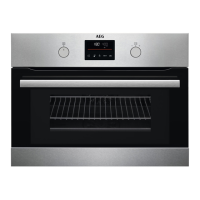
AEG KMK365060M - User Manual

AEG KMK365060M
28 pages
Print Icon
To Next Page IconTo Next Page
Loading...
KMK365060M
EN User Manual | Microwave combi-oven
aeg.com\register
Question and Answer IconNeed help?

Do you have a question about the AEG KMK365060M and is the answer not in the manual?

Summary

Safety Instructions and General Guidelines

Installation Safety

Instructions for installing the appliance safely and correctly.

Electrical Connection Safety

Guidelines for safe and proper electrical connection of the appliance.

Appliance Usage Safety

Important safety precautions and guidelines for operating the appliance.

Care and Cleaning Procedures

Instructions for maintaining the appliance's cleanliness and condition.

Glassware Use Precautions

Advice on using glassware safely and correctly with the appliance.

Internal Lighting Information

Information regarding the appliance's internal lighting system.

Service and Repair Guidance

Guidance on obtaining service and repairs for the appliance.

Disposal Instructions

Instructions for safely and environmentally disposing of the appliance.

Product Description and Components

General Appliance Overview

Overview of the appliance's main components and parts.

Included Accessories

Lists and describes the accessories included with the appliance.

Control Panel Functions

Retractable Knobs Operation

Explanation of how to use the appliance's retractable control knobs.

Control Panel Layout

A detailed overview of the appliance's control panel layout and functions.

Display Indicators Explained

Explanation of the appliance's display indicators and their meanings.

Initial Setup and Daily Operation

Initial Cleaning Before First Use

Instructions for cleaning the appliance before its first use.

Setting Heating Functions

Step-by-step guide to setting heating functions on the appliance.

Setting Microwave Functions

Step-by-step guide to setting microwave functions on the appliance.

Setting Microwave Combi Functions

Guide to setting combined microwave and other heating functions.

Heating Function Applications

Detailed descriptions of various heating functions and their applications.

Assisted Cooking Setup

Guide to using the Assisted Cooking feature for pre-programmed dishes.

Assisted Cooking Usage Details

Detailed instructions and a table for using the Assisted Cooking feature.

Clock and Timer Functions

Overview of Clock Functions

Explanation of the different clock functions available on the appliance.

Setting Clock Functions

Step-by-step instructions for setting various clock functions.

Accessory and Additional Function Usage

Inserting Appliance Accessories

Instructions and tips for correctly inserting appliance accessories.

Appliance Lock Function

Explanation of the child lock function and how to activate/deactivate it.

Automatic Switch-Off Feature

Information on the automatic switch-off feature for safety.

Cooling Fan Operation

Details about the appliance's cooling fan operation.

Cooking Tips and Material Guidance

General Cooking Recommendations

General advice and recommendations for cooking with the appliance.

Microwave Cooking Tips

Specific tips and recommendations for using microwave functions.

Microwave Cookware Guide

Guide to selecting appropriate cookware and materials for microwave use.

Power Settings for Food Types

Recommended power settings for various food types during cooking.

Maintenance and Cleaning Procedures

General Cleaning Notes

Important notes and guidelines for cleaning the appliance.

Removing Shelf Supports

Step-by-step instructions for removing shelf supports for cleaning.

Replacing the Internal Lamp

Instructions for safely replacing the internal lamp of the appliance.

Troubleshooting and Service Information

Common Problems and Solutions

Common problems and their solutions for operating the appliance.

Service Data Requirements

Information required for contacting service and technical support.

Energy Efficiency and Menu Navigation

Energy Saving Tips

Tips and advice for saving energy while using the appliance.

Appliance Menu Structure

Overview of the appliance's menu structure and navigation.

Environmental Considerations

Overview

This document serves as a comprehensive user manual for the AEG KMK365060M Microwave Combi-Oven, providing essential information on its functions, usage, and maintenance to ensure safe and efficient operation.

Function Description

The AEG KMK365060M is a versatile microwave combi-oven designed for various cooking purposes in a domestic indoor environment. It combines traditional oven heating functions with microwave capabilities, offering a wide range of cooking options.

Heating Functions: The appliance features several heating functions for conventional cooking, baking, and roasting:

  • True Fan Cooking: Ideal for baking on up to two shelf positions simultaneously and drying food. It recommends setting the temperature 20-40°C lower than for conventional cooking.
  • Conventional Cooking: Suitable for baking and roasting food on a single shelf position.
  • Turbo Grilling: Designed for roasting large meat joints or poultry with bones on one shelf position, making gratins, and browning dishes.
  • Pizza Function: Specifically for baking pizza, providing intensive browning and a crispy bottom.

Microwave Combi Functions: The oven also integrates microwave power with traditional heating for enhanced cooking flexibility:

  • Turbo Grilling + MW: Roasts large pieces of meat on one level, makes gratins, and browns, with a microwave boost (power range: 100-600 W).
  • True Fan Cooking + MW: Bakes on one shelf position with a microwave boost (power range: 100-600 W).

Microwave Functions: Dedicated microwave functions are available for specific tasks:

  • Defrost: For defrosting meat, fish, and cakes (power range: 100-200 W).
  • Reheat: For heating up pre-prepared meals and delicate food (power range: 300-700 W).
  • Microwave: General heating up and cooking (power range: 100-1000 W).

Assisted Cooking: The appliance includes an "Assisted Cooking" submenu, which offers a set of additional functions and pre-programmed dishes with recommended heating functions, temperatures, and times. This feature allows for quick preparation of dishes using default settings, which can also be adjusted during cooking. Some dishes may also support "Weight Automatic" cooking.

Clock Functions: The oven is equipped with several clock functions to manage cooking times:

  • Minute Minder: A timer that sounds a signal when the set time ends.
  • Cooking Time: Stops the heating function when the set time ends.
  • Time Delay: Allows postponing the start and/or end of cooking.
  • Uptimer: A function that tracks the duration of cooking, which can be turned on or off via the settings menu.

Usage Features

The AEG KMK365060M is designed for intuitive operation with a control panel featuring retractable knobs and a clear display.

Control Panel:

  • Retractable Knobs: To use the appliance, press the knobs, and they will pop out.
  • Knobs for Heating Functions: Used to select a heating function to turn on the appliance or to turn it off by rotating to the "off" position.
  • Control Knob: Used to set temperature, duration, and microwave power, and to navigate menus.
  • Display: Shows key functions, temperature, time, and various indicators such as lock, assisted cooking, settings, microwave function, minute minder, end time, time delay, uptimer, and a progress bar.

Setting Functions:

  • Heating Functions: Select a heating function using the dedicated knob, then turn the control knob to set the temperature, and press "OK".
  • Microwave Functions: Remove all accessories, insert the microwave bottom glass plate, place food on it, select a microwave function, press "OK" to start with default settings, then adjust duration and microwave power using the control knob and "WATT" button, and press "OK". The microwave function pauses if the door is opened and resumes when closed and "OK" is pressed.
  • Microwave Combi Functions: Similar to microwave functions, but after selecting the combi function, adjust temperature and microwave power.
  • Assisted Cooking: Enter the menu, select "Assisted Cooking", choose a dish, confirm, insert the dish, and confirm again. The display will show "F" and a number for the function, or "P" and a number for the dish.

Accessories: The appliance comes with several accessories:

  • Wire Shelf: For cookware, cake tins, and roasts. It should be pushed between the guide bars with the feet pointing down.
  • Baking Tray: For cakes and biscuits, pushed between the guide bars.
  • Microwave Bottom Glass Plate: Used specifically with microwave functions. Food can be placed directly on it. It is not suitable for combined microwave functions.

Additional Functions:

  • Lock: Prevents accidental changes to appliance functions. It can be activated when the appliance is working (cooking continues, control panel locked) or when off (prevents turning on). A signal sounds upon activation.
  • Automatic Switch-off: For safety, the appliance turns off after a certain time if no settings are changed during a heating function. This does not apply to "Light" or "Time Delay" functions.
  • Cooling Fan: Automatically turns on during operation to keep surfaces cool and may continue to operate after the appliance is turned off until it cools down.

Energy Efficiency: The manual provides tips for energy saving:

  • Keep the appliance door closed during operation and avoid opening it too often.
  • Ensure the door gasket is clean and properly fixed.
  • Use metal cookware for non-microwave functions.
  • Avoid preheating the appliance when possible.
  • Minimize breaks between baking multiple dishes.
  • Use fan-assisted cooking functions to save energy.
  • Utilize residual heat to keep food warm or cook further by reducing temperature 3-10 minutes before the end of cooking for durations longer than 30 minutes.
  • Turn off the internal lamp during cooking and only turn it on when needed.

Maintenance Features

Proper care and cleaning are crucial for the longevity and safe operation of the AEG KMK365060M.

General Safety for Care and Cleaning:

  • Always deactivate the appliance and disconnect it from the mains before maintenance.
  • Ensure the appliance is cold before cleaning to prevent glass panel breakage.
  • Replace damaged door glass panels immediately.
  • Be careful when removing the heavy door.
  • Wipe the cavity and door dry after each use to prevent corrosion from steam condensation.
  • Clean the appliance regularly to prevent surface deterioration, fat accumulation, and food residue, which can cause fire or electric arcing during microwave operation.

Cleaning Agents:

  • Clean the front of the appliance with a microfibre cloth, warm water, and a mild detergent.
  • Use a cleaning solution for metal surfaces.
  • Clean stains with a mild detergent.
  • Do not use abrasive products, abrasive cleaning pads, solvents, or metal objects.
  • If using an oven spray, follow its safety instructions.
  • Do not clean non-stick accessories with abrasive cleaners or sharp-edged objects.

Everyday Use Cleaning:

  • Clean the cavity after each use to prevent fat and residue buildup.
  • Clean the appliance ceiling carefully.
  • Do not store food in the appliance for more than 20 minutes.
  • Dry the cavity with a microfibre cloth after each use.

Accessory Cleaning:

  • Clean all accessories after each use with a microfibre cloth, warm water, and a mild detergent.
  • Do not clean accessories in a dishwasher.

Removing Shelf Supports:

  • Turn off the oven and wait for it to cool.
  • Carefully pull the shelf supports up and out of the front catch.
  • Pull the front end away from the side wall.
  • Pull the supports out of the rear catch.
  • Install in the opposite sequence.

Replacing the Lamp:

  • WARNING: Risk of electric shock. The lamp can be hot.
  • Always hold the halogen lamp with a cloth to prevent grease residue.
  • Before replacement, turn off the oven, wait for it to cool, and disconnect it from the mains.
  • Place a cloth on the bottom of the cavity.
  • Turn the glass cover to remove it, clean it, replace the lamp with a suitable 300°C heat-resistant lamp, and then install the glass cover.

Troubleshooting: The manual provides a troubleshooting guide for common issues such as the appliance not turning on or heating up, or the lamp not working. It also addresses error codes, advising users to contact an Authorised Service Centre if issues persist or for codes not listed. Users are encouraged to record the model, product number, and serial number for service inquiries.

AEG KMK365060M Specifications

General IconGeneral
GrillYes
Oven sizeSmall
Oven typeElectric
Microwave power1000 W
Number of ovens1
Total oven power3000 W
Full surface grill-
Oven thermostat range30 - 230 °C
Total oven(s) interior capacity43 L
Cord length1.5 m
Noise level52 dB
Control typeRotary
Product colorStainless steel
Control positionFront / Top front
Interior materialEnamel
Appliance placementBuilt-in
Effective tray surface area1630 cm²
Current16 A
AC input voltage220 - 240 V
Energy consumption (conventional)- kWh
Lamp typeHalogen
Weight and Dimensions IconWeight and Dimensions
Depth567 mm
Width595 mm
Height455 mm
Installation compartment depth550 mm
Installation compartment width560 mm
Installation compartment height450 mm

Related product manuals