Dish Weight Shelf level / Accessory
42
Pizza fresh, thick
-
1; baking tray lined with baking paper
43
Quiche -
1; baking tin on wire shelf
44
Baguette / Ciabatta /
White bread
0.8 kg
1; baking tray lined with baking paper
More time needed for white bread.
45
All grain / rye / dark
bread all grain in loaf
pan
1 kg
1; baking tray lined with baking paper / wire
shelf
7. CLOCK FUNCTIONS
7.1 Clock functions
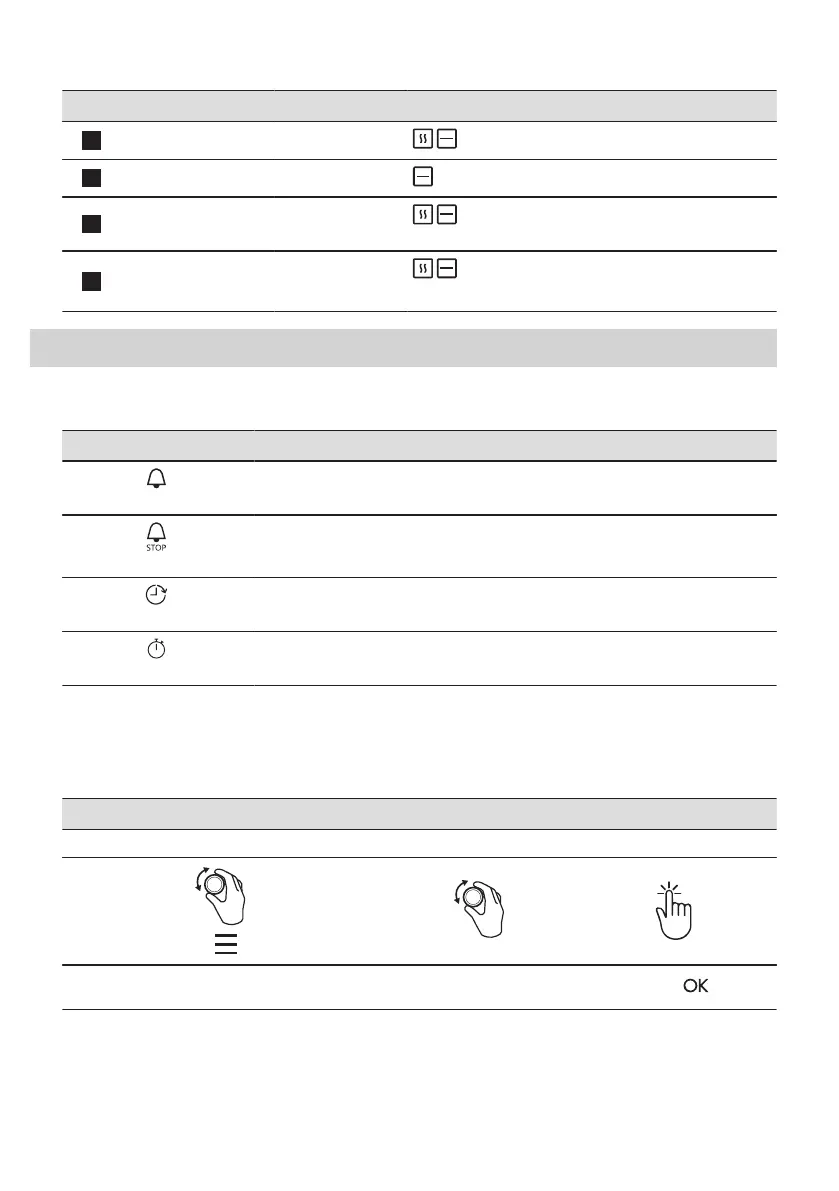
Clock Function Application
Minute minder
When the timer ends, the signal sounds.
Cooking time
When the timer ends, the signal sounds and the heating function stops.
Time Delay
To postpone the start and / or end of cooking.
Uptimer
Maximum is 23 h 59 min. This function has no effect on the operation of the oven.
To turn on and off the Uptimer select: Menu, Settings.
Clock functions are available only for: True Fan Cooking, Conventional Cooking, Turbo
Grilling, Pizza Function, Turbo Grilling + MW, True Fan Cooking + MW.
7.2 How to set: Clock functions
How to set: Time of day
Step 1 Step 2 Step 3
To change the time of day enter the menu and se‐
lect Settings, Time of day.
Set the clock.
Press: .
16 ENGLISH


 To Next Page
 Loading...