EasyManua.ls Logo

AEG KSE798280M - User Manual

AEG KSE798280M
60 pages
Print Icon
To Next Page IconTo Next Page
Loading...
USER
MANUAL
EN User Manual
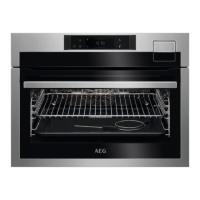
Steam oven
KSE798280M
KSK798280B
KSK798280M
KSK798280T

Table of Contents

Questions and Answers

  • H
    harrisrobertAug 21, 2025
    Why AEG KSE798280M Oven does not turn on or heat up?
    • N
      nancyalexanderAug 21, 2025
      If your AEG oven isn't turning on or heating up, first ensure it's properly connected to the electrical supply. Also, check if the clock is set. Make sure the oven door is fully closed. Verify that a blown fuse isn't the issue, and if it persists, consult a qualified electrician. Finally, check if the Child Lock is activated.
  • W
    williamsamberSep 3, 2025
    What to do if my AEG KSE798280M Oven displays error F604 after the first Wi-Fi connection failed?
    • L
      Linda MooreSep 3, 2025
      If your AEG oven shows error F604 because the first connection to Wi-Fi failed, turn the oven off and on, and then try again.
  • T
    Teresa WyattSep 1, 2025
    What to do if my AEG Oven displays error F601 related to Wi-Fi signal?
    • D
      daniellittleSep 1, 2025
      If your AEG oven displays error code F601, which indicates a problem with the Wi-Fi signal, check your network connection.
  • M
    Megan BoothAug 31, 2025
    What to do if my AEG KSE798280M Oven's wireless signal is disrupted by a microwave?
    • T
      Traci FrazierAug 31, 2025
      If the wireless signal of your AEG oven is being disrupted by a microwave appliance placed nearby, turn off the microwave appliance.
  • A
    Aaron CarterAug 29, 2025
    What to do if my AEG Oven has a weak wireless network signal?
    • J
      John RoseAug 29, 2025
      If your AEG oven has a weak wireless network signal, move the router as close as possible to the oven.
  • J
    Julie NelsonAug 27, 2025
    What to do if my AEG KSE798280M Oven has trouble with wireless network signal?
    • T
      Taylor WilliamsAug 27, 2025
      If you are experiencing trouble with the wireless network signal on your AEG oven, check your wireless network and router, and try restarting the router.
  • A
    amber95Aug 26, 2025
    What to do if the touch fields on my AEG KSE798280M Oven display (F240, F439) don't work properly?
    • M
      Melissa PadillaAug 26, 2025
      If the touch fields on your AEG oven display are not working correctly (F240, F439), clean the surface of the display to remove any dirt from the touch fields.
  • E
    Elizabeth RiveraAug 25, 2025
    What to do if there is too much water on the bottom of the AEG Oven cavity after cleaning?
    • T
      Timothy BennettAug 25, 2025
      If there is too much water on the bottom of the AEG oven cavity after cleaning, it could be because you put too much detergent in the oven before you started cleaning. Next time, evenly spread a thin layer of detergent on the cavity walls.
  • D
    Devin FaulknerAug 23, 2025
    Why AEG Oven cleaning performance is not satisfactory?
    • M
      Mary RichardsAug 23, 2025
      If the cleaning performance of your AEG oven is not satisfactory, it might be because you started cleaning when the oven was too hot, so wait until the oven is cold and then repeat the cleaning. Another reason might be that you did not remove all the accessories from the oven before cleaning, so remove all accessories and repeat the cleaning.

AEG KSE798280M Specifications

General IconGeneral
BrandAEG
ModelKSE798280M
CategoryOven
LanguageEnglish

Related product manuals