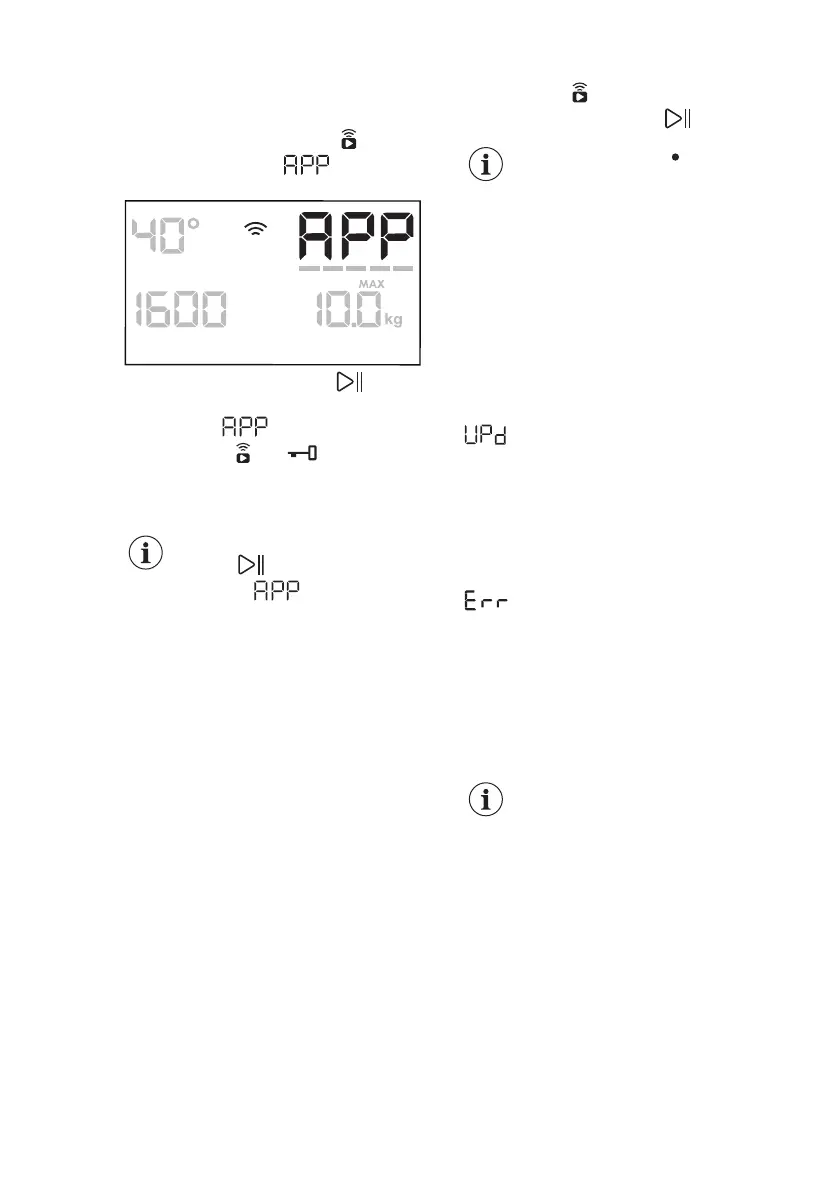
When the App is installed and the
wireless connection is complete, you can
activate the Remote Start:
1. Touch the Remote Start button
and the indicator appears on
the display for a few seconds.
2. Touch the Start / Pause button to
activate the Remote Start before the
indicator stops blinking.
The indicators and appear on the
programme summary screen and the
door is locked. Now it is possible to start
the programme remotely.
When touching the Start /
Pause button after the
indicator stops
blinking, the Remote Start is
not activated, but the set
programme starts.
To remove the Remote Start, tap on the
Remote Start button and confirm by
pressing the Start / Pause button.
The reset position
deactivates the Remote
Start.
9.4 Over-the-air update
The App may propose an update for your
appliance.
The update is accepted via App only.
If a programme is running, the App
notifies that the update will start at the
end of the programme.
During the update, the appliance shows
in the display.
Do not switch off or unplug the appliance
during update.
The appliance will usable again at the
end of the update, without any
notification about successful update.
If an error occurs, the appliance shows
in the display: just press any
buttons or turn the knob to return to
normal use.
10. SETTINGS
10.1 Acoustic signals
This appliance has different acoustic
signals, that operate when:
• You activate the appliance (special
short tune).
• You deactivate the appliance (special
short tune).
• You touch the buttons (click sound).
• You make an invalid selection (3 short
sounds).
• The programme is completed
(sequence of sounds for about 2
minutes).
• The appliance has a malfunction
(sequence of short sounds for about 5
minutes).
To activate/deactivate the acoustic
signals when the programme is
completed, touch the Prewash and the
Stains buttons simultaneously for about 2
seconds. The display shows On or Off.
If you deactivate the
acoustic signals, they
continue to operate when
the appliance has a
malfunction.
10.2 Operating Hours
Counter
It is possible to visualise the total
operating time of the appliance in hours,
starting from the first switching on. This
value will count operating time of the
cycles (does not include pauses, delayed
start time). To visualise this value,
proceed as follows:
www.aeg.com32



 To Next Page