5
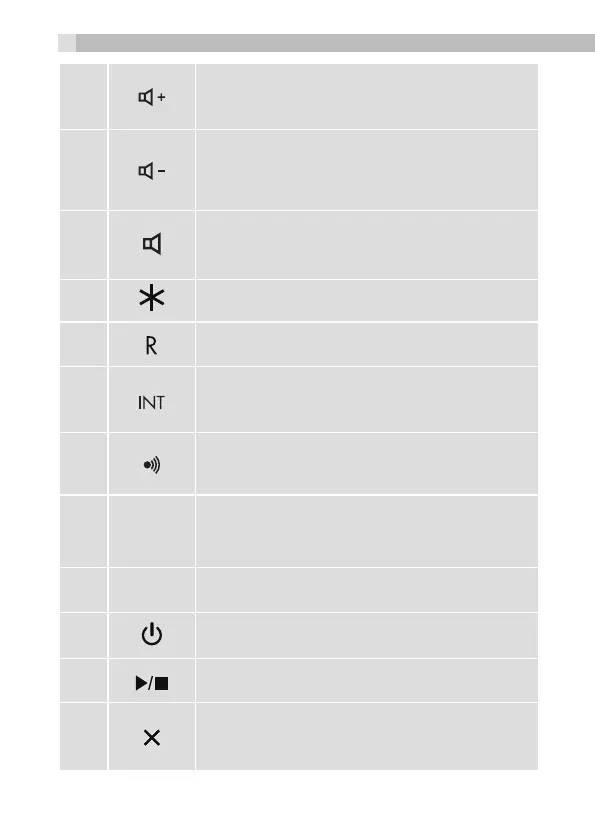
During a call: Press to increase the volume.
When ringing: Press to increase the corded base
ringer volume.
6
During a call: Press to decrease the volume.
When ringing: Press to decrease the corded
base ringer volume.
7
In idle: Press to access the line in speakerphone
mode.
8
During dialling or storing a number: Press to insert
a *.
9
During a call: Press to send a Recall signal
(also called Flash).
10
In idle/During a call: Press to access the
intercom list or make an intercom call
directly if only one handset is registered.
11
In idle mode: Press to find/page
all registered cordless handsets.
Press and hold to enter registration mode.
12
In use
LED
Steadily ON: During a call.
Flashing: During ringing or new TAM
message is received.
13
Charge
LED
Steadily on while the handset is charging.
14
ANS ON/OFF - Press to turn the answering
machine on or off.
15
PLAY/STOP - Press to start or stop
message playback.
16
DELETE - Press to delete the playing message.
When the phone is not in use, press and hold to
delete all previously reviewed messages.
8



 To Next Page