EasyManua.ls Logo

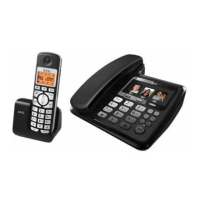
AEG LloydCombo 15 - User Manual

AEG LloydCombo 15
180 pages
Print Icon
To Next Page IconTo Next Page
Loading...
QUICK USER GUIDE
CORDLESS
TELEPHONE
Lloyd Combo15
V3
PTESITNLFRDEUK

Table of Contents

Question and Answer IconNeed help?

Do you have a question about the AEG LloydCombo 15 and is the answer not in the manual?

Summary

Because We Care

Important Safety Instructions

Crucial safety guidelines to prevent fire, electric shock, and injury.

Installing Your Phone

Intended Use

Defines the intended connection and use of the telephone.

Connecting the Base Station

Instructions for connecting the main base unit to power and network.

Installing and Charging the Rechargeable Batteries

Steps for inserting and charging the handset batteries.

Set the Handset Language

Get to Know Your Phone

Handset Overview

Details the functions of each button on the handset.

Base Station Overview

Explains the components and functions of the base station.

Handset LCD Display Icons and Symbols

Describes icons and symbols displayed on the handset's LCD screen.

Text and Digit Entry

Explains how to input text and numbers using the keypad.

Use Your Phone

Make a Call

Instructions for initiating calls via different methods.

Answer a Call

How to receive and answer incoming calls.

Adjust Earpiece and Speakerphone Volume

Steps to control audio volume levels during calls.

Mute a Call

How to temporarily disable the microphone during a call.

End a Call

Methods to terminate an active phone call.

Turn the Keypad Lock ON;OFF

Instructions for locking and unlocking the handset keypad.

Find the Handset (PAGING)

How to locate a misplaced handset using the paging function.

Internal Call Operations

Managing calls between base and handsets, including transfers.

Transfer a Call Between Handset and Base

Moving an ongoing call between the handset and the base station.

Phonebook Management

Store a Number Entry

Step-by-step guide to saving new contacts.

Entering Names

Method for typing names for phonebook entries.

Delete a Phonebook Entry

Procedure for removing contacts from the phonebook.

Add Entry to VIP List

How to mark specific contacts as VIP.

Phone Settings

Date and Time Configuration

Configuring the phone's clock and date settings.

Handset Settings

Adjusting various settings on the handset.

Alarm Function

Setting and managing the alarm clock function.

Register a Handset

Process for pairing additional handsets with the base station.

Caller Display Information

Call List

Accessing and viewing the history of incoming calls.

View the Call List

Reviewing the log of received calls.

Call Blocker Features

Choose the Block Mode

Selecting different modes for blocking unwanted calls.

Add Number to Black List

Instructions for adding numbers to the blocked list.

View Black List Entry

How to check details of numbers in the blacklist.

Delete All Black List Entries

Removing all entries from the blacklist.

Block Calls by Call Type

Blocking calls based on specific types like Withheld or Unavailable.

Answering Machine Operation

Switching TAM On;Off

How to enable or disable the answering machine.

Play TAM Messages

Accessing and listening to recorded messages.

Answering Machine Settings

Configuring the answering machine's behavior.

Set the Answer Mode

Choosing between answering and recording or answer-only modes.

Record Outgoing Message (OGM)

Recording a custom outgoing greeting message.

Technical Details

Guarantee and Service

During Guarantee Period

Procedures for returning the unit during the warranty period.

After Guarantee Expiry

Contact information for support after the warranty expires.

CE Declaration

Disposal and Environment

Summary

Because We Care

Important Safety Instructions

Crucial safety guidelines to prevent fire, electric shock, and injury.

Installing Your Phone

Intended Use

Defines the intended connection and use of the telephone.

Connecting the Base Station

Instructions for connecting the main base unit to power and network.

Installing and Charging the Rechargeable Batteries

Steps for inserting and charging the handset batteries.

Set the Handset Language

Get to Know Your Phone

Handset Overview

Details the functions of each button on the handset.

Base Station Overview

Explains the components and functions of the base station.

Handset LCD Display Icons and Symbols

Describes icons and symbols displayed on the handset's LCD screen.

Text and Digit Entry

Explains how to input text and numbers using the keypad.

Use Your Phone

Make a Call

Instructions for initiating calls via different methods.

Answer a Call

How to receive and answer incoming calls.

Adjust Earpiece and Speakerphone Volume

Steps to control audio volume levels during calls.

Mute a Call

How to temporarily disable the microphone during a call.

End a Call

Methods to terminate an active phone call.

Turn the Keypad Lock ON;OFF

Instructions for locking and unlocking the handset keypad.

Find the Handset (PAGING)

How to locate a misplaced handset using the paging function.

Internal Call Operations

Managing calls between base and handsets, including transfers.

Transfer a Call Between Handset and Base

Moving an ongoing call between the handset and the base station.

Phonebook Management

Store a Number Entry

Step-by-step guide to saving new contacts.

Entering Names

Method for typing names for phonebook entries.

Delete a Phonebook Entry

Procedure for removing contacts from the phonebook.

Add Entry to VIP List

How to mark specific contacts as VIP.

Phone Settings

Date and Time Configuration

Configuring the phone's clock and date settings.

Handset Settings

Adjusting various settings on the handset.

Alarm Function

Setting and managing the alarm clock function.

Register a Handset

Process for pairing additional handsets with the base station.

Caller Display Information

Call List

Accessing and viewing the history of incoming calls.

View the Call List

Reviewing the log of received calls.

Call Blocker Features

Choose the Block Mode

Selecting different modes for blocking unwanted calls.

Add Number to Black List

Instructions for adding numbers to the blocked list.

View Black List Entry

How to check details of numbers in the blacklist.

Delete All Black List Entries

Removing all entries from the blacklist.

Block Calls by Call Type

Blocking calls based on specific types like Withheld or Unavailable.

Answering Machine Operation

Switching TAM On;Off

How to enable or disable the answering machine.

Play TAM Messages

Accessing and listening to recorded messages.

Answering Machine Settings

Configuring the answering machine's behavior.

Set the Answer Mode

Choosing between answering and recording or answer-only modes.

Record Outgoing Message (OGM)

Recording a custom outgoing greeting message.

Technical Details

Guarantee and Service

During Guarantee Period

Procedures for returning the unit during the warranty period.

After Guarantee Expiry

Contact information for support after the warranty expires.

CE Declaration

Disposal and Environment

AEG LloydCombo 15 Specifications

General IconGeneral
BrandAEG
ModelLloydCombo 15
CategoryCordless Telephone
LanguageEnglish

Related product manuals