25
Connecting the battery pulser
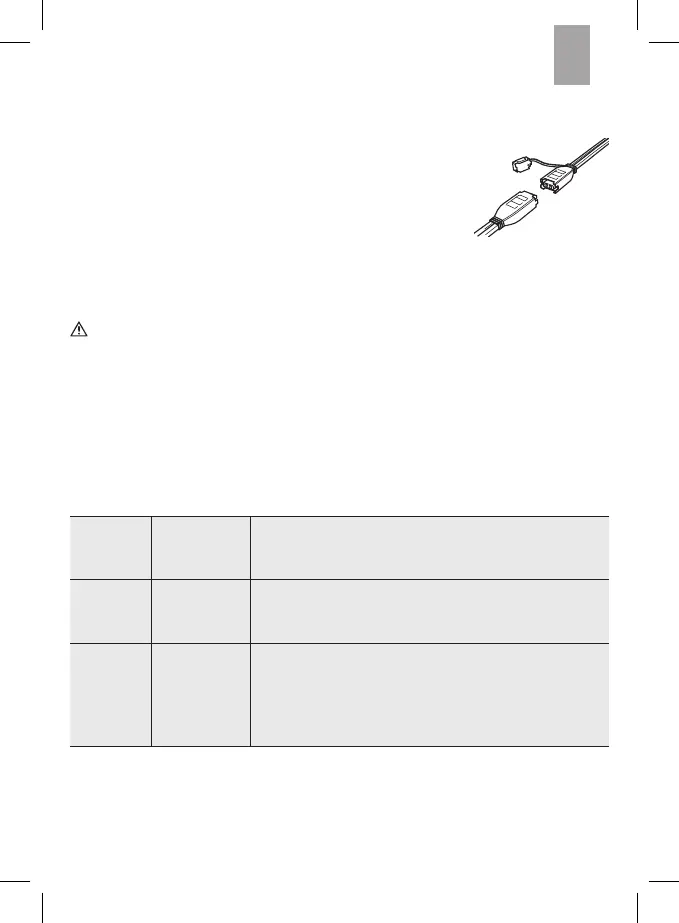
1. Connect the required terminal connection cable (with eyelets
or clamps) to the device’s comfort plug connection (5) on the
battery pulser.
2. Connect the red (+) pole connector cable to the positive pole
of the battery.
3. Connect the black (-) pole connector cable to the negative
pole of the battery.
Start training
Caution! Avoid reversing the poles and short circuit. This could damage the
device.
4. Verify the terminal connection cable is properly connected before plugging the device
into the power outlet.
5. Plug the battery pulser into the power outlet.
Training
This device will automatically detect the battery’s charging status and runs controlled
charging and discharge cycles to maintain the battery condition.
red LED lights up
approx. 3
seconds
Preparing to train - battery pulser checks the battery
charge and the correct connection to the battery pulser.
green LED flashing Training - the battery pulser is operating and performing
controlled charging and discharge cycles until the green
LED lights up steady.
green LED steady light Training completed
▪
The connected battery is ready for use again and can
be disconnected from the battery pulser.
▪
The battery pulser can remain connected indefinitely to
prevent the battery from discharging whilst not in use.


 To Next Page
 Loading...