2. After few seconds appears on
the display and the Connectivity
indicator starts blinking slowly.
3. Continue to follow the instructions in
the app to complete the onboarding
process.
4. While the process is ongoing, the
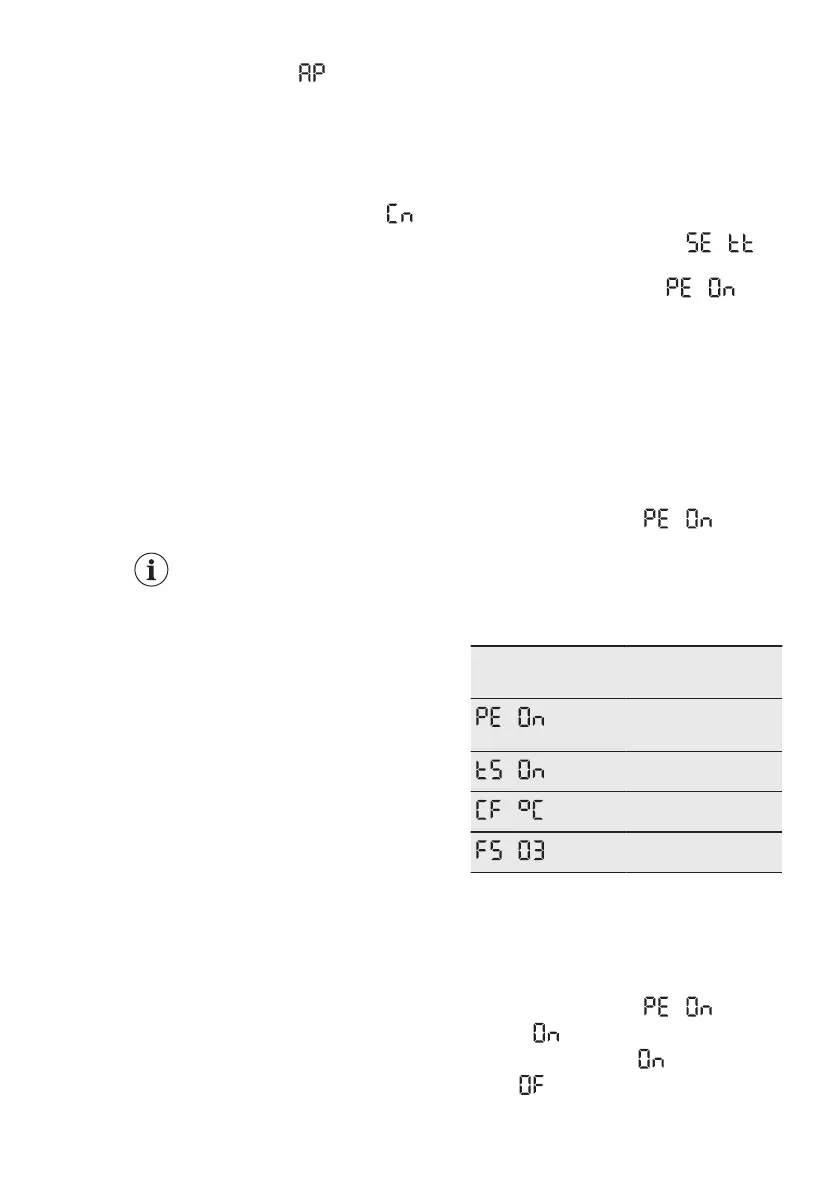
display may temporarily show .
After the successful onboarding, the
Connectivity indicator stops flashing and
becomes solid. Display shows the set
temperatures.
Disabling the appliance wireless
connection
You can temporarily disable the Wi-Fi
connection by pressing and holding the
Connectivity button for 3 seconds. The
Connectivity indicator switches off and
the appliance beeps once.
Once the Wi-Fi connection is disabled, to
automatically re-establish the connection
press and hold the Connectivity button
for 3 seconds.
After reset, the Connectivity
indicator may be off. Wait a
few seconds until it turns on.
Resetting the appliance wireless
connection
Before you reset the Wi-Fi configuration,
make sure that the Connectivity indicator
is visible on the display. It means that the
function is switched on. If the function is
switched off, the attempt to reset the
connection will turn the function on.
You can reset the Wi-Fi configuration by
pressing and holding the Connectivity
button for 10 seconds. The appliance will
beep to confirm the successful reset.
To re-establish the connection, repeat all
the steps described in section “Disabling
the appliance wireless connection"
section.
4.14 Setting mode
The Setting mode allows you to:
• Enable or disable the ECOMETER
indicator
• Enable or disable the button sounds
• Change the temperature units from °C
to °F
• Reset the appliance to factory settings
Activating the Setting mode
To activate the Setting mode:
1. Press and hold the ECO button for
approximately 3 seconds. When the
Setting mode is being activated, the
display shows a blinking .
2. Once the Setting mode is switched
on, the display shows
.
To deactivate the Setting mode, press
and hold the ECO button for
approximately 3 seconds.
The Setting mode deactivates
automatically if you do not interact with
the control panel for 60 seconds.
Navigating the Setting mode
1. Activate the Setting mode (refer to
"Activating the Setting mode").
The display shows .
2. Tap the fridge temperature button (on
the left) to change the parameter.
Tap the freezer temperature button
(on the right) to change the
parameter value.
Display Default parame‐
ters
ECOMETER indica‐
tor
Button sounds
Temperature units
Factory settings
ECOMETER indicator
In order to switch the ECOMETER on or
off:
1. Activate the Setting mode (refer to
"Activating the Setting mode").
The display shows .
2. Tap repeatedly. The indicator will
show respectively for the enabled
or
for the disabled ECOMETER
indicator.
ENGLISH 13



 To Next Page