English
5
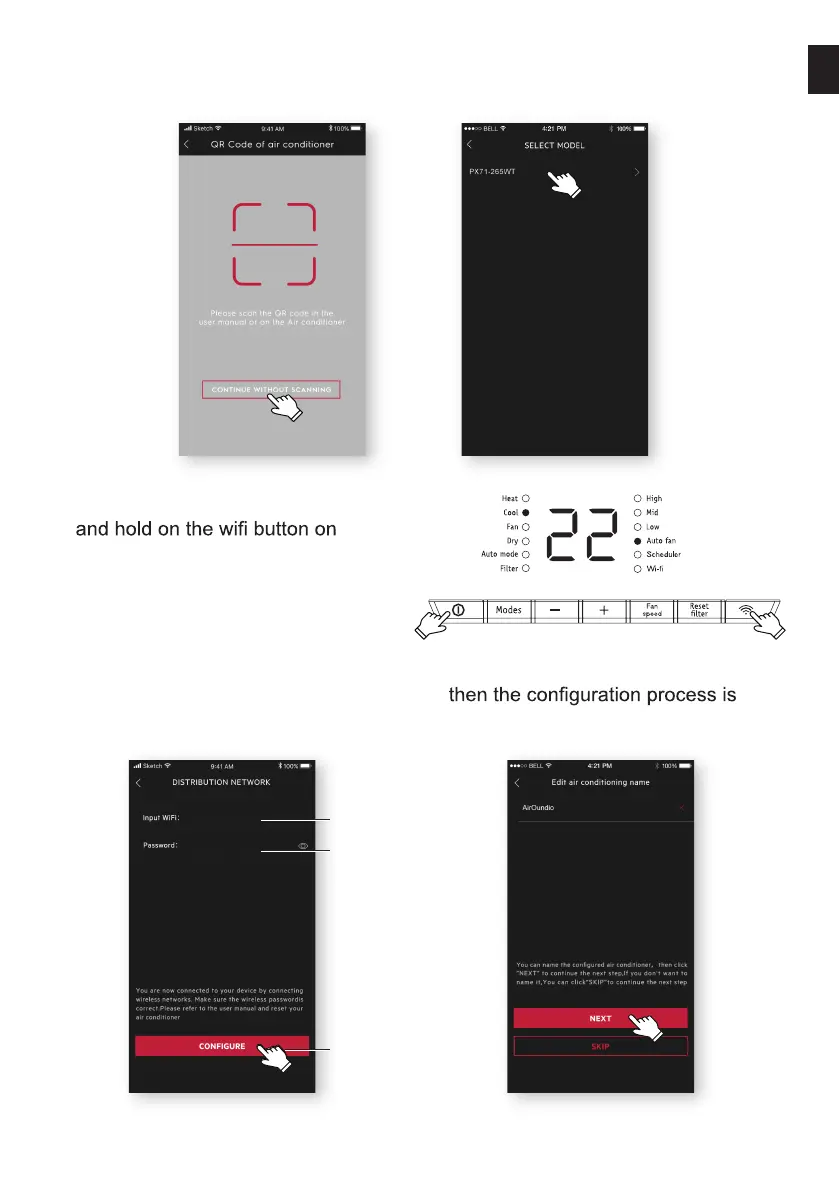
If there is no QR code on the unit, click “CONTINUE WITHOUT SCANNING”, then
choose your model manually.
7: Power on the AC, then press
the unit for 5s. The Wi-Fi LED
will start to blink.
8: Check the Wi-Fi name;
Type in the password of the router;
Click “CONFIGURE”.
9: Name your AC and Click “NEXT”,
completed.


 To Next Page