English
6
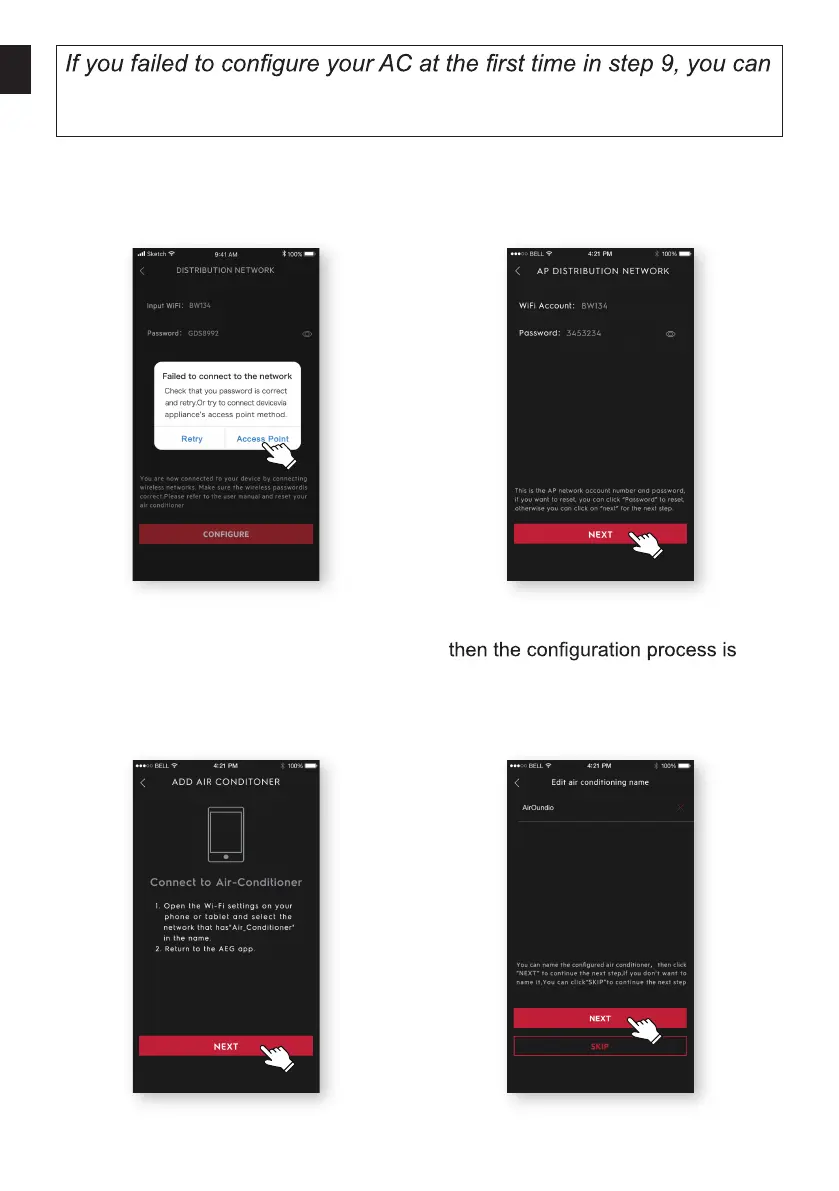
choose “Retry” and repeat the process from Step 8. Or you can
choose the “Access Point” solution:
1. Choose the “Access point” when
failed to connect to the network
window pops up.
2. Input the password of the router, click
“NEXT”.
3. Open the Wi-Fi settings on your
phone and select the network “Air
Conditioner”.
Return to the AEG app, and click
“NEXT”.
4. Name your AC and Click “NEXT”,
completed.


 To Next Page