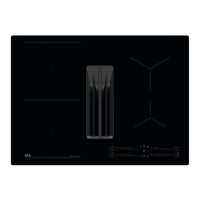
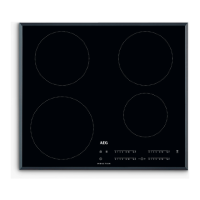
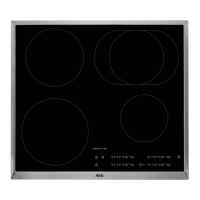
This document is a user manual for the AEG T164IG00FZ Induction Hob, providing comprehensive information on its installation, operation, maintenance, and safety.
Function Description
The AEG T164IG00FZ is a built-in induction hob designed for domestic cooking purposes. It features a flexible induction cooking area consisting of four sections, which can be combined into two separate cooking zones or one large cooking area, offering versatility for various cookware sizes and cooking needs. The hob is equipped with a control panel that allows users to activate/deactivate the appliance, set heat settings, manage timers, and access additional functions.
Key functions include:
- Induction Cooking Zones: These zones generate heat directly in the bottom of the cookware, ensuring efficient and fast cooking.
- Control Panel: A touch-sensitive interface with sensor fields for operating all functions.
- Flexible Induction Cooking Area (Flex Bridge): This area allows for combining sections to accommodate different cookware sizes (Standard, Big Bridge, and Max Bridge modes).
- Timer Options: Includes a Count Down Timer for setting specific cooking durations and a Minute Minder for general timing.
- PowerBoost: Provides additional power to induction cooking zones for a limited time, accelerating heating.
- OptiHeat Control (3-step Residual Heat Indicator): Indicates the level of residual heat (continue cooking, keep warm, residual heat) for safety and energy efficiency.
- Power Management: Automatically adjusts power distribution across active cooking zones to prevent exceeding the power supply limit.
- Automatic Switch Off: Deactivates the hob under certain conditions (e.g., no heat setting, spills, overheating, prolonged inactivity).
- Pause Function: Sets all operating cooking zones to the lowest heat setting (level 1) temporarily.
- Lock / Child Safety Device: Prevents accidental operation of the control panel.
- Bridge Function: Connects two right-side cooking zones to operate as one, suitable for larger cookware.
- PowerSlide Function: Allows temperature adjustment by moving cookware between three predefined areas on the induction cooking surface, each with a different heat setting.
- Hob²Hood Function: An advanced automatic function that connects the hob to a special hood via infrared signal, automatically adjusting fan speed based on cooking activity and cookware temperature. It also allows for manual fan speed control and automatic light activation.
Important Technical Specifications
- Model Identification: T164IG00FZ
- Type of Hob: Built-In Hob
- Number of Cooking Areas: 2 (flexible, can combine sections)
- Heating Technology: Induction
- Electrical Ratings: 220 - 240 V / 400 V 2N, 50 Hz
- Total Power: 7.35 kW
- Cooking Zone Specifications (Nominal power / PowerBoost / Cookware diameter):
- Right front: 2300 W / 3200 W (10 min) / 145-265 mm
- Right rear: 2300 W / 3200 W (10 min) / 145-265 mm
- Flexible induction cooking area: 2300 W / 3200 W (10 min) / minimum 105 mm
- Length (L) and Width (W) of the cooking area:
- Left: L 45.8 cm, W 21.4 cm
- Right: L 36.8 cm, W 26.5 cm
- Energy Consumption:
- Left cooking area: 191.1 Wh/kg
- Right cooking area: 182.9 Wh/kg
- Hob (EC electric hob): 187.0 Wh/kg
- Connection Cable Type: H03V2V2-F or H05BB-F (withstanding 90 °C or higher).
- Minimum Distance from Bottom of Appliance to Drawer Contents: 2 cm.
- Isolation Device Contact Opening Width: Minimum 3 mm.
Usage Features
The hob is operated via touch-sensitive sensor fields on the control panel. Displays, indicators, and sounds provide feedback on active functions.
- Activating/Deactivating: Press and hold the On/Off symbol.
- Heat Setting: Select desired heat setting on the control bar (0-9, P for PowerBoost).
- Pot Detection: Automatically detects cookware and deactivates zones if no cookware is present or removed for 120 seconds.
- Timer: Set cooking durations (00-99 minutes) for individual zones or use as a minute minder.
- Flex Bridge Modes: Switch between Standard, Big Bridge, and Max Bridge modes using the dedicated symbol to combine cooking sections.
- PowerSlide: Move cookware between designated areas to automatically adjust heat settings (default: 9, 6, 3; customizable).
- Hob²Hood: Automatic fan speed and light control based on cooking activity, with manual override options.
- User Settings Menu: Access settings for sound (On/Off), hood mode (0-6), and alarm/error history.
- Cookware Compatibility: Use induction-suitable cookware (cast iron, steel, enamelled steel, stainless steel, multi-layer bottom) with a magnet-attracting base. Optimal performance with cookware diameters similar to the cooking zone size.
Maintenance Features
Regular cleaning and proper care are essential for maintaining the hob's surface and functionality.
- Daily Cleaning: Clean the hob after each use. Use a mildly abrasive cleaning milk and an anti-scratch, delicate sponge for the glass surface. Wipe dry with a microfibre cloth.
- Immediate Cleaning: Immediately remove melted plastic, plastic foil, salt, sugar, and sugary foods using a special hob scraper at an acute angle to prevent damage.
- Cool Cleaning: Once the hob is sufficiently cool, remove limescale rings, water rings, fat stains, and metallic discoloration using cleaning milk and a delicate sponge.
- Persistent Marks: For stubborn stains, apply moderate pressure with an anti-scratch sponge and cleaning milk.
- Avoid: Steam cleaners, water spray, abrasive products, abrasive cleaning pads, solvents, metal objects, knives, or sharp metal tools for cleaning the glass surface. Do not use classic yellow and green sponges due to potential damage from aluminum particles.
- Cookware Care: Ensure cookware bases are clean and dry before placing on the hob. Avoid sliding or rubbing cookware on the glass surface to prevent chipping or damage.
- Error Codes: In case of malfunctions indicated by an "E" and a number, deactivate and reactivate the hob. If the problem persists, disconnect from the electrical supply for 30 seconds, then reconnect. If the issue continues, contact an Authorised Service Centre.

 Need help?

 To Next Page
 General