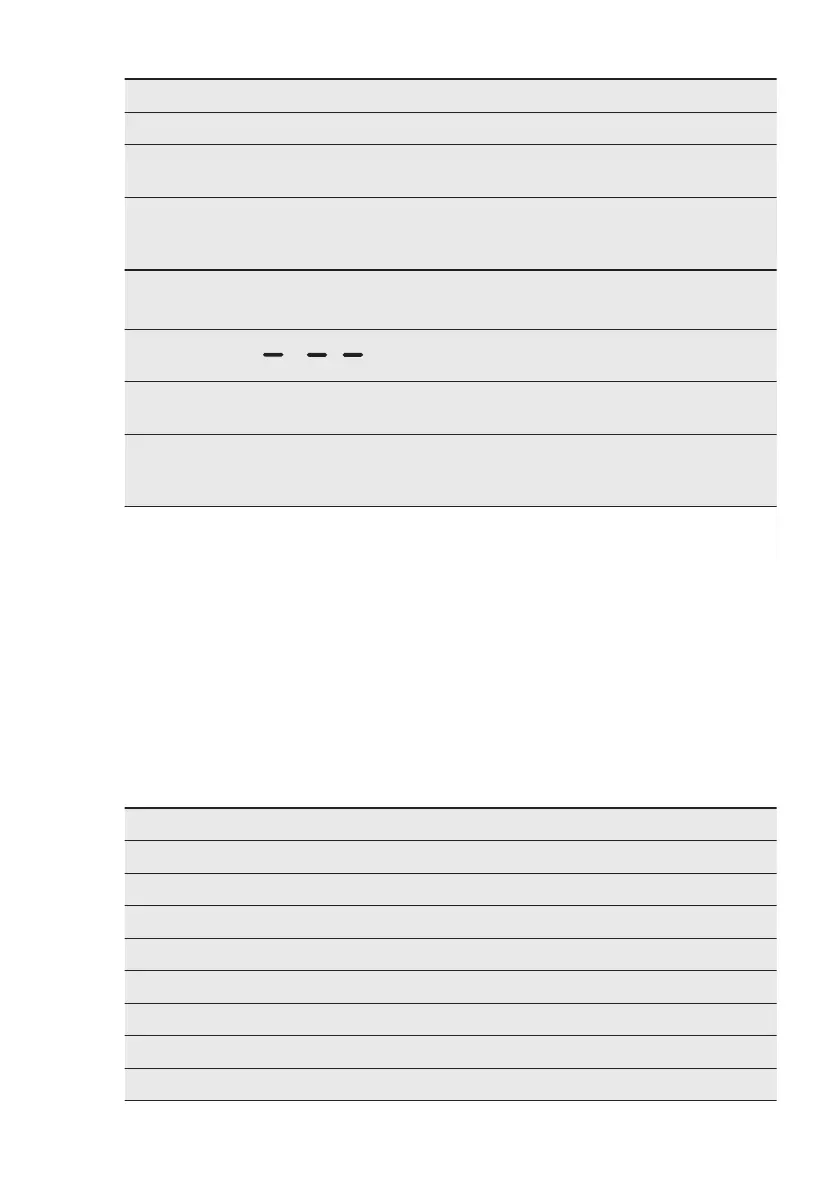
Problem Possible solution
Make sure that the filter is clean.
The laundry is too wet. Spin the laundry in
the washing machine again.
Ensure that the room temperature is higher
than +5°C and lower than +35°C. Optimal
room temperature is 19°C to 24°C.
Set the Zeitprogramm (Time Drying) or the
Extratrocken (Extra Dry) programme.
2)
The display shows .
If you want to set a new programme, deacti-
vate and activate the appliance.
Make sure that the options are suitable for
the programme.
The display shows Error code (e.g. E51). Deactivate and activate the appliance. Start
a new programme. If the problem occurs
again, contact the Service centre.
1)
After maximum 5 hours, the programme ends automatically.
2)
It can happen that some area remains humid when drying big items (e.g. bed sheets ).
12.1 If the drying results are
not satisfactory
• The set programme was incorrect.
• The filter is clogged.
• The Heat Exchanger is clogged.
• There was too much laundry in the
appliance.
• The drum is dirty.
• Incorrect setting of the conductivity
sensor ( See chapter "
Settings -
Adjustment of the remaining laundry
moisture degree
" for better setting).
• The airflow slots are clogged.
• Room temperature is too low or too
high ( optimal room temperature 19°C
to 24°C )
13. TECHNICAL DATA
Height x Width x Depth 850 x 600 x 600 mm (maximal 665 mm)
Max. depth with the appliance door open 1100 mm
Max. width with the appliance door open 950 mm
Adjustable height 850 mm (+ 15 mm - feet regulation)
Drum volume 118 l
Maximum load volume 8 kg
Voltage 230 V
Frequency 50 Hz
Sound power level 66 dB
www.aeg.com18



 To Next Page