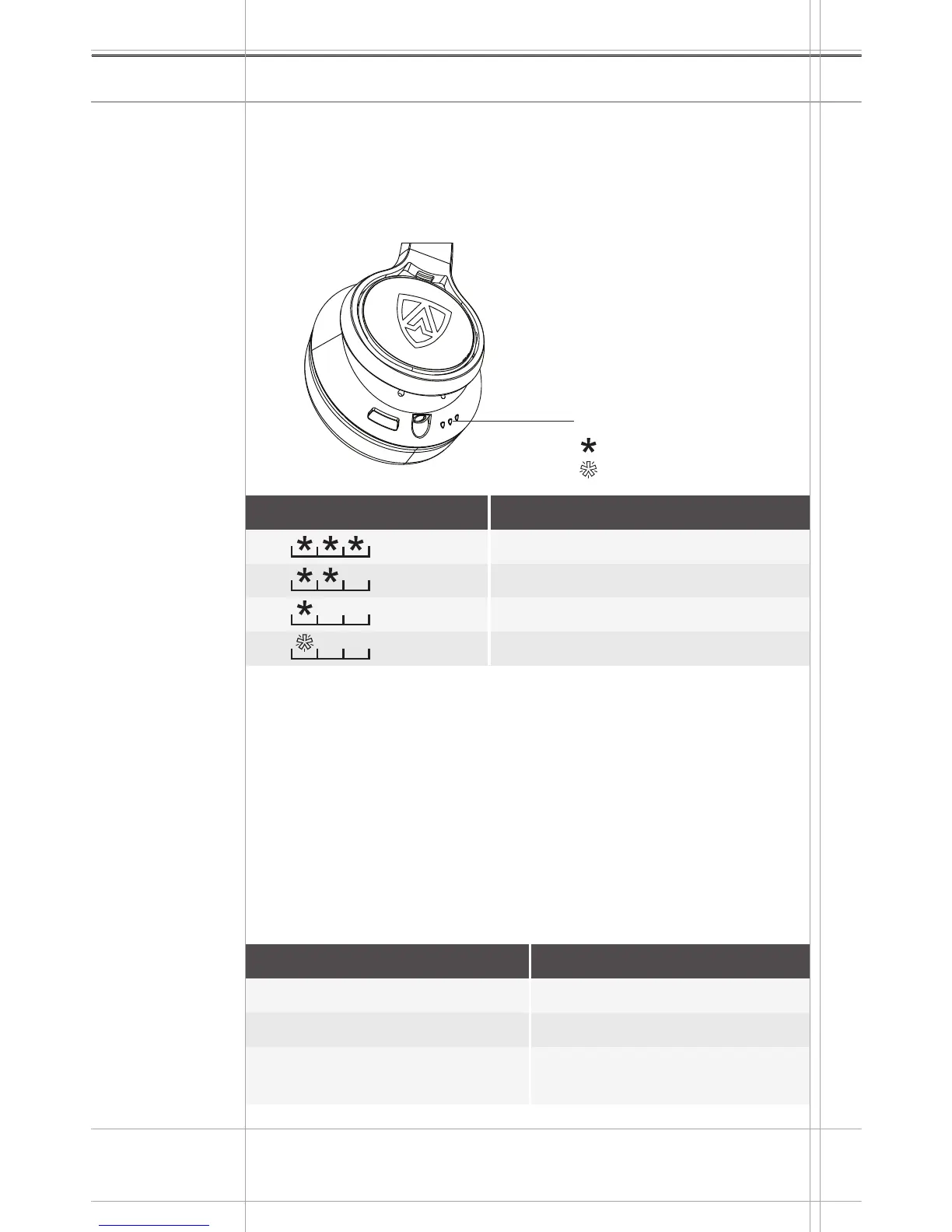
POWER
INPUT
MIC
Using the headphones
AEGIS PRO 16
LED
Battery LED Indicator
Solid Light
Blinking Light
Checking the remaining battery life
You can check the remaining play and talk time of the battery at any
time.
Press the POWER BUTTON once to display the current battery
status of the headphones.
Music functions in Bluetooth Mode
The following music functions are only available if the headphones
and the smartphone are connected using Bluetooth
®
wireless
technology. Some smartphones may not support all functions.
Use the SHIELD BUTTON for all music features
Depending on your smartphone, the battery life of your
headphones will be displayed on your smartphone.
Right Earcup
LED Battery Level
100%
50% to 75%
25% to 50%
0% to 25%
Action
Press and release once
Press and release two times
Press and release three
times
Description
Play/pause a song
Plays the next song
Plays the previous song


 To Next Page