Using the headphones
AEGIS PRO17
Call functions
The following call functions are only available if the headphones
and the smartphone are connected using Bluetooth wireless
technology.
Making a call
Dial the desired number on your mobile phone. If your mobile
phone does not automatically transfer the call to the headphones,
select the AEGIS PRO as the audio source on your smartphone.
(please refer to your smartphone’s user manual if necessary)
Accepting/ rejecting/ ending a call
If your headphones are connected to a smartphone and you
receive a call, you will hear your ring tone in the headphones and
the LED flashes blue. If the battery level of the headphone is low,
the LED flashes red.
If you are listening to music when you receive a call, the music is
paused until you end the call.
LED
Action
Press and release once
Press and hold for more
than 1 second
Description
Accept/Start a call
Reject a call
LED
Action
Press and release once
Description
End a call
During a successful connected active call,
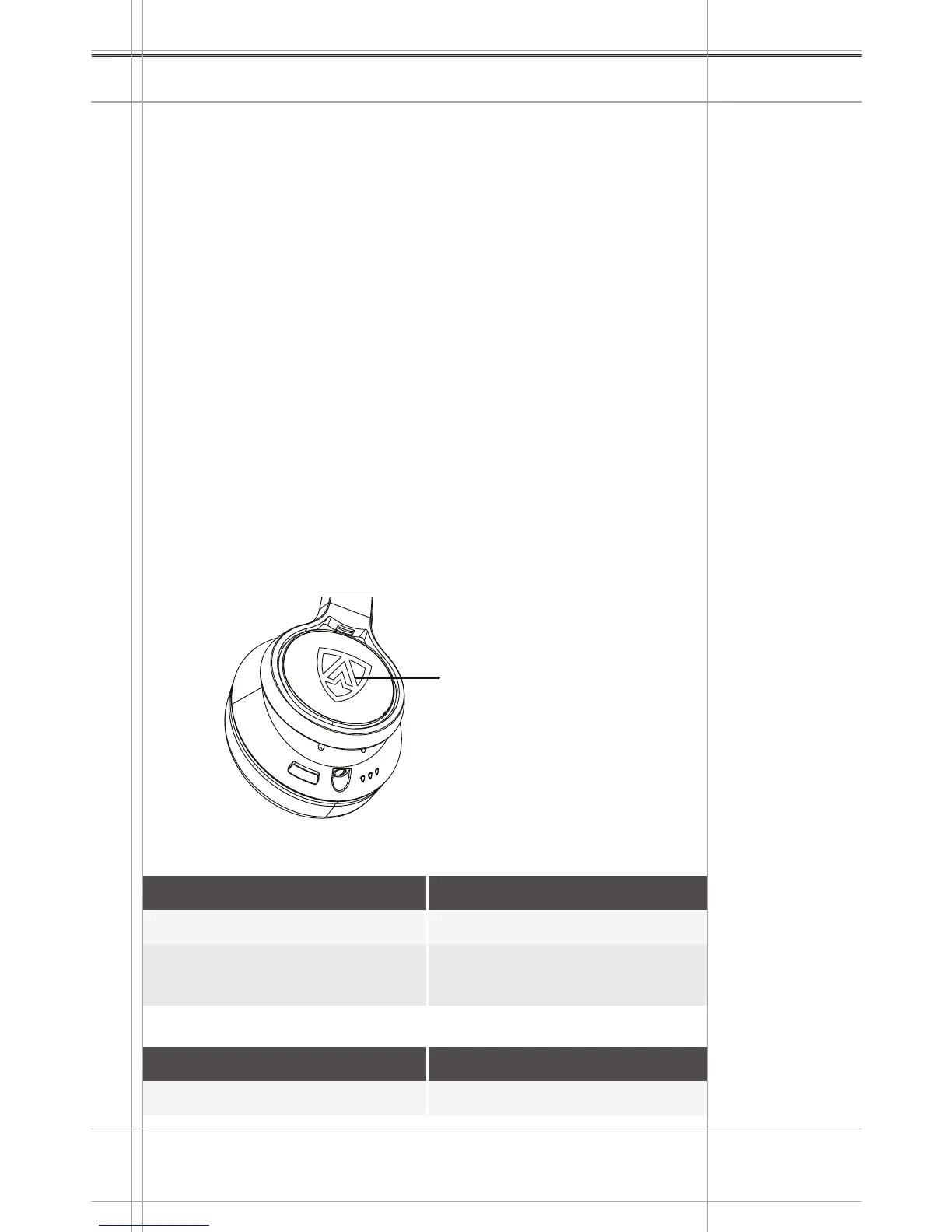
Use the SHIELD BUTTON for all call features
Press the SHIELD
BUTTON
POWER
INPUT
MIC
Right Earcup


 To Next Page