NOTES
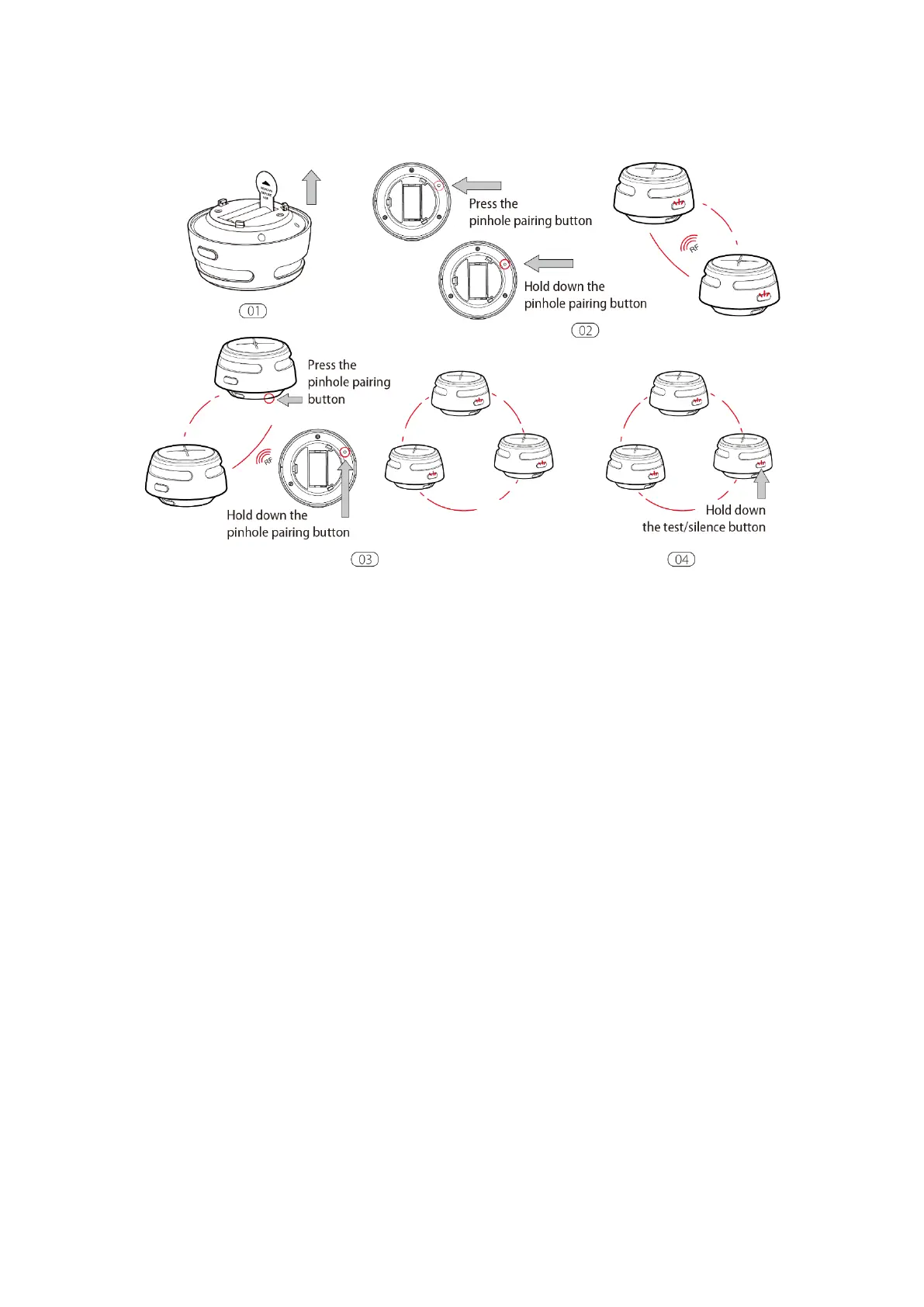
1. The alarm will enter the searching mode or the pairing mode for 60 seconds with the LED flashing red.
After 60 seconds, repeat step 2 to connect the alarms. If needed, press the pinhole pairing button once
while the alarm is in the searching mode or the pairing mode, and the LED will stop flashing red and
the alarm will quit the pairing mode to enter normal status.
2. Test all wireless alarms to ensure they are interconnected before installation.
3. A maximum of 24 wireless alarms can be interconnected on the same network.
4. The model can only be interconnected with other X-SENSEwireless interlinked alarms.
How to Disconnect
Press the pinhole pairing button using the pin and the unit will beep once. Then, hold down the pairing
button until the unit beeps once more to disconnect. After disconnecting, it can be reconnected to the same
network, or added to a new network.


 To Next Page