RevC 07/15/13 Page 27
Controls Synchronization
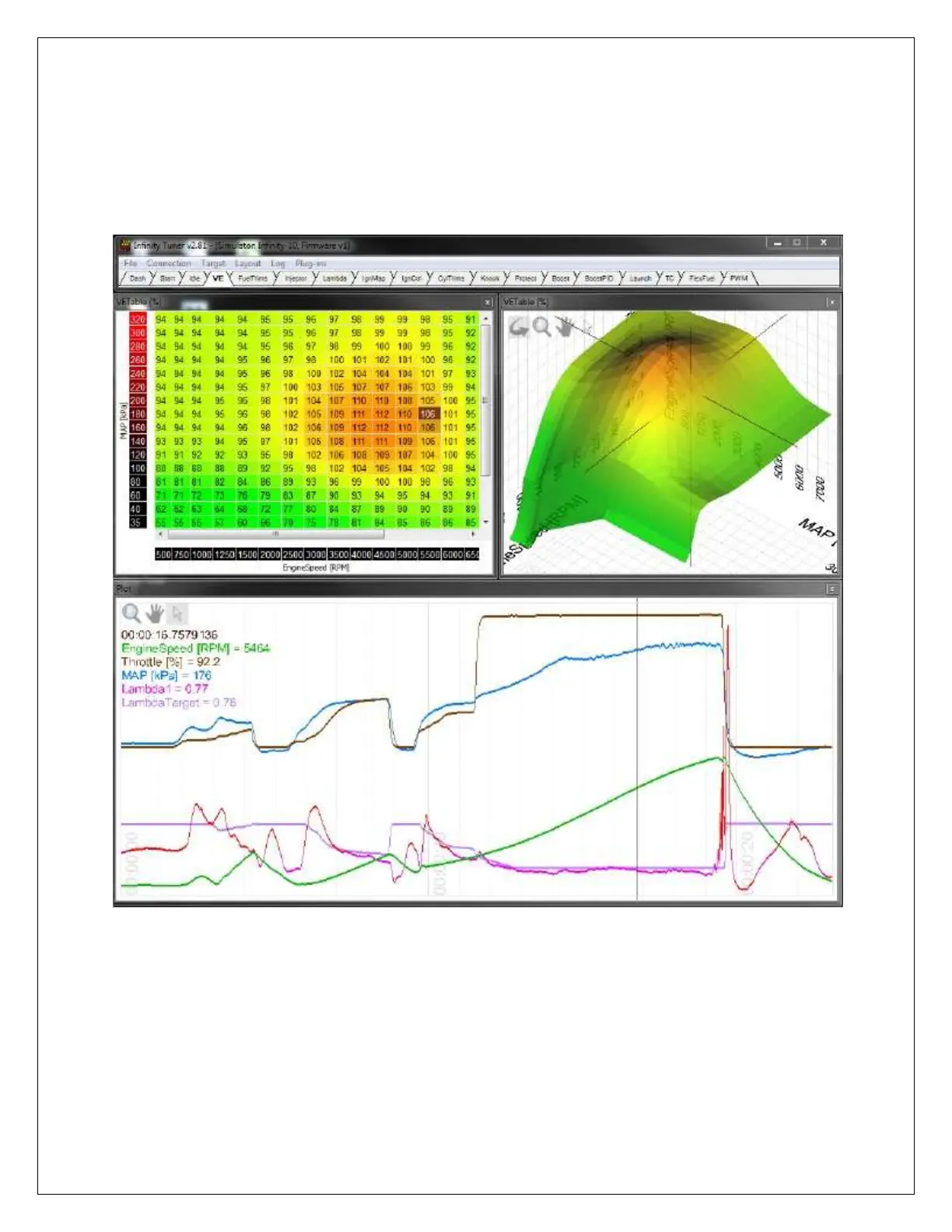
When the plot control is populated with data, using the selection tool and dragging
through the plot will cause InfinityTuner to synchronize all control windows to the plot
data. This happens when connected to the simulator offline or when connected to the
ECU via USB. To go back to viewing “live” data, go to the Log menu and select Goto
live data.
The image above shows plot data sync’d to control windows. All table cursors update
with their position relative to the logged data in the plot control. Note that in this mode,
table edits are still possible.



 To Next Page